Rel. 03
45
Semiautomatic
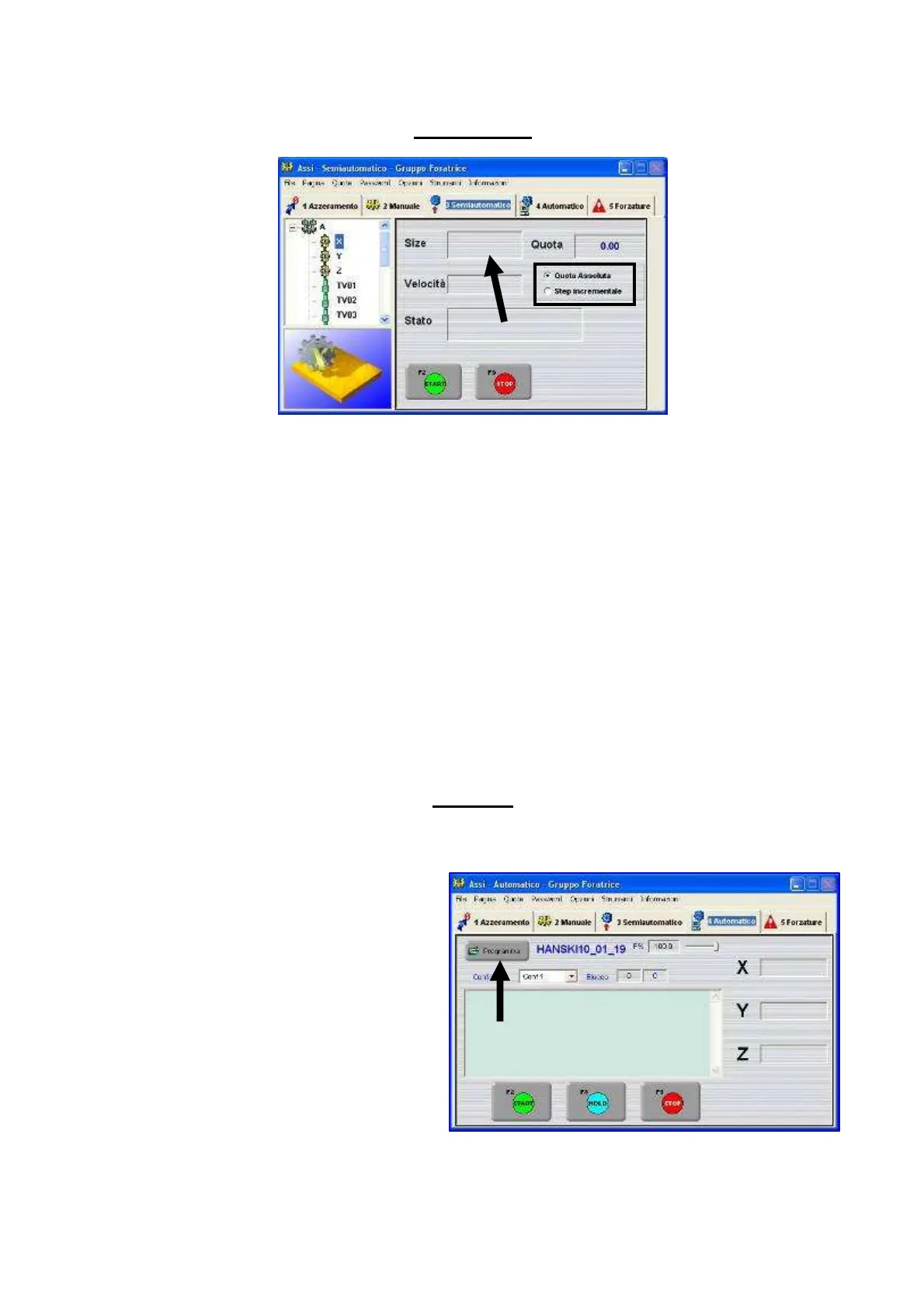
In this section it is possible to move the operating unit (TV01 reference) on the existing axes by
choosing:
- One absolute dimension by following the procedure here-below:
1) Enter the dimension in the box pointed by the arrow
2) Select the upper box in the section highlighted in the picture
3) Press “Start”
- Increase the position by following the procedure here-below:
4) Enter the increase value in the box pointed by the arrow
5) Select the lower box in the section highlighted in the picture
6) Press “Start”
Automatic
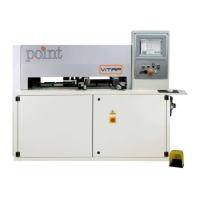
By pressing the button highlighted in the picture it is possible to run those programmes which have
already been optimized previously.
Procedure :
1) Press the button shown in
the picture
2) Select the programme
3) Press “Start”


 To Next Page