Rel. 03
33
When the dimension in X (QX) is entered it must be entered:
for side 1 QX= LPX-32
for side 3 QX= 32
Where LPX corresponds to the X dimensions of the board.
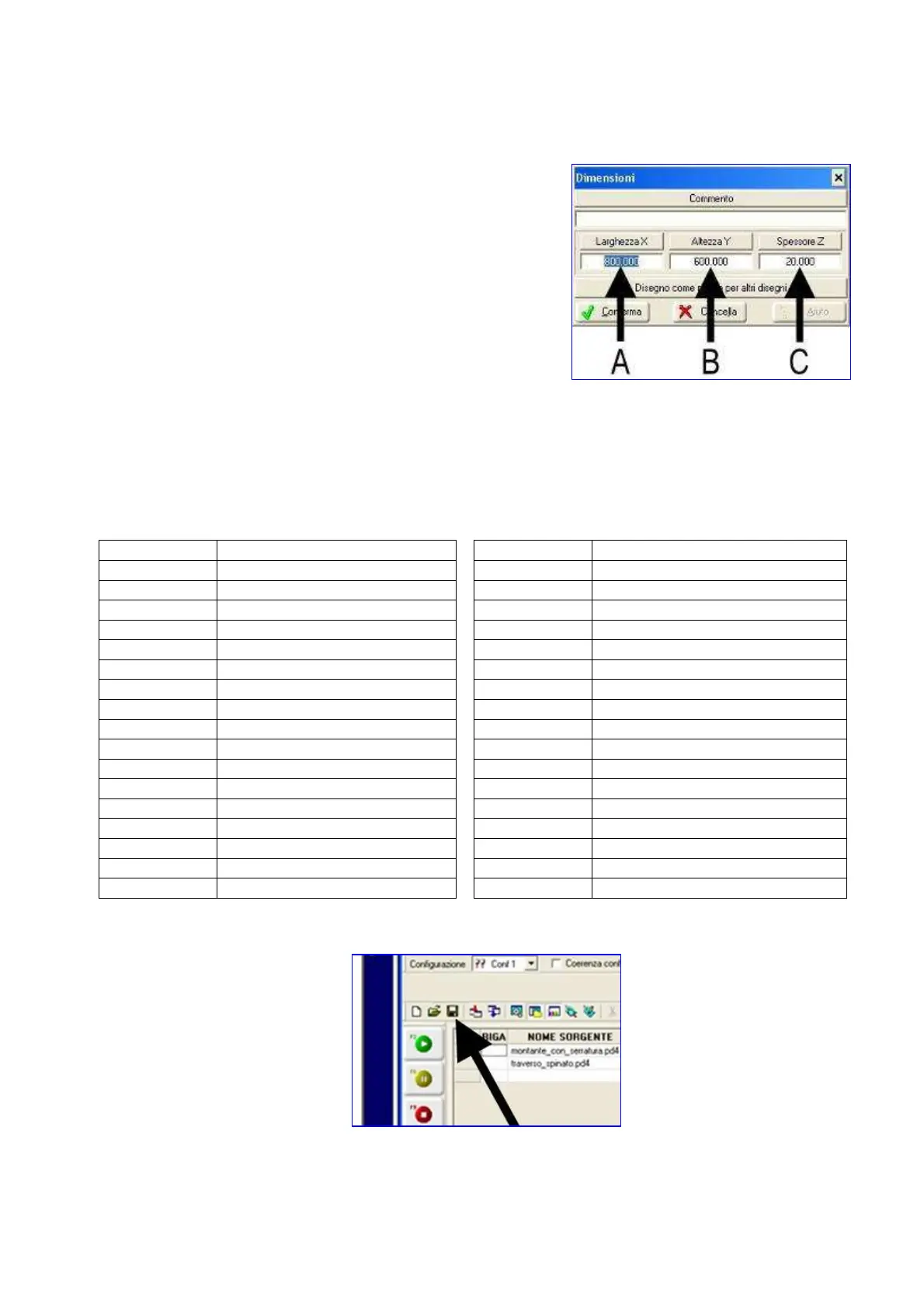
CAD is parametric. This means that to the three dimensions
of the board an abbreviation has been assigned:
LPX = dimension in X of the board A
LPY = dimension in Y of the board B
LPZ = dimension in Z of the board C
When entering working data, it is possible to use previous abbreviations in the formula.
If for instance the hole has to be made at the centre of the board in X, it is possible to enter the
formula “LPX/2”.
In this way, even if board sizes change, the hole will remain at the centre of the board in X.
Here follows the explaination of some abbreviations to be entered:
Abbreviation
DESCRIPTION
Abbreviation
DESCRIPTION
AN Angle
OFS Holes centre distance
ALT Loop height
OFFS Holes offset
ASP Maximum removal
PRF Working depth
ASPO Maximum removal
PRF2 Lock seating depth
DIA Tool or hole diameter
PRFF Holes depth
DIAF Holes diameter
QX X working quota
DIAM Tool diameter
QY Y working quota
DIA2 Diameter F2
QZ Z working quota
H H plate height
QXS X starting quota
L L plate length
QYS Y starting quota
LPX Width
QXE X final quota
LPY Height
QYE Y final quota
LPZ Thickness
QXF1 X hole 1 quota
LN Working length
QZF1 Z hole 1 quota
LSER Lock seating length
VD Drilling speed
LUN Working length
VD1 F1 drilling speed
N Number of holes
VD2 F2 drilling speed
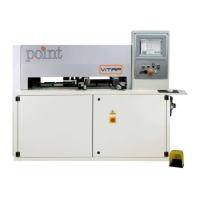
Then save the drawing by
pressing


 To Next Page