
 Need help?
Do you have a question about the Polar Electro S610i and is the answer not in the manual?
Description of the components of the heart rate monitor.
Explanation of the functions of each button on the device.
Guide to the initial setup and activation of the device.
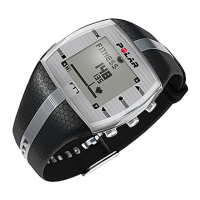
Steps for correctly wearing the wrist receiver.
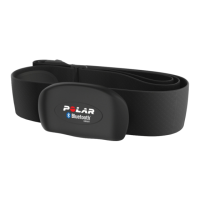
Steps for correctly wearing the heart rate transmitter.
Procedure for initiating heart rate measurement.
Steps to cease heart rate measurement.
Care instructions for the transmitter after use.
Overview of the different operating modes of the heart rate monitor.
Guide to inputting personal user details for the device.
Configuration options for different exercise modes and types.
Steps for configuring countdown timers for workouts.
How to define upper and lower heart rate limits.
Enabling or disabling heart rate limit alerts.
Choosing between time-based, heart-rate-based, or manual intervals.
Configuring the count of intervals and recovery periods.
Options for time-based or heart-rate-based recovery calculation.
Customizing names for different exercise sets.
Adjusting the data recording interval (5, 15, or 60 seconds).
Enabling or disabling features like OwnCal and Fitness Test.
Controlling the display of predicted maximum heart rate.
Adjusting display and sound settings for the monitor.
Enabling or disabling sounds for buttons and activities.
Choosing between metric and imperial units.
Enabling or disabling on-screen help prompts.
Configuring basic watch functions like alarm and time.
Setting up audible alarms on the device.
Adjusting the current time displayed on the watch.
Configuring the current date on the device.
Managing reminder notifications for the user.
Useful shortcuts and tips for settings management.
How to view heart rate without recording exercise.
How to start and manage exercise recording.
Activating or deactivating alarms for heart rate zones.
Cycling through different heart rate limit settings.
Instructions for using the backlight function.
How to save lap and split times during an exercise.
Steps to temporarily stop and resume an exercise.
Changing the data shown on the display during exercise.
How to reset the exercise stopwatch, which deletes recorded data.
How to begin an exercise using a pre-set exercise set.
Performing exercises using interval training configurations.
Performing exercises using the BasicSet configuration.
How timers automatically start and function during exercise.
Initiating the recovery calculation phase.
Procedure to end an exercise session.
Various tips for optimizing exercise sessions.
Accessing and reviewing saved exercise files.
Viewing detailed heart rate data samples from an exercise.
Accessing cumulative data like calories and exercise time.
Steps to remove individual exercise files from the device.
Procedure for erasing all stored exercise files.
How to transfer exercise data from the monitor to a PC.
How to transfer settings from a PC to the heart rate monitor.
Explanation of OwnIndex as a measure of aerobic fitness.
Understanding the predicted maximum heart rate value.
Prerequisites and settings for conducting the fitness test.
Step-by-step guide for performing the Polar Fitness Test.
How to stop the fitness test prematurely.
Updating personal fitness test results in user settings.
Interpreting OwnIndex results based on age and gender.
Guidelines for cleaning and maintaining the device.
Information on transmitter and receiver battery life and replacement.
Procedures for obtaining service for the heart rate monitor.
Advice for using the device in water.
Understanding and mitigating signal interference.
Health considerations and precautions before exercising.
How to return to the main display if lost in menus.
Reasons for not finding a previous exercise file and how to record.
Why calorie data might be missing from exercise files.
Steps to enable the HRmax-p feature.
Reasons for not receiving heart rate data and solutions.
What to do if the heart symbol frame disappears.
Causes and solutions for an irregularly flashing heart symbol.
How to handle interference caused by another user's monitor.
Causes of unusual heart rate readings and how to resolve.
Solutions for a blank or fading screen, including battery checks.
How to reset the device when buttons are unresponsive.
Technical details of the heart rate transmitter.
Material and construction details of the elastic strap.
Technical details of the wrist receiver unit.
Default values for various device settings.
 General
| Brand | Polar Electro |
|---|---|
| Model | S610i |
| Category | Heart Rate Monitor |
| Language | English |



 To Next Page