Your digital camera has a four-directional pad that functions as Quick Function buttons.
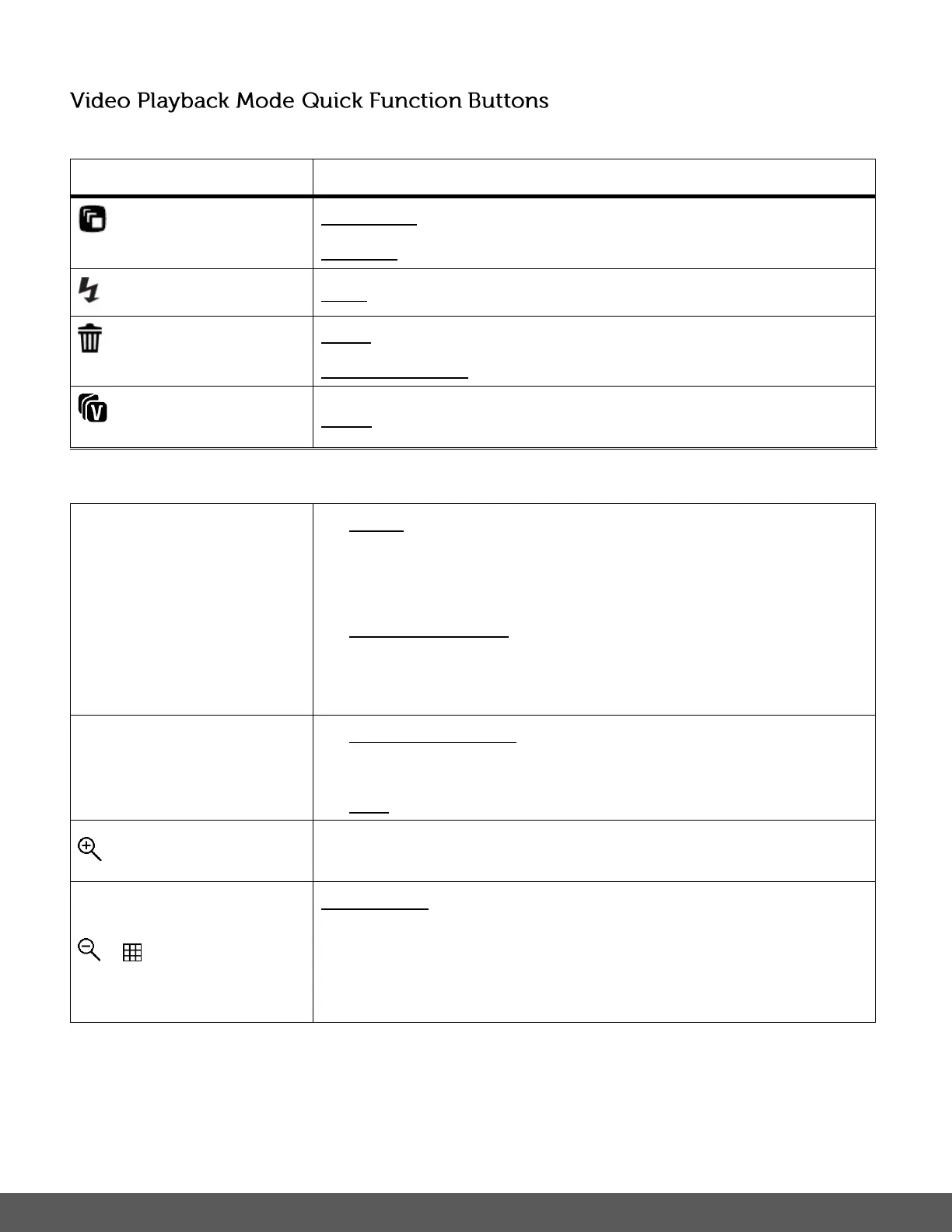
PREVIOUS - Displays the PREVIOUS image.
REWIND – Rewinds the playing video.
PLAY – Plays the selected video.
NEXT - Displays the NEXT image.
FAST FORWARD – Fast forwards the playing video.
STOP – Stops the playing video.
MENU - Opens the menu options for Video Playback Mode.
To navigate through the Menus, use the
UP/DOWN/LEFT/RIGHT direction control buttons.
SAVE SELECTION - Saves your selected menu option.
To navigate through the Menus, press the
UP/DOWN/LEFT/RIGHT direction control buttons.
MODE SELECTION - Toggles between the Photo Capture
Mode, Video Capture Mode and Playback Mode.
THUMBNAIL - Opens Thumbnail View.
To navigate in the Thumbnail View press the
UP/DOWN/LEFT/RIGHT direction buttons.
To select an image in the Thumbnail View press the SET button.



 To Next Page
 Loading...