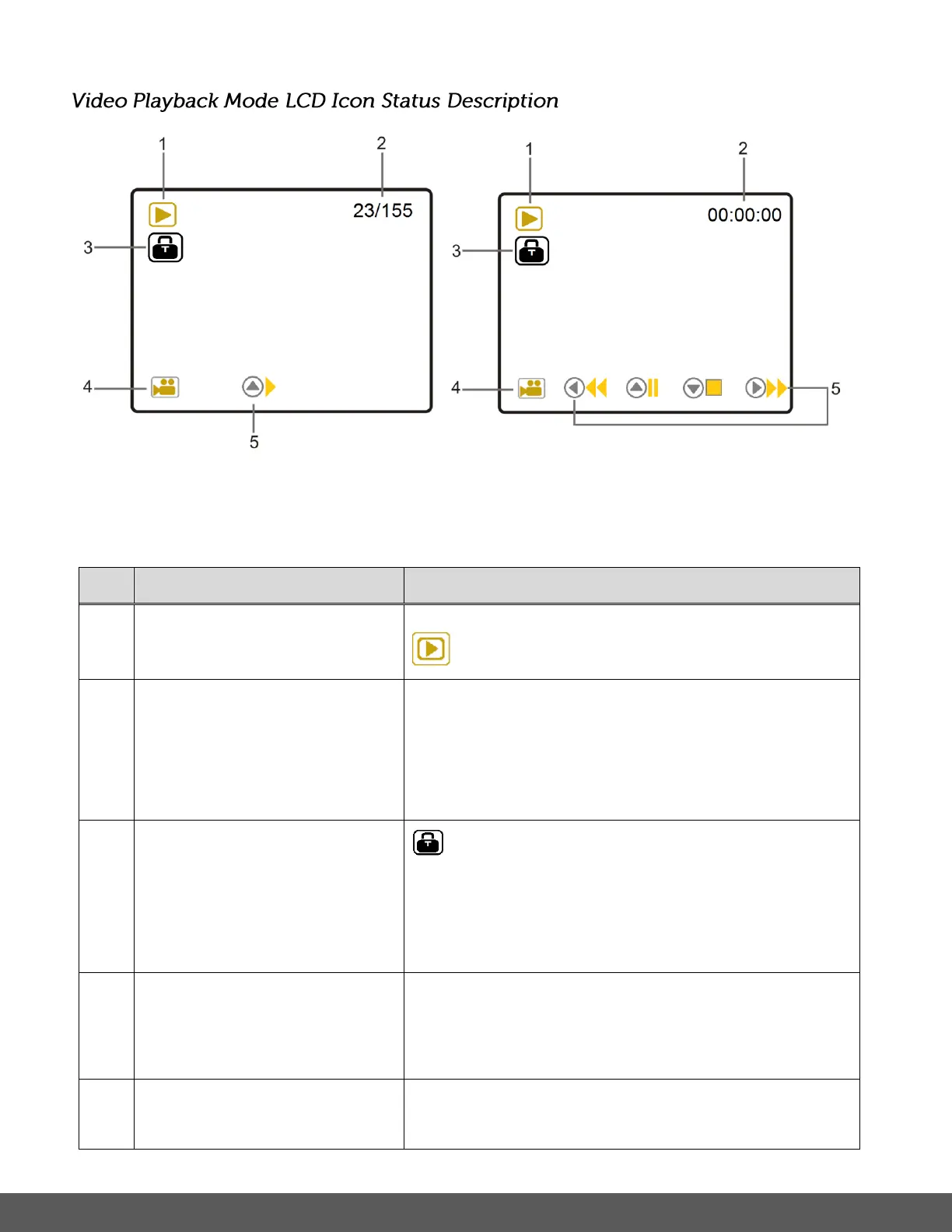
Video Playback Mode: Standby Video Playback Mode:
Playing Video – Playback Time / Controls
Displays the current selected Mode:
Playback Mode
Standby: Indicates serial number of the current file /
total number of files
Playback: Displays the elapsed recording time
during playback as per Hours : Minutes : Seconds
Protected/Locked Image
(Locked images only)
The lock icon indicates that the file has been
protected/locked.
The lock icon appears only with locked files. Files
that do not display this icon are unlocked.
Displays the video icon if the selected file is a video.
Note: If the selected file is a photo, no icon is
displayed.
The Date and Time of the captured image is shown
only when the feature is activated via the settings.



 To Next Page
 Loading...