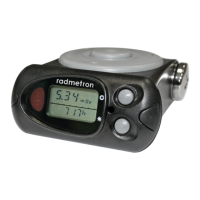
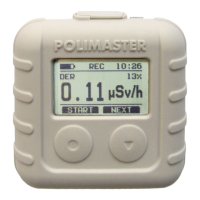
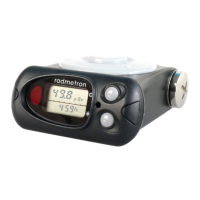
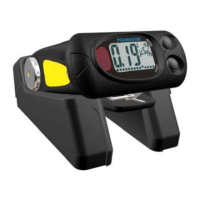
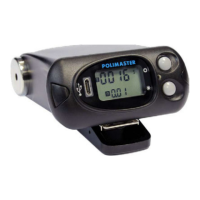
- orient the dosimeter and adapter of IR communication channel of the PC by placing
the dosimeter at a distance of 10-20 cm from the adapter of IR channel;
- choose the mode of data transmission to PC using the MODE button (figure 2.1);
- press and release the SET button for PC link startup through IR channel;
- perform readout of the dosimeter's information, following the program's instructions.
Attention! The long stay in the mode of data transmission to PC (on/IR)
decreases the battery service life.
2.4.8 “Alarm clock”, “timer”, “stop-watch”, “clock-calendar” modes
Press and release the MODE button to enter the “alarm clock” mode.
To set the time of the alarm clock turning on, enter the “set” mode by pressing and fixing
the SET button and set the necessary time using the MODE and SET buttons, leave the
“set” mode by pressing and fixing the SET button (Figure 2.3).
For switching on/off the function of the alarm clock turning on at the set time press and
release the SET button in the alarm clock mode.
If the current time coincides with the time of the alarm clock turning on, the alarm will
sound for about 20 seconds. Press any button to silence the alarm sound.
Press and release the MODE button to enter the “timer” mode (Figure 2.4). Press
and release the SET button to start or to stop timer. When the timer is on, the alarm will
sound for about 20 seconds. Press any button to silence the alarm sound.
Hours, minutes, seconds are set with the MODE and SET buttons while in the “set” mode.
To enter the “set” mode press and fix the SET button.
Press and release the MODE button to enter the “stop-watch” mode (Figure 2.5).
Press and release the SET button to start, to stop or to reset the stop-watch.
Press and release the MODE button to enter the “clock-calendar” mode.
Press and release the SET button to display the year and the month in the “clock-
calendar” mode (Figure 2.1).
To set the current time, calendar and language (Russian or English), enter the “set”
mode by pressing and fixing the SET button and set the selected parameter using the
MODE and SET buttons (Figure 2.5).
The days of the week are named as follows: MO-Monday, TU – Tuesday, WE –
Wednesday, TH – Thursday, FR – Friday, SA – Saturday, SU –Sunday.
2.4.9 Partial or critical battery discharge indication mode
The dosimeter controls battery discharge once in 10 minutes.
In case of the battery partial discharge (approximately 2.7 V) the LCD will indicate
the flashing symbol "bat". The battery is to be replaced! (see 3.3). In case of the battery
critical discharge (approximately 2.65 V) the dosimeter will turn into the DE indication
mode, the symbol "bat" will become solid, the dosimeter will stop the measurements, LCD
backlight and audible alarm will become locked.
The battery is to be replaced!


 To Next Page