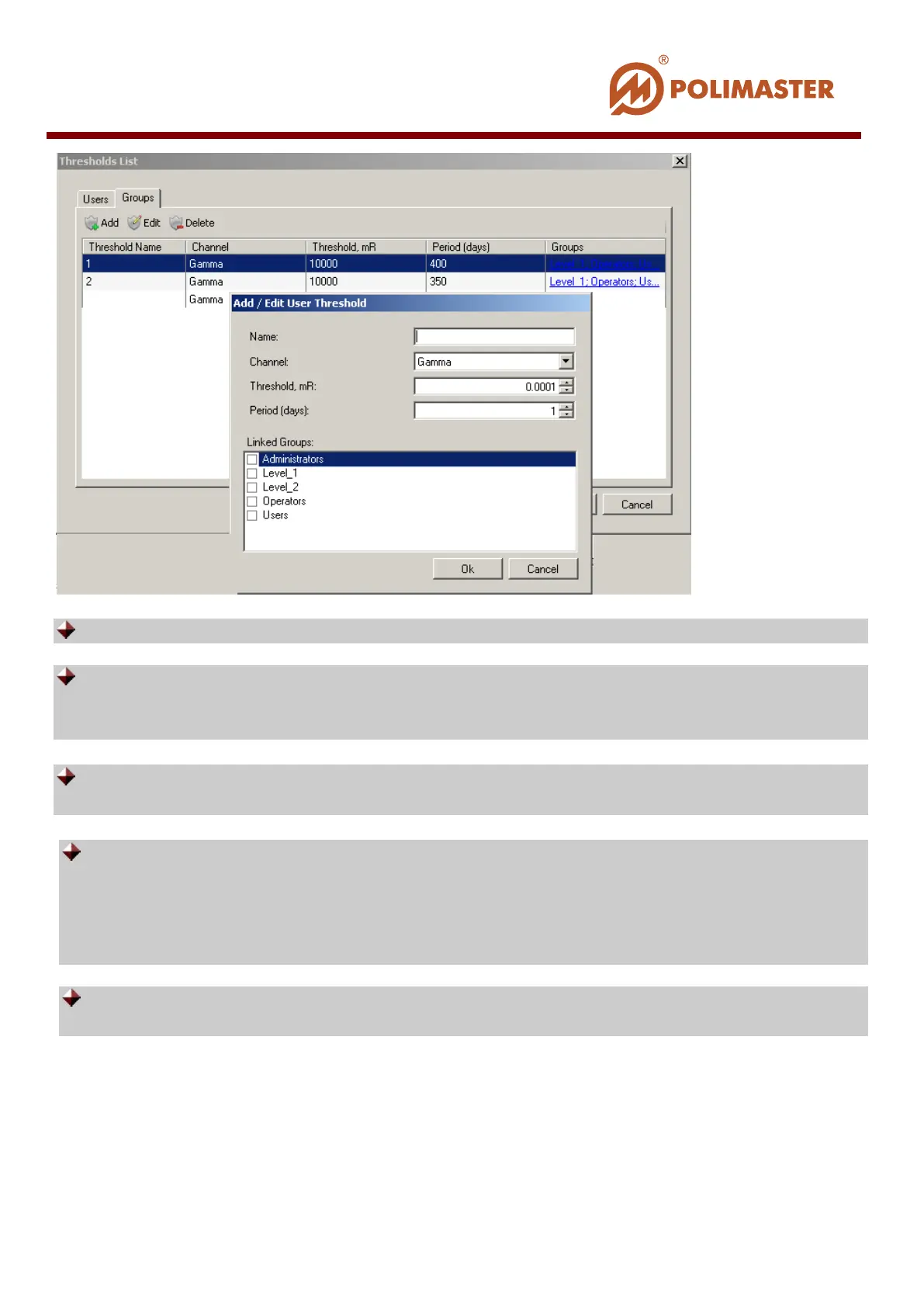
Name — conventional name of the threshold being created.
Channel – select channel type from the drop-down list to set the threshold.
Software lets setting gamma-, alpha-, and beta- thresholds, though its current version
works with gamma dosimeters only.
Threshold – entry fields for DE threshold setting in mR (mSv). Thresholds setting
range corresponds to DE measurement range.
Period (days) – time period starting from the current date. During this period
software accumulates DE and analyses correspondence of the received data to
thresholds. Current date is considered as a start point (not the date when this
threshold was set). So, the DE history interval being analyzed by software, every
day shifts one day ahead.
Linked groups – flag check box of the users group which will be applied to the
created threshold.
Press OK button when threshold criteria were set, then press Save & Close button.
Double-click on column names in the Thresholds List to sort the list by all described
criteria.
____________________________________________________________________________________
© 2016 Software Guide www.polimaster.com
99



 To Next Page