PROGRAM MENU
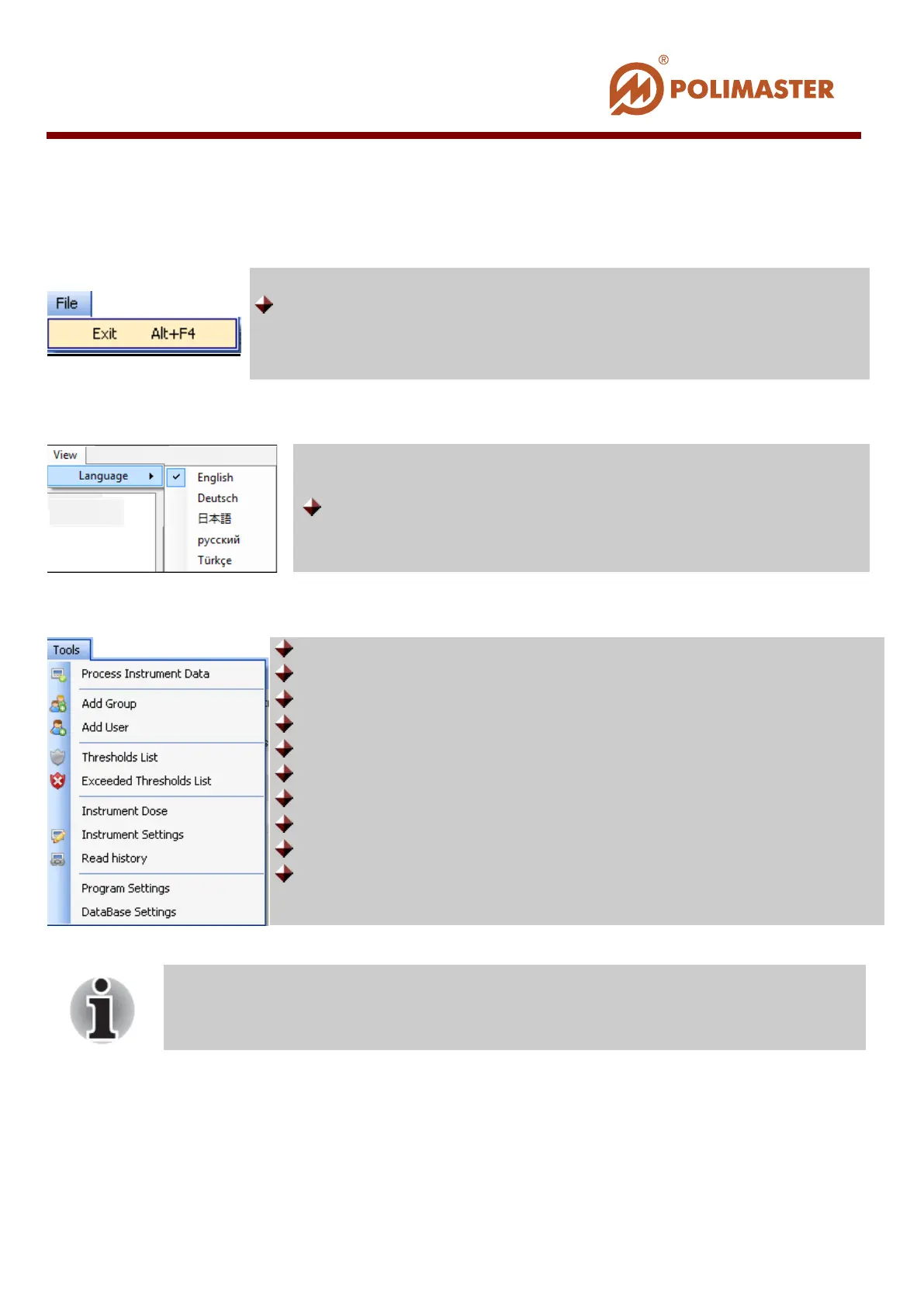
File menu commands:
View menu commands:
Tools menu commands:
Close-down and program exit;
Switch between software interface languages;
Detach instrument with/without clearing instrument’s history;
Add new group of users;
Add new user (Create new user account (card));
Enter/edit threshold values for users and/or users groups;
View the list of current set thresholds;
View the list of current exceeded thresholds;
View/reset current accumulated DE in the instrument;
Read/write instrument operation settings;
Start instrument history reading;
Program settings window entry point.
Tools menu commands with icons
near them are duplicated on the main
window toolbar.
____________________________________________________________________________________
© 2016 Software Guide www.polimaster.com
53



 To Next Page