4.6 MANTEINANCE
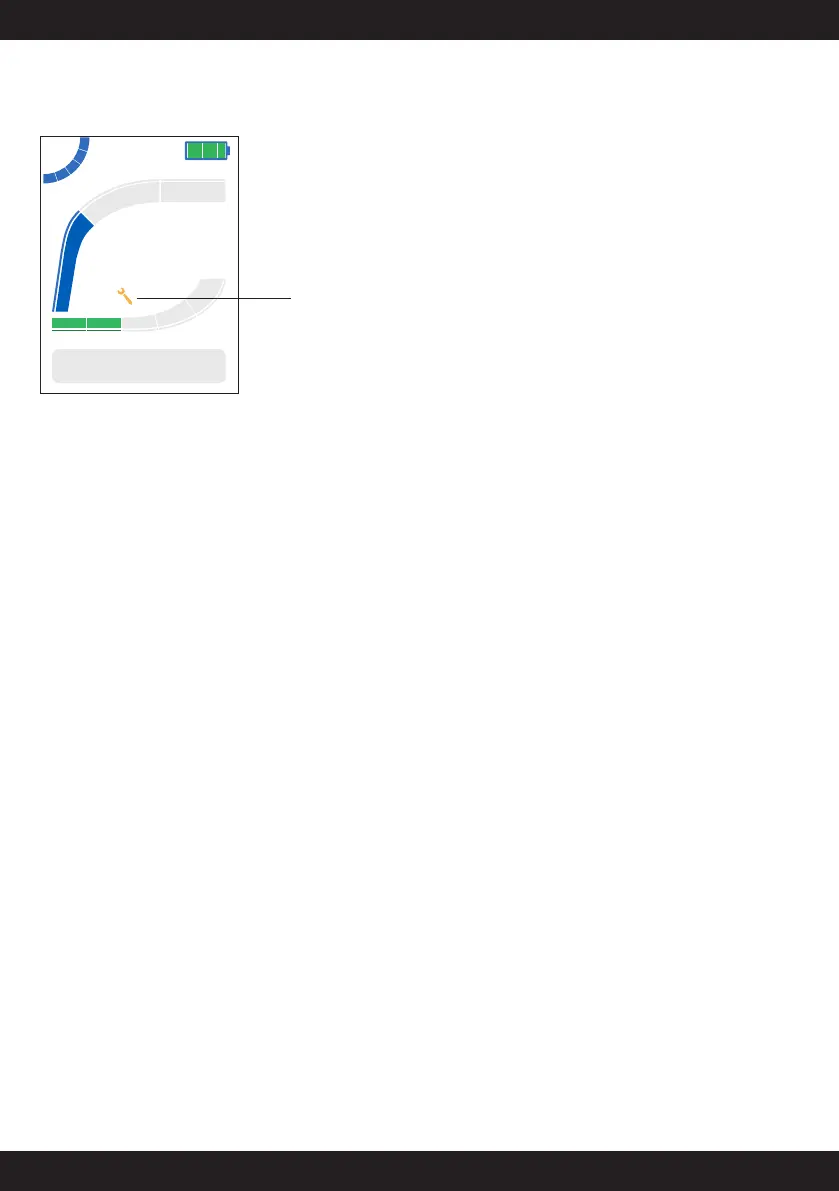
The appearance of the “wrench” icon suggests a general check of the motor
and greasing at a Dealer Point, which will make the necessary checks and
reset the signal.
23.4
Km/h
234
TRIP Km
Dynamic
100%
Manteinance alarm
4.7 AUTONOMY
The kilometers remaining before the complete discharge are estimated
(considering the state of the battery charge) through a sophisticated self-
adaptive algorithm that takes into account the instantaneous travel speed
and the current absorbed by the motor.
There are several parameters that may influence this calculation:
- type of bike
- type of tires
- bike weight
- cyclist weight
- type of route: plain, hilly, mountain
- temperature
- average speed of travel
- wind
- use of lights
The optimal range with the 500 Wh battery was estimated at 220 km with
a racing bike, a cyclist weighing 65 kg, at a speed of 25km/h on a flat
course, outside temperature of 20 ° and light wind.
- The calculated data are estimated and approximate values that may
differ from the actual result. The exact data vary depending on the type
of use and the external influences listed above.
- The calculated values are valid for new batteries (whose capacity
decreases affecting the autonomy, just as it happens for all lithium-ion
batteries due to aging and use).
5.0- ASSIST-MODE ADJUSTMENT
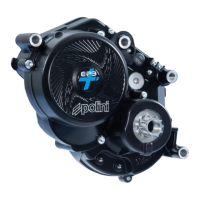
The E-P3+ electric motor helps the cyclist’s performance with 5 levels of
assistance (it is possible to travel even without the motor assistance). The
assistance levels are adjusted through the controller on the handlebar and
the selected level is active immediately. The selected level is visible at the
top left of the display.
Activate assistance – The display indicates assistance level 0 (zero).
Press the button (Ő) on the controller; the motor activates the pedal
assistance. In the display of the assistance level the first segment and the
number 1 are lighted up.
Increase/Decrease the assistance – Press the buttons (Ő and Œ)
on the controller to choose a higher or lower assistance level. In the display
of the assistance level the next segment and the number related to the
assistance are lighted up.
Pedaling without active assistance - Press the button (Œ), until level
0 (zero) is displayed.
NOTE: the 5 levels of assistance with increasing help level are influenced
by the type of mapping set: the 3 types of standard maps (Touring,
Dynamic and Race) and the 2 customizable maps through the APP (Custom
1 and Custom 2) . The mapping defines the type of motor response in
relation to the thrust and riding style of the cyclist. Refer to paragraph 4.0
for mapping settings.
NOTE: when the battery has a low charge level, the assistance level is
automatically reduced to preserve the battery itself; in this condition the
higher levels will no longer be selectable.
5.1 SUGGESTS TO OPTIMIZE THE RANGE
Pedal: slow pedalling consumes a lot of energy; maintain a pedalling
frequency higher than 70 rpm to optimize the efficiency.
Driving style: many hard braking and starts produce more consumption,
when possible, prefer a constant speed.
Gear shifting: when starting and climbing it is better to use lower gears,
while it is better to use higher gears only on adequate route and with
proper speed.
Tires pressure: keep the tires with the maximum allowed pressure to
improve the range.
Temperature and battery: battery range decreases when temperature
lowers (because the electric resistance increases) so in winter the range
is reduced.
Weight: reduce the bicycle weight and luggage at the minimum.
NOTE: if the battery charging level is low, the motor cannot exploit all its
power. In this case, for a longer battery range, it is recommended to set a
low level of pedal assistance.
5.2 THRUST ASSIST (WALK)
For starting or the thrust of the e-bike you may use the walk assist. Walk
assist function can be activated for speed lower than 6 km/h and it can be
used to walk the bicycle. When walking the bicycle, move close to it. The
walk assist moves the bicycle.
! ATTENTION! The walk assist moves the electric bike. Grab the
handlebar and brake. Your strength and the walk assist may accelerate
the bicycle significantly. Pedals may move and injury you during their
movement! Do not use the walk assist for a long time.


 To Next Page