you want to charge them at the same time.
To avoid any damage to the electrical contacts of the dual battery system,
if you install one battery only, cover the free housing on the down or top
tube with the battery housing cover code 955.520.009.
4.0 DISPLAY TFT
! DANGER - to use the display while pedaling can distract the cyclist
and cause accidents. Always follow the road rules.
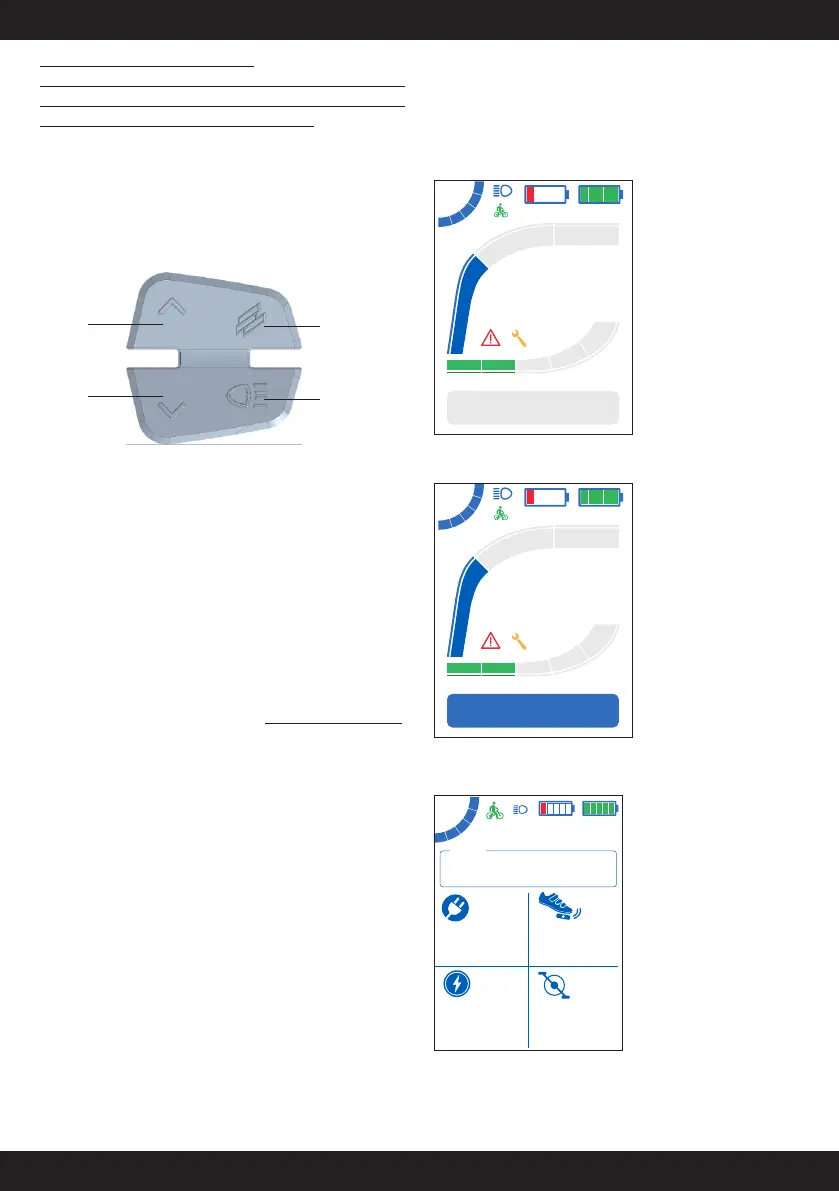
4.1 FUNCTION BUTTONS
Up
Button
Down
Button
Multifunction
Button
Lights Button
In the display pages:
Up Button Ŝ:
• short press: increase the assistance level
• long press: WALK function (this function is activated only if the
assistance level is set from 1 to 5)
Down Button Π:
• short press: decrease the assistance level
• long press: shortcut to Reset Trip (partial kilometers)
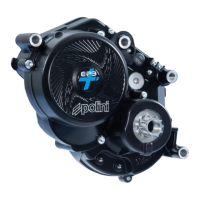
Multifunction Button (Polini logo):
• short press: change the display page
• long press: connect to the Menu page, only if the bike is stationary.
Lights Button:
• lights on/off (if installed)
In the Menu pages:
Up Button Ŝ and Down Œ:
• select the required option
Multifunction Button (Polini logo):
• short press: confirm the selected option
• long press: quick exit from the Menu pages
4.2 PAGES
Starting from the home page (with partial Trip kilometers), by pressing
the multifunction button (Polini logo) you can reach the following pages
in rotation:
Home page with partial trip kilometers
23.4
Km/h
234
TRIP Km
Dynamic
100%
20%
Home page with Odometer total kilometres
23.4
Km/h
22222
ODO Km
Dynamic
100%
20%
Fitness page (it displays the values in real time)
150120
30
%
rpm
20.3
50
Km W
100%
20%
Km/h


 To Next Page