6. OXYGENEO USER APPLICATION
6. OXYGENEO USER APPLICATION
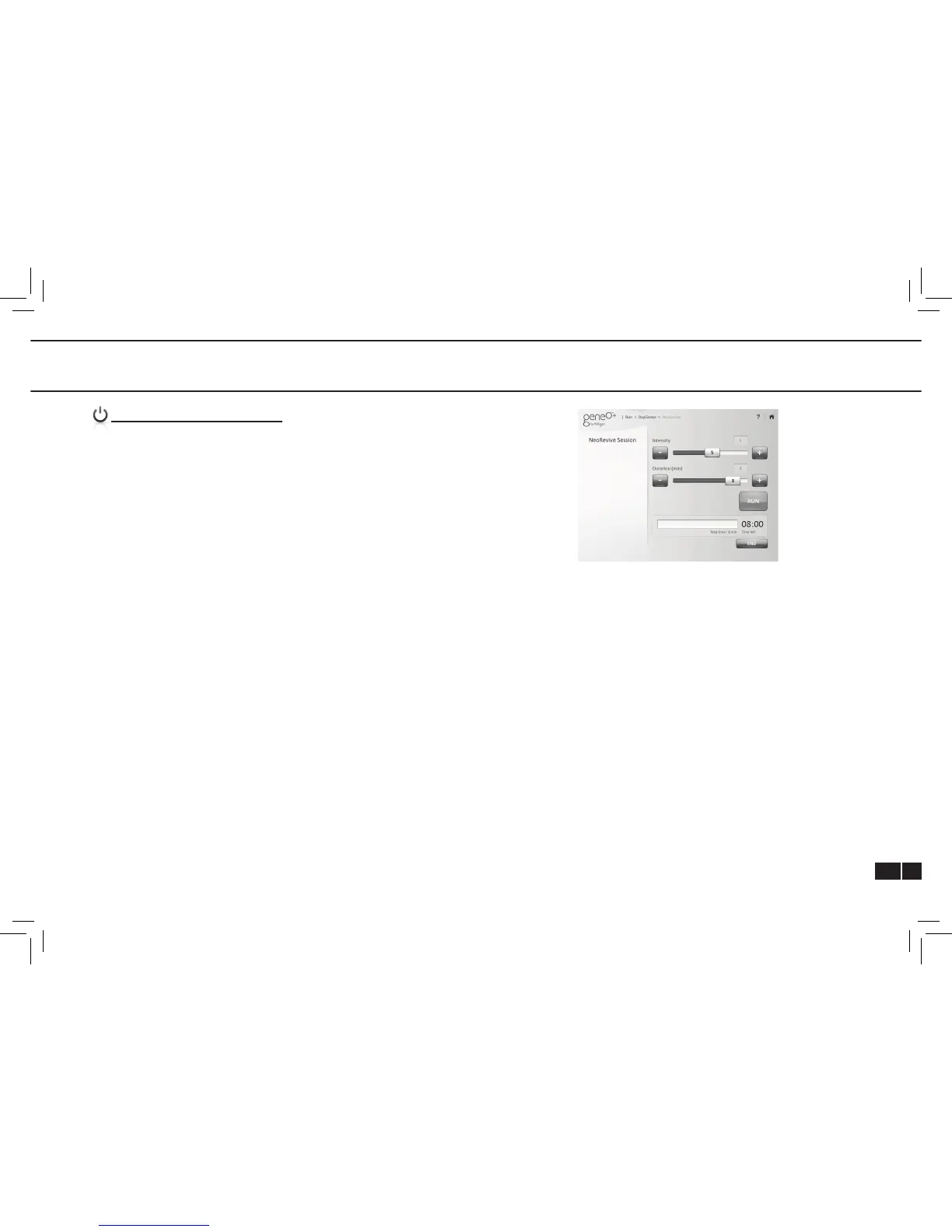
OXYGENEO SESSION SCREEN
Each session has default parameters which can be edited
before commencing the session.
Intensity - Each session has a default power intensity. Use the
slider on the screen to adjust session power or the “+” and “-“
buttons on the applicator.
Duration - Each session has a default duration. Use the slider
on the screen to adjust session duration before starting the
treatment.
Run - Tap RUN to start a session
End - Tap END to end a session
Edit – to edit session parameters after commencing a session
pause the session using the ON/OFF button on the applicator
and tap EDIT on the "pop up" message. This will enable the
keys and you will be able to edit the session parameters. To
resume treatment press RUN and then the ON/OFF button on
the applicator.
Session technique – move the applicator in circular and
linear movements across the entire area using very mild
pressure. You may also stay for a short while on selected
areas to optimize effect. Adjust intensity (increase or decrease)
according to treatment area and patient tolerance and comfort.
In case there is no Disk On Key or DOK has a wrong/corrupted
le on it, the system will indicate: "No valid le found. Please
check DOK. No system boot.



 To Next Page