26
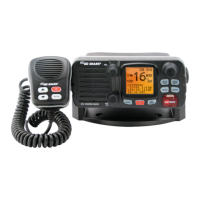
To access the alternate channel 9 which is available in some areas,
press and hold the Channel 16 key for 3 seconds, when Channel
appears then release.
5. SELECTING CHANNELS
Use UP/DOWN key to scroll through the available channels. For a list
of channels and their frequencies, see marine Frequency Charts on
page 16. To select a channel: use UP/DOWN key to nd a channel.
Stop when you nd the desired channel.
NOTE: Not all channel numbers are available in INT bands.
6. SELECTING HIGH/LOW POWER
You must press and release HI/LOW/LOCK key to toggle the transmit
power between high and low. Select high (High power transmit) for
long-range communications, and select low (Low power transmit) for
short-range communications to save battery power.
To change the transmit power:
Press HI/LOW/LOCK key to toggle between High and Low transmit
power. When the radio is operating at high power, the “Hi” icon ap-
pears on the LCD display, and when operating at low power, the “Lo”
icon appears on the LCD display.
7. LOCKING THE KEYPAD
Use HI/LOW/LOCK key to activate the Key Lock function in order to
avoid accidental key press of the radio keypad.
To lock and unlock the keypad:
To lock the keypad, press and hold the HI/LOW/LOCK key until the
Key Lock icon appears on the LCD display.
To unlock the keypad, press and hold the HI/LOW/LOCK key again
until the Key Lock icon disappear from the LCD display.
NOTE: Once Key Lock is turned on, pressing the keys will have no
effect except for the PushTo-Talk (PTT) key, which is not affected by
Key Lock.
8. ADDING/DELETING CHANNELS TO/FROM MEMORY
Your radio can store any channel (including private channels). The
stored channels are the one scanned in the Memory Scan mode.
To add channels to memory:
During normal operating mode, use UP/DOWN key to select the
desired channel for programming.
2.
1.
2.
1.


 To Next Page