22
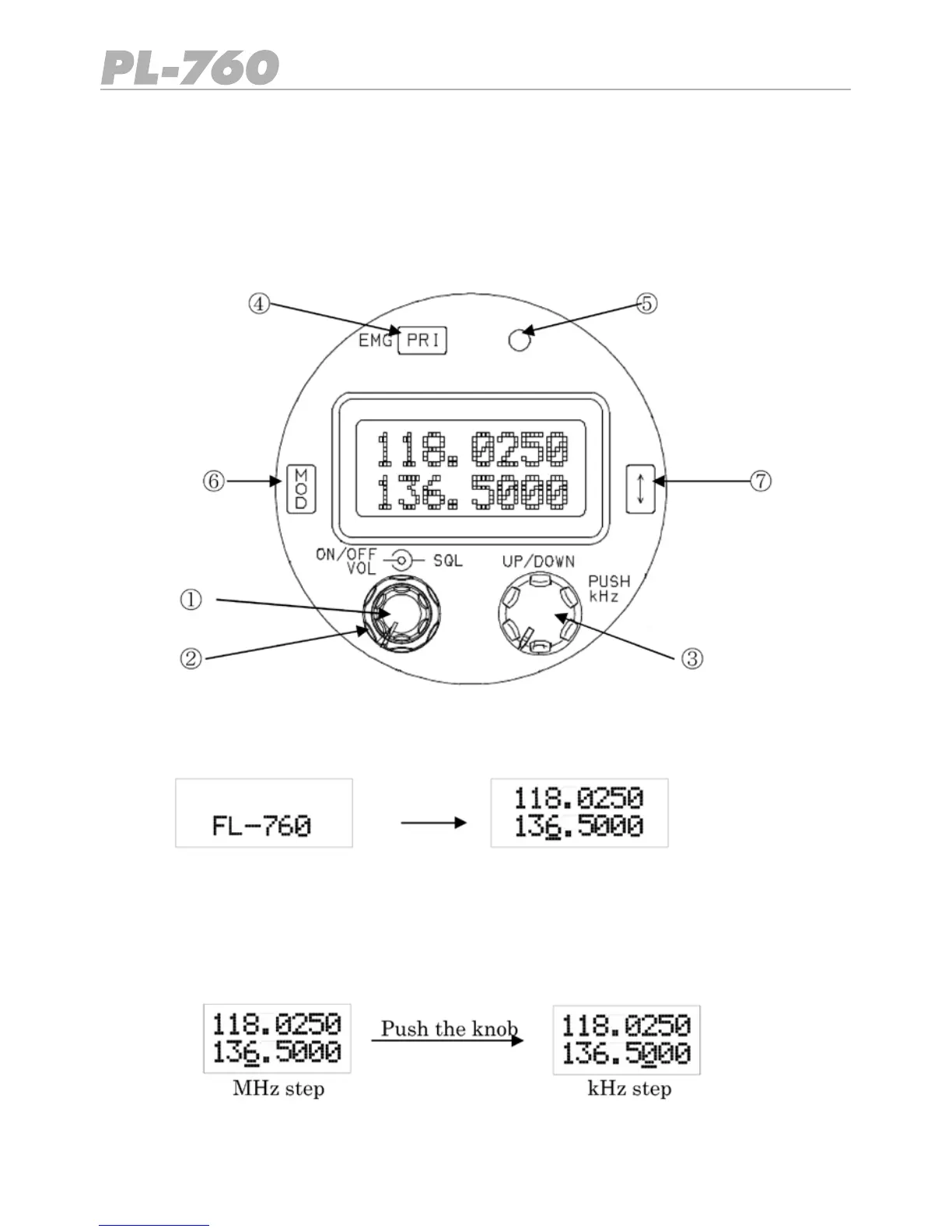
1 Volume and On/Off control
Turn fully anticlockwise to switch off. Turn clockwise to switch on and adjust volume.
2 Squelch (mute) control
The outer ring control adjusts the mute threshold.
3 Up/Down e Push kHz
Turn clockwise or counter-clockwise to change the frequency.
Push knob to adjust kHz.
6 OPERATION OF EQUIPMENT
6.1 General
Please read this section for the correct description and operation of this equipment.
6.2 Control Description
Following diagram shows the position of the controls.



 To Next Page