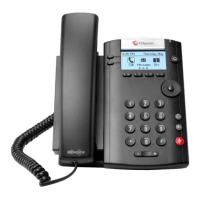
Fuze for Poly VVX 400 Series Desk Phones Quick Reference Guide
Copyright Fuze, 2020
Placing a Call Answering a Call Rejecting an Incoming Call
1. Dial the number
2. Pick up handset
OR
3. Press the button
OR
4. Press the button
1. Pick up handset
2. Press the Answer soft key
OR
3. Press the headset button
OR
4. Press the button
1. Press the Reject soft key while phone is
ringing to silence the phone ringer
2. Rejected calls are directed straight to
voicemail
Ignoring an Incoming Call Transferring Calls Attended Transferring Calls Blind
1. Press the More soft key during an
incoming call
2. Press the Ignore soft key to stop the
phone from ringing
3. Calls unanswered by the end of ring
cycle are sent to voicemail
1. Press the Transfer soft key while on an
active call
OR
2. Press the button
3. Enter the number or extension
4. Press the Transfer soft key after
hearing the ring-back tone or after
speaking with the recipient
1. Press the Transfer soft key while on an
active call
2. Press the Blind soft key
3. Enter number to complete the transfer
Forwarding an Incoming Call Forwarding All Calls Searching for a Contact
1. Press the Forward soft key during an
incoming call
2. Enter phone number or extension to
forward incoming call to
3. Press the Forward soft key
1. Press the Forward soft key
2. Press the up or down Navigation button
to highlight the desired forwarding type
a. Always
b. Busy
c. No Answer
3. Enter the number to forward the calls to
4. Press the Enable soft key
1. Press Directories from the Home View
2. Press Contact Directory
3. Press the Search soft key
4. Enter the criteria into the fields
5. Press the Search soft key when done
6. Select the desired name
7. Press the Dial soft key to place the call

 Need help?

 To Next Page
 General