EasyManua.ls Logo

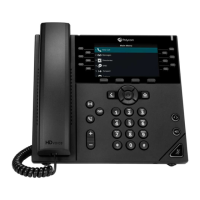
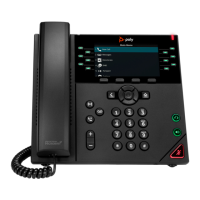
Poly VVX 450 - User Manual

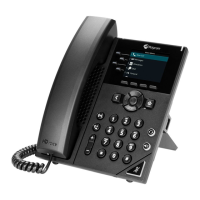
Poly VVX 450
3 pages
Print Icon
To Next Page IconTo Next Page
Loading...
© 1999 – 2022 RingCentral. All rights reserved.
Poly VVX 450 Quick Guide
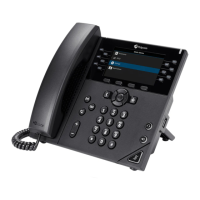
Desk Phone Features
Feature Description
1. Line keys—enables you to select a phone line, view calls on a line, or quickly call a favorite contact.
2. Back key—enables you to return to the previous screen.
3. Transfer key—transfer an active call to a contact.
4. Voicemail key—enables you to access voicemail messages.
5. Hold key—holds an active call or resumes a held call.
6. Volume keys—adjusts the volume of the handset, headset, and speaker.
7. Soft keys—enables you to select context-sensitive keys that display along the bottom of the screen.
8. Home key—displays the home screen.
9. Navigation keys—scrolls through information and options displayed on the phone screen.
10. Headset key—enables you to place and receive calls through a headset.
11. Speakerphone key—enables you to place and receive calls using the speakerphone.
12. Mute/Unmute key—mutes audio during calls and conferences.
Line keys
Back key
Transfer key
Hold key
Volume keys
Soft keys
Home key
Navigation Keys
Headset key
Speakerphone key
Mute/Unmute key
Voicemail key
Question and Answer IconNeed help?

Do you have a question about the Poly VVX 450 and is the answer not in the manual?

Summary

Desk Phone Features

Call Handling Procedures

Placing a Call

Dialing a number and using headset or speakerphone.

Answering a Call

Options for answering calls via headset or speakerphone.

Placing a Call on Hold

Using specific keys to hold or resume active calls.

Retrieving a Held Call

Using specific keys to retrieve calls that have been placed on hold.

Starting a Three-Way Call

Initiating conference calls by adding parties.

Transferring a Call

Performing warm, blind, or voicemail transfers.

Parking a Call

Placing calls on hold in a designated extension.

Poly VVX 450 Specifications

General IconGeneral
Resolution320 x 240 pixels
Opus Codec SupportYes
Wi-FiNo
BluetoothNo
WirelessNo
PoE SupportYes
Supported PlatformsAsterisk, Broadsoft, Metaswitch
Display3.5" color LCD (320 x 240 pixel)

Related product manuals