©
2012 ADP, Inc. 63054-04
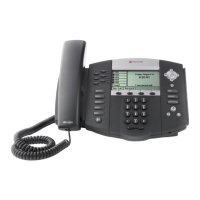
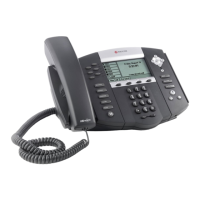
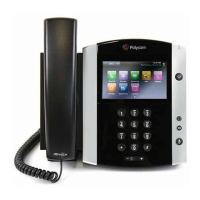
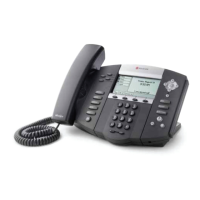
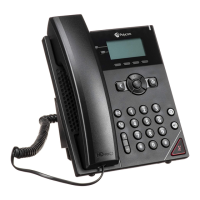
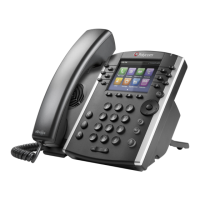
Network Phone ASP - Polycom 650/670 Phone
Dialing Plan
Fill in these important numbers for
your dialing plan.
My Direct Dial or Extension
Off-Site Voice Mail Number
Department Group Extension
Zone Overhead Paging (if Multi-zone)
Making Calls
When making calls outside your
dealership, dial “9” and then the 10-
digit number. You do not need to
press “1” for long distance calls.
1. Pick up the handset, press the Speakerphone button, press the line button, or
press the Headset button.
2. Dial the number according to your dial plan.
3. If authorization codes are configured on your system and you are making a long
distance call, you will hear a voice prompt. Enter your authorization code to place
the call.
Note: If you hear a reorder tone, enter your authorization code, and the call still does
not go through, contact your administrator for assistance.
Answering Calls
There are several different ways of
answering calls on your phone.
Pick up the handset; or
Press the Speakerphone button; or
Press the Headset button (if headset is connected and being used); or
Press the Answer softkey; or
Press the line button.
Multiple Inbound Calls
1. Use the arrow keys to select the call to answer.
2. Press the Answer softkey. The first call is automatically placed on hold and the
second call is answered.
Ending Calls
There are several ways to end a
call on your phone.
Perform any one of the following options to end a call:
Replace the handset in its cradle.
Press the End Call softkey.
Press the Speakerphone button (if on speakerphone).
Press the Headset button (if using the headset).
Forwarding Calls
Note: You cannot set up a shared
line to forward calls.
Note: When activating Call
Forwarding using the Feature
Access Code, the phone’s graphical
display does not indicate that the
line is activated to forward all calls.
Turning on Call Forwarding
1. Press the More softkey and then the Forward softkey.
2. If your phone has multiple lines, select the line and press the Select softkey.
3. Select the option to configure, and then press the Select softkey.
Always: Forwards all calls to specified number
No Answer: Forwards calls only when you don’t answer the line within the
specified number of rings
Busy: Forwards calls only when the line is busy
4. Dial the number to forward the calls to. If you selected the No Answer option,
change the number of rings until the line forwards to the specified number.
5. Press the Enable softkey to activate the call forwarding.
Turning off Call Forwarding
1. Press the More softkey and then the Forward softkey.
2. If your phone has multiple lines, select the line to disable forwarding on.
3. Select the appropriate option to disable, and then press the Select softkey.
4. Press the Disable softkey.
1. While on a call, press the Hold button or Hold softkey.
2. To resume the call, press the Hold button or Resume softkey.


 To Next Page