Level 1 21 Shierlaw Ave Canterbury 3126, Victoria, Australia
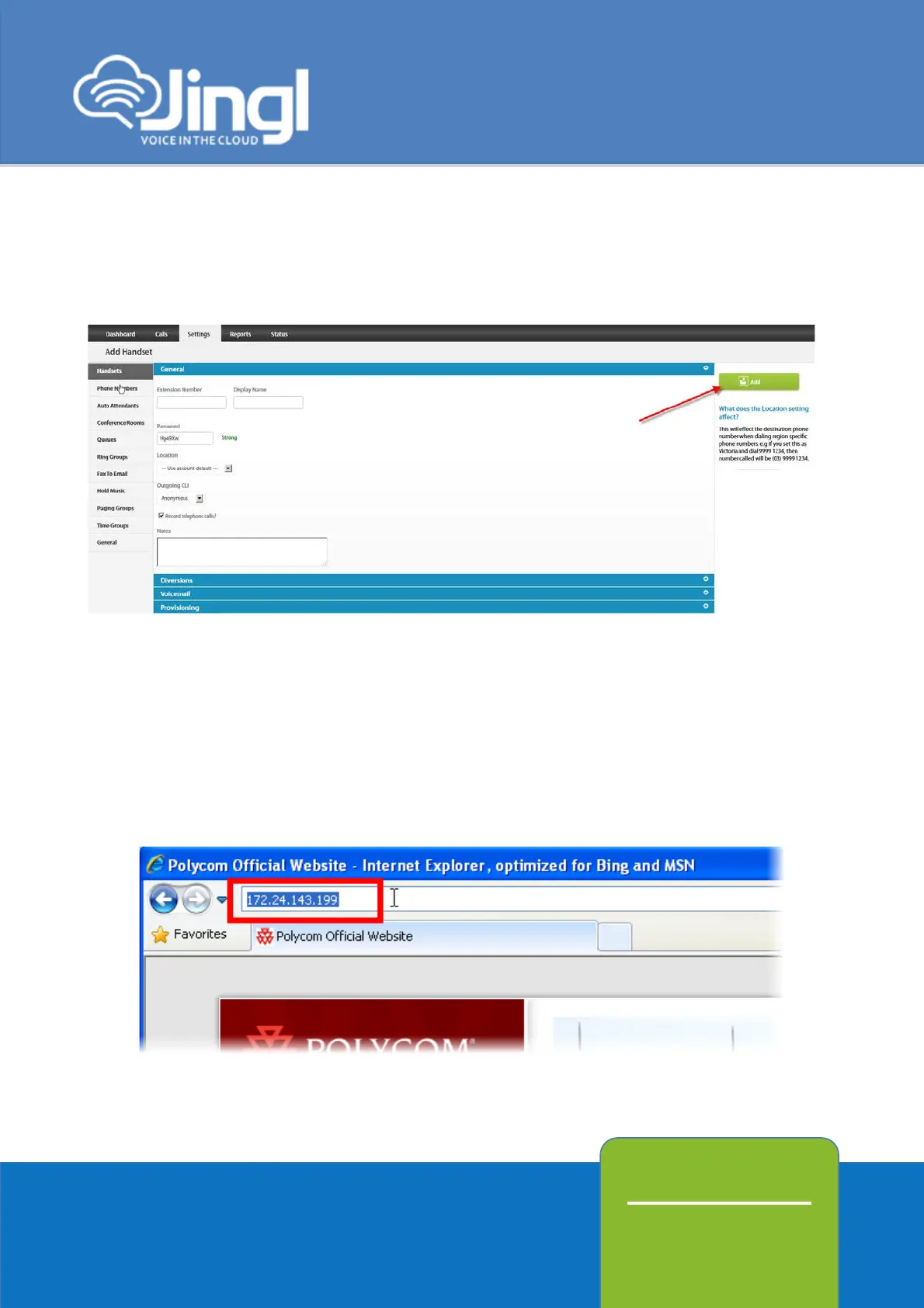
Click Add to finish your extension configuration.
7. Connect your phone on the network with a DHCP server, and find out phone’s IP
address.
On handset press Menu > Status > Network > TCP/IP Parameters (Menu, 2, 2, 1).
8. Use a compatible browser to browse the phone web menu using phones IP address




 To Next Page