11
UFH8ZMP
NOTE
The user should enable the Internet module to connect with data servers listening
on TCP/2000 port. Most computer networks are protected by various software
(fi rewalls, anti-virus software etc.) which may block data exchange with the
above mentioned port. If any problems arise, contact technical support or your
computer network administrator.
STEP 5. Set current time and date
Set current time and date in the fi tter’s menu.
Step 5. Confi gure temperature sensors / room regulators
To enable UFH8ZMP external controller to control a given zone, it is necessary to provide
it with current temperature value. The easiest way is to use temperature sensor. If the
user wants to be able to change the pre-set temperature value directly from the zone, it is
advisable to use room regulators (an additional advantage of using room regulators is the
possibility of setting a weekly schedule of the pre-set temperature).
The user may also choose UFHTFTM room regulator which off ers additional
functionalities apart from sending the current temperature readings. It serves as a master
controller enabling the user to change the pre-set zone temperatures, adjust the weekly
schedules etc. Only one room regulator of this type may be installed in the heating system.
Regardless of the type of temperature sensor / room regulator chosen, it must be
registered in a particular zone in UFH8ZMP controller menu
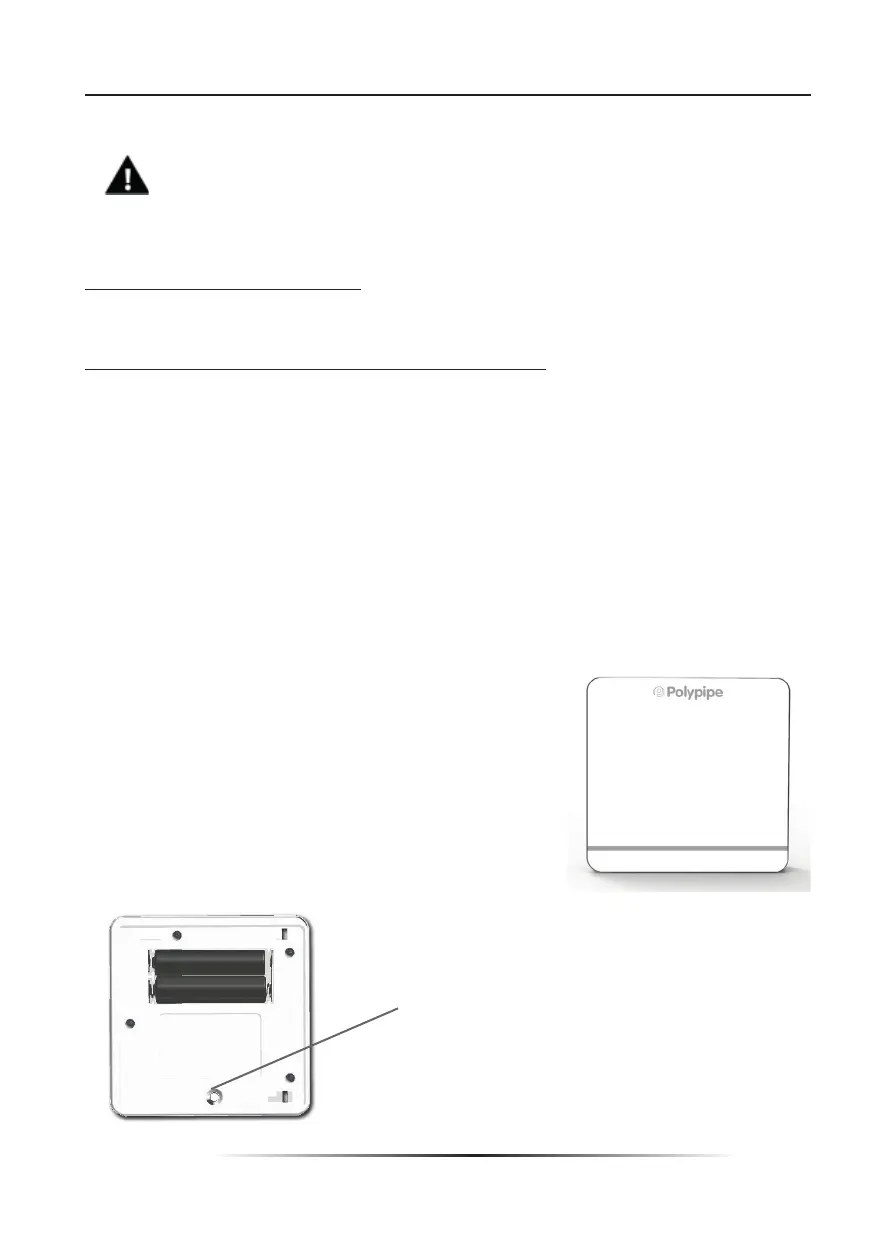
How to register UFHSENSEWP room sensor:
In order to register, go to Sensor in the submenu of a
given zone (Zone / Registration / Sensor). After selecting
Registration press the communication button on the
selected temperature sensor.
If the process has been completed successfully, UFH8ZMP
external controller display shows an appropriate message.
Communication
button



 To Next Page