6. How to switch the watch language?
Under connection, open the GloryFit app, click Device
→
More
settings
→
Device language
→
select the language you want.
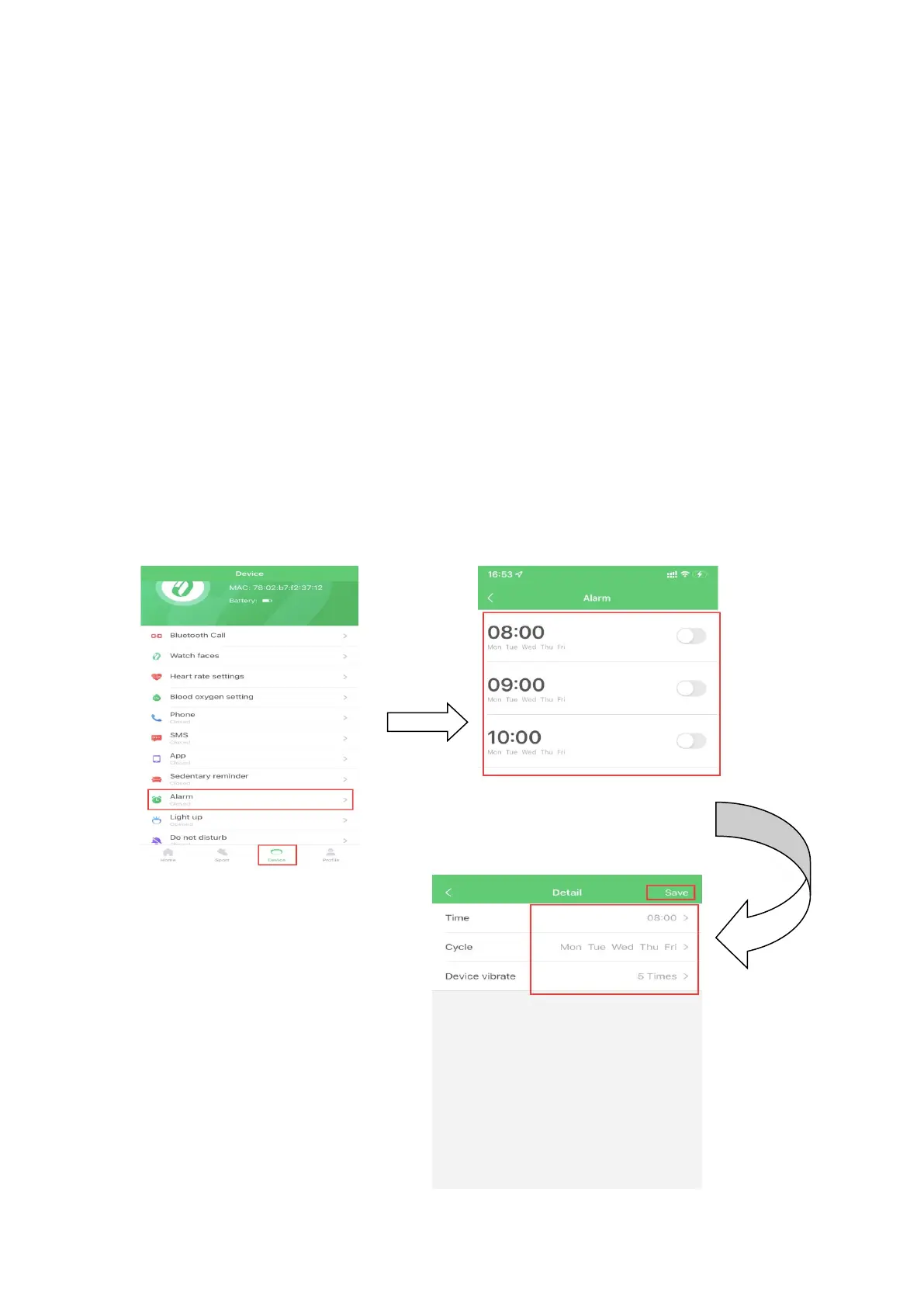
7. How to set alarms?
Under connection, open the GloryFit app, click Device
→
Alarm
→
Tap the time showed
→
you can update the alarms
you want, then click Save on the upper right corner.


 To Next Page