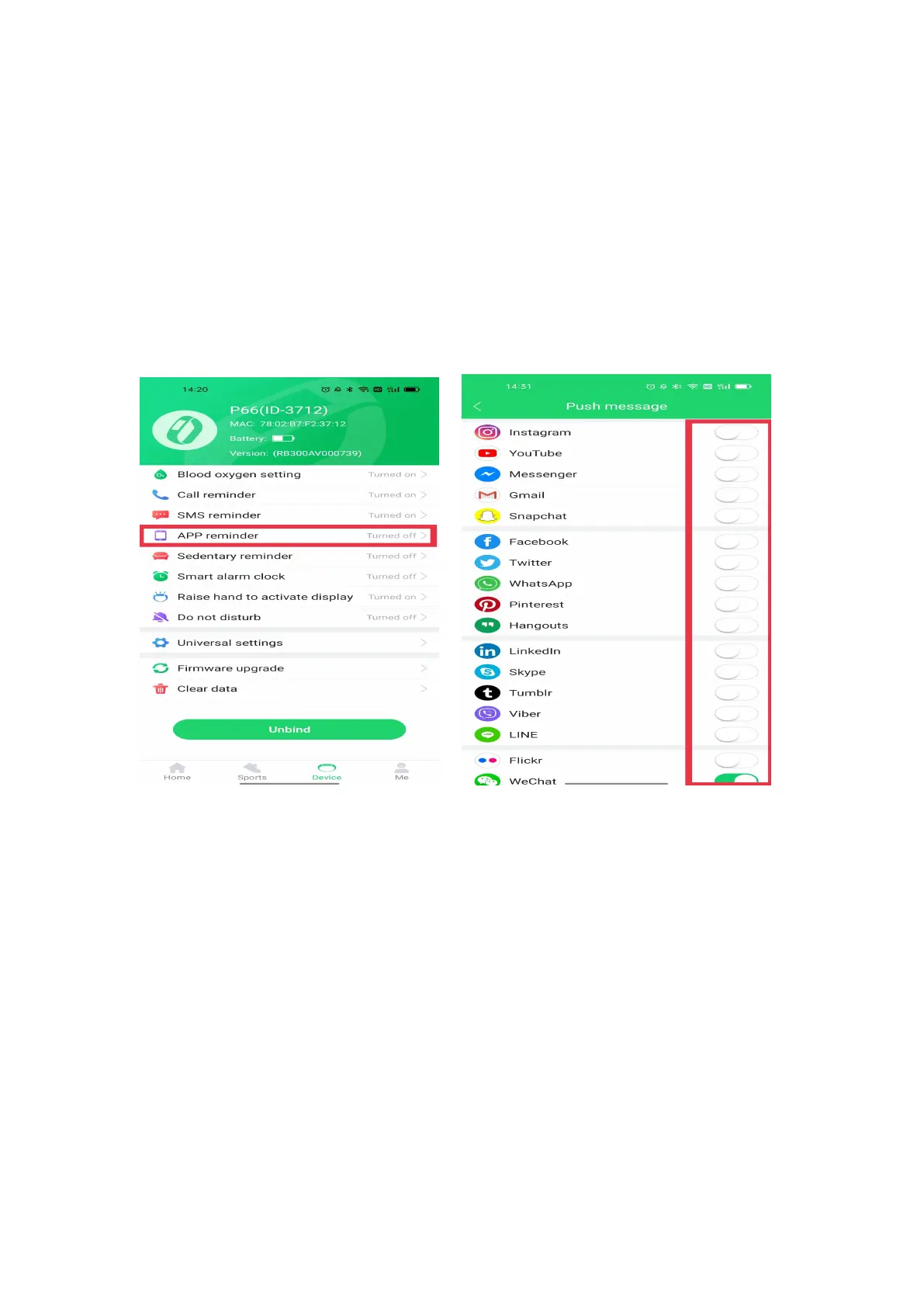
4. How to receive the messages on the watch?
(1) If you have allowed all permissions when installing the app,
please open the app GloryFit
→
Device
→
App Reminder
→
Turn on the app you want to receive notifications. You will
receive message notifications.
(2) If you did not allowed all usage permissions when installing
the app, there are 2 settings that you can follow to receive the
messages:
The first way:
Please uninstall and reinstall the app, and allow all usage
permissions, click Device
→
App Reminder
→
Turn on the


 To Next Page