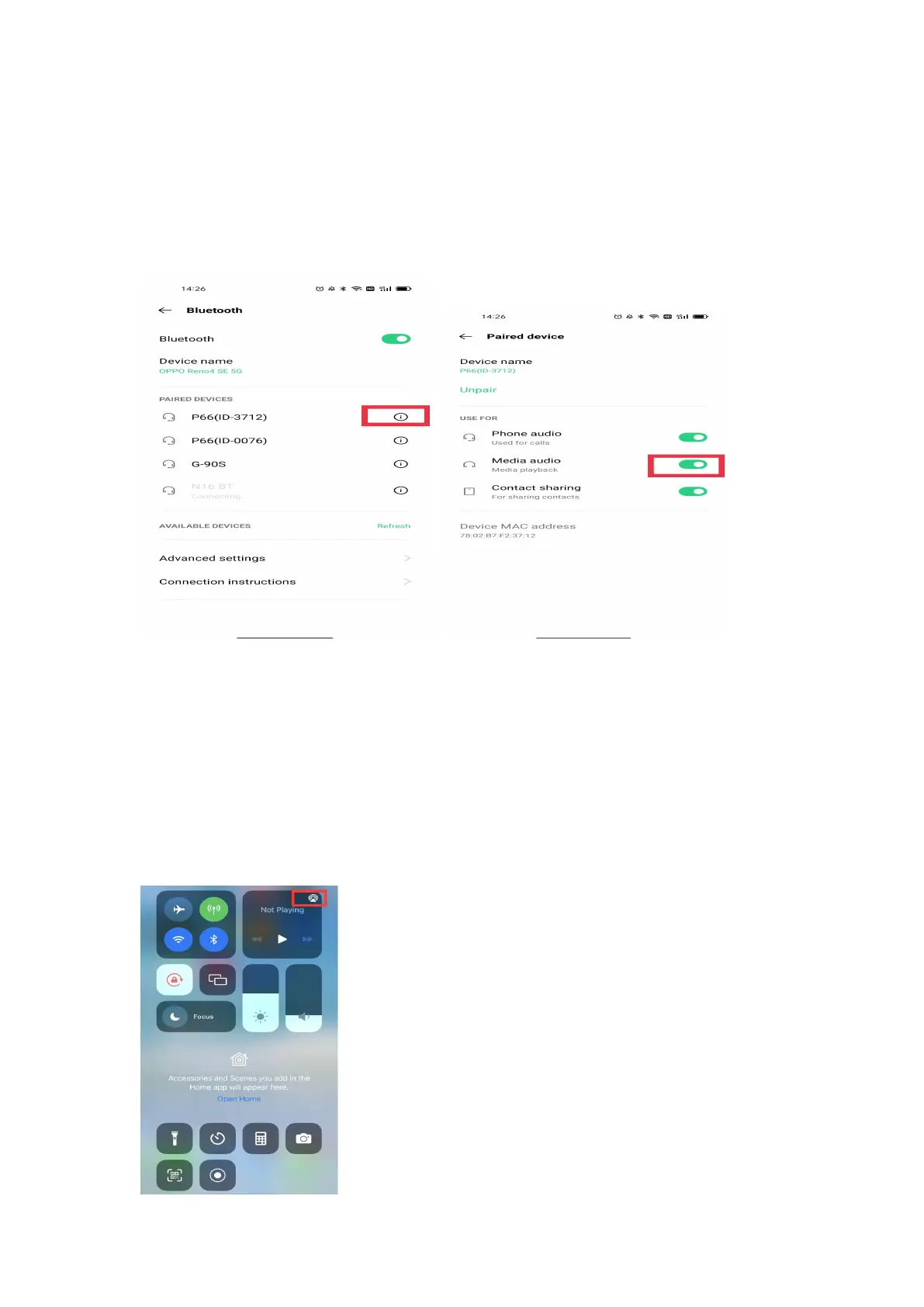
10. How to choose or change the playback device?
Android: Click Phone Settings
→
Bluetooth
→
P66
→
Turn off/on Media audio.
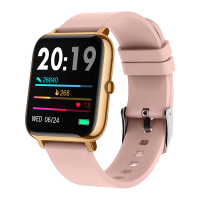
iOS: Swipe down on the homepage on your iPhone, click the
Media Audio icon in the upper right corner of the player,
and select the iPhone/the watch as the default playback
device.


 To Next Page