2. How to use Bluetooth calling function?
Keep the watch connected with the app and Bluetooth.
A. Turn on/off the Bluetooth call function
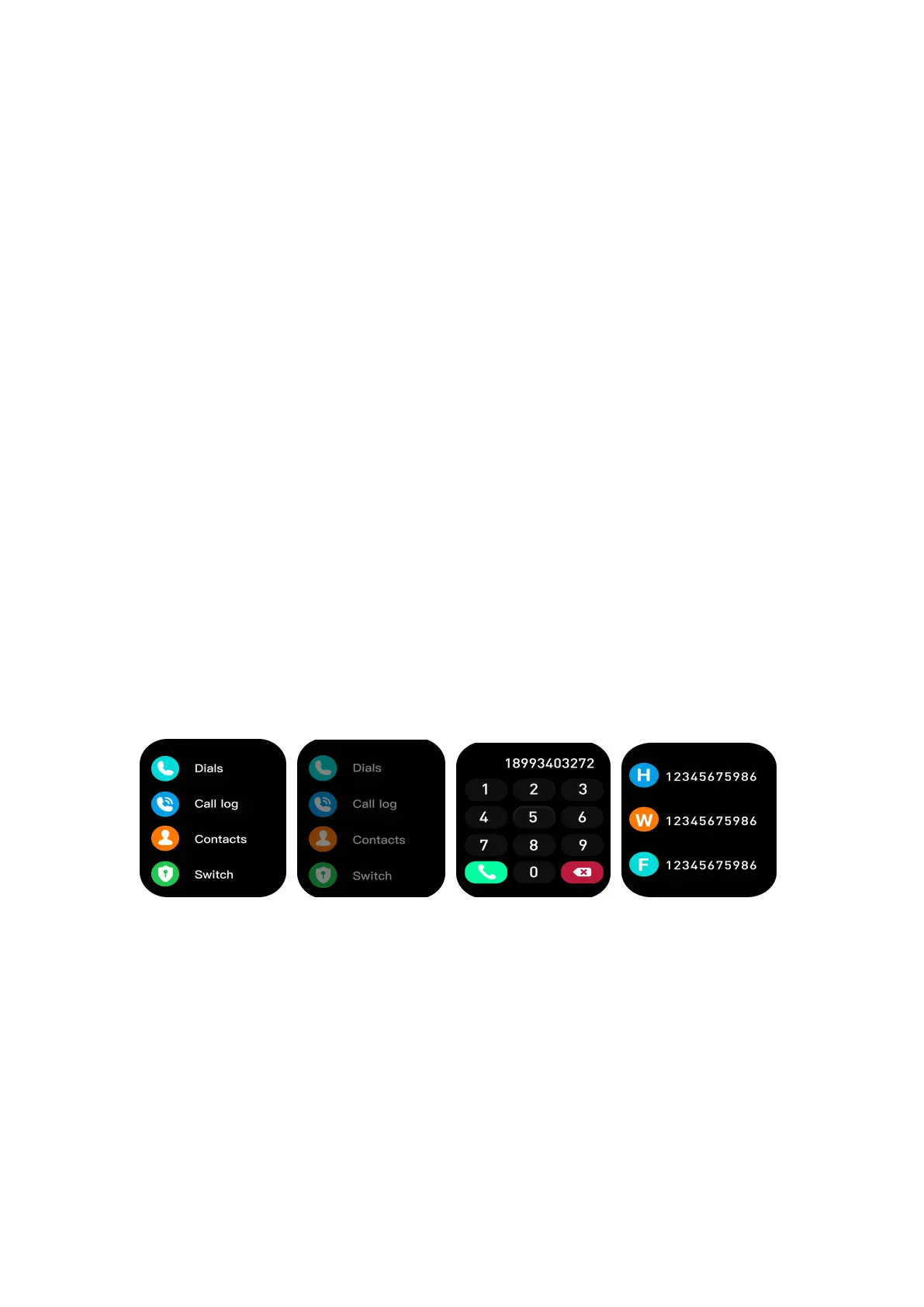
Swipe right on the homepage of the watch and click the Call
function →click Switch to turn on/off the Bluetooth call
function at any time.
B. Sync contacts to watch
Click Device →Bluetooth Call →Sync Contacts → Open in
the app, you can sync your contacts to your watch.
C. Three ways to make calls
You can click Dials directly on the watch, or you can directly tap
Call log or synchronized Contacts on the watch to make calls.
Switch on Switch off Dial Contacts
Warm Tip:
If the Bluetooth call function cannot be used, please confirm
the connection status in the app and Bluetooth list.
When the Bluetooth call function is forbidden, the watch can
still receive the incoming call alert.


 To Next Page