24
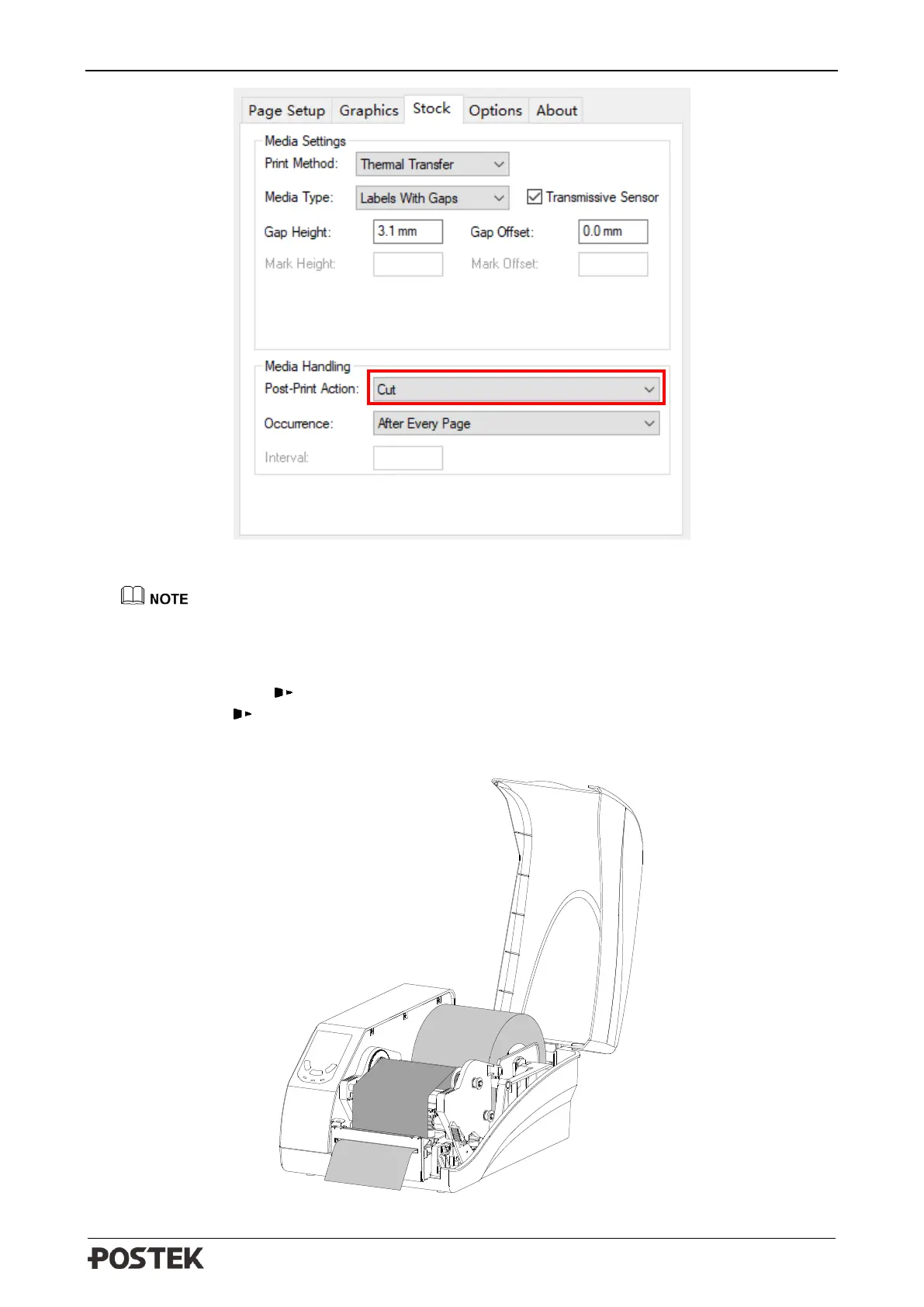
Figure 3-4 Stock Interface
For Win 10 operating system, please click at the printer driver icon, choose “Management”
→
“Printer Preferences”
→
“Stock”
→
“Post-Print Action”
→
“Cut” to enable Cutter Mode.
2. Turn on the printer and wait for the printer to boot normally. Then reset the cutter: Press and
hold the [CANCEL/ Reset] button for 4 seconds until three indicators start blinking, release
the [CANCEL/ Reset] button and press it again to finish the reset.
3. Turn off the printer. Load consumables referring to operations under Standard Mode. Thread
the media through the opening on the cutter as shown in Figure 3-5.
Figure 3-5 Cutter Mode


 To Next Page