PRK-6000 Operation Manual
- 26 -
(2) Ready for Observation
Ask the examinee to look at the red roof of the eye fixation target.
See procedure (3) of the “5.1Continuous Keratometry and Refractometry [K/R Mode]”
(3) Observation
z Adjust the amount of light of each light source so the image can be seen clearly.
Press one of buttons for each light source on the upper side of display. The selected
light source will be displayed in pressed button. (RED:Light source for retroillumina-
tion, ILM:Light source for illumination eye front, TAG:Light source for illuminating
internal eye fixation target, Variable range:0-100 / If it is Set to 0, the light turns off)
z Position the light for retroillumination reflected from cornea to a part that is not
opaque by using the operation lever. If the light is directed from the edge of the pupil,
it will be easier to observe the image. Focus on the image.
z After confirming that the image is focused, press measurement button. The image
will freeze.
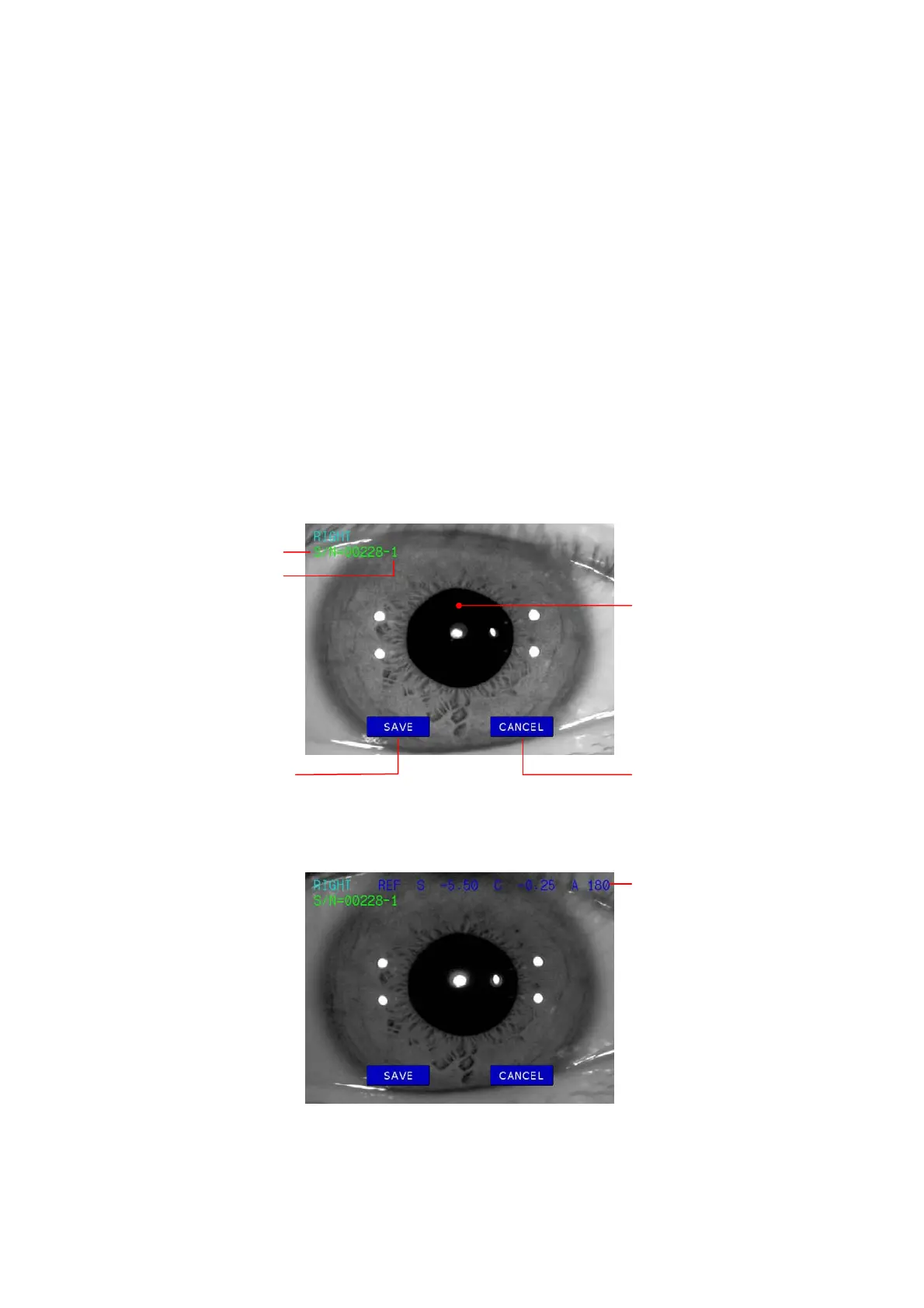
[Freeze Mode Display]
[Freeze/Ref Mode Display]
z Maximum of two images can be stored for each eye. Each image will have a sub
number (01 or 02).
Sub Numbe
Serial Numbe
Press SAVE button to
store the image into
memory.
Press CANCEL button
not to store the image.
Result of refractometry
Pupil



 To Next Page