PRK-6000 Operation Manual
- 27 -
End of the ILLUM Mode
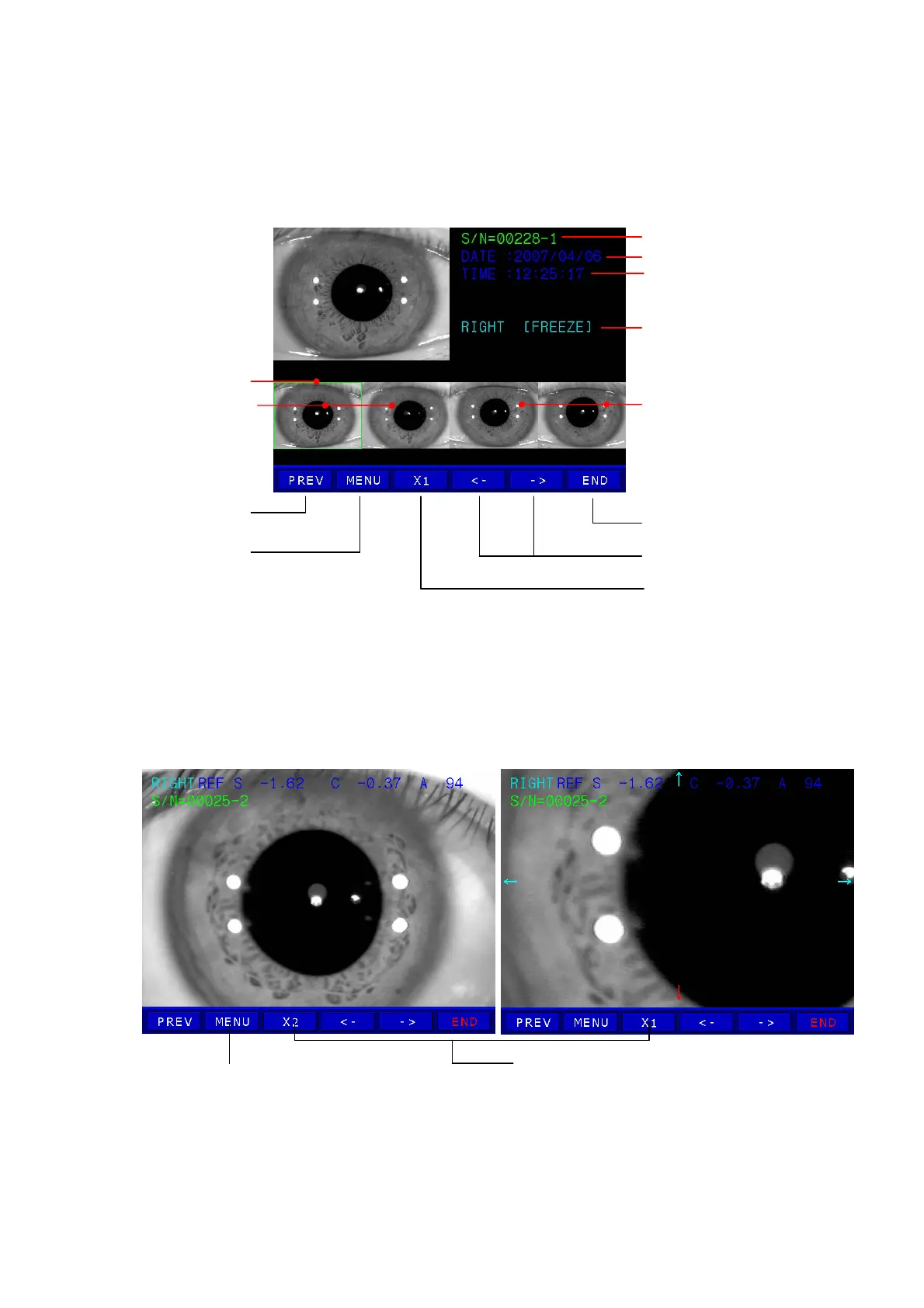
(4) Displaying of stored Image
z Press DISP button in observation display. Images stored in memory will be
displayed.
[Menu Display]
z Press “<-” or “->” button in menu display to select the image to be magnified with the
cursor.
z Press “X1” button. Image will be display in standard size or double size.
[Standard Size Display / Double Size Display]
z Image of double size can be moved by touching four directions (“←”, “↑”, “↓”, “→”)
Serial number–Sub number
Date of the selected image
Time of the selected image
Right side eye [Mode]
Press PREV button
to return to Observe
Press button to move the cursor.
Press X1 button to magnify the
selected image to standard size.
Curso
Images of right side eye
Images of left side eye
MENU button is invalid
Press MENU button to return to Menu display
Press to change selected image size



 To Next Page