PRK-6000 Operation Manual
- 34 -
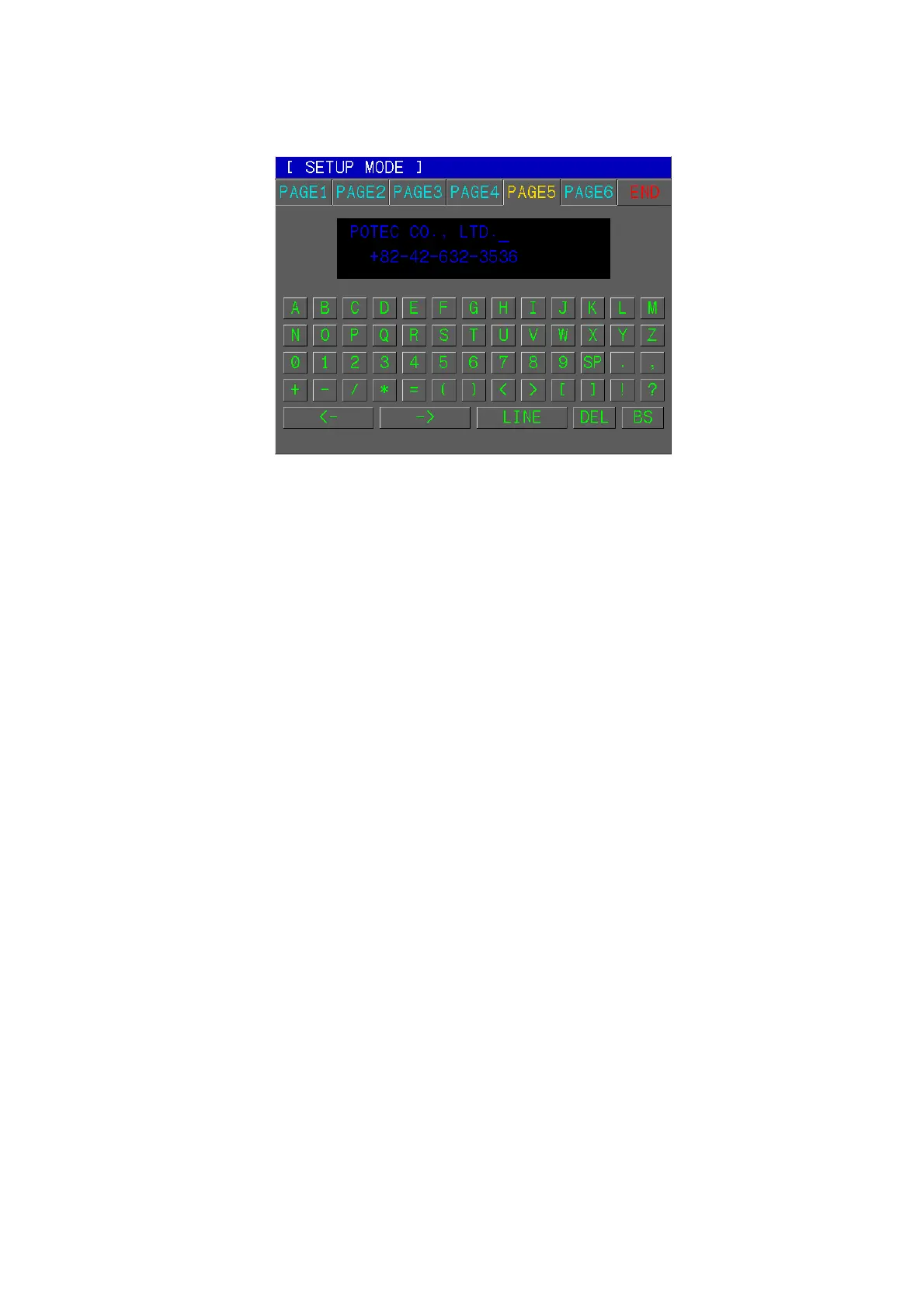
(5) Messages for Internal Printer
Enter a message to be printed out with the results of measurement using the internal
printer in this window.
You can enter a messages in 24 characters × 2 lines.
[How to Change the Page]
Press one of six tab buttons on the upper side of display.
[Cursor Position]
The cursor blinking in the upper area represents the input position.
Press LINE button to change the row of the blinking cursor.
Pressing “<-” or “->” button yields the right and left change of the position of the cursor.
[Input of Messages]
Press any one of alphanumeric buttons to add character in the position of the blinking
cursor.
[Deletion of Messages]
If you press the DEL button, the character of blinking cursor will be deleted.
If you press the BS button, the character in front of the blinking cursor will be deleted.
[How to Enter the Measurement Mode]
Press SIZE button to quit the SETUP mode and enter the Measurement mode.



 To Next Page