PRK-6000 Operation Manual
- 33 -
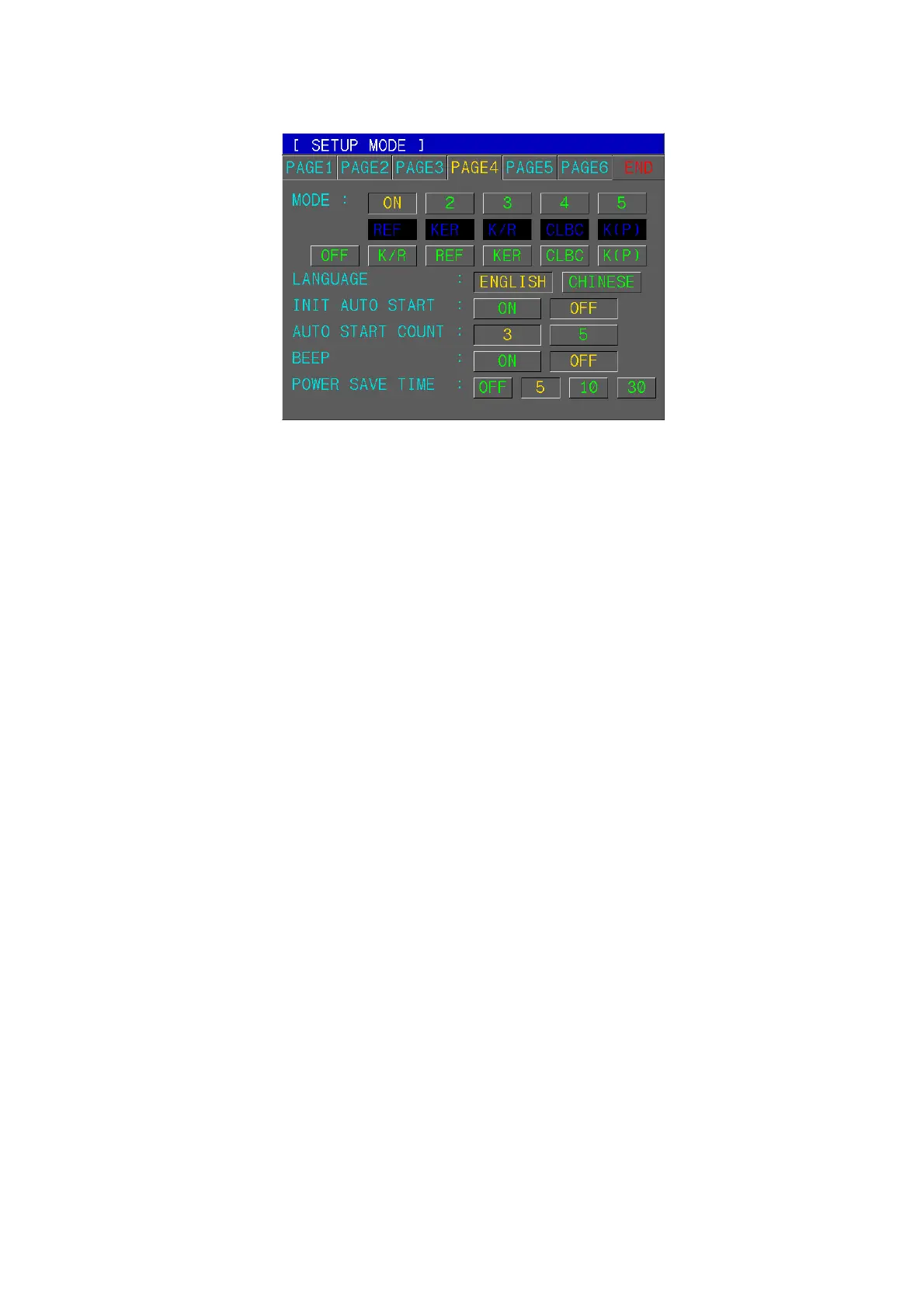
(4) Customize Measuring Modes, AutoStart, etc.
[How to Change the Page]
Press one of six tab buttons on the upper side of display.
[How to Change the Item]
Pressing any button on display yields the selection of related item.
[How to Change the Contents]
Press any un-pressed button on display. The selected button will be displayed in
pressed button and the content will be changed.
NOTE: There are some contents to be changed in the other way. And such
procedures will be instructed under the description of each item.
[Items]
MODE Assigns order of Measurement Modes “REF, KER, K/R, CLBC, K(P)” and
delete unnecessary modes.
1: First mode that is displayed when power is turned ON. It cannot be set
to “OFF”.
2~5: Second modes and after.
z Assign First Measurement Mode and after.
z If you want to delete unnecessary modes, delete from last(5
th
) one.
LANGUAGE: ENGLISH / CHINESE
INIT AUTO START
OFF: Manual start after power ON
ON: Automatic start after power ON
AUTO START COUNT
3: Continuous measurement starts automatically and will be performed 3 times.
5: Continuous measurement starts automatically and will be performed 5 times.
BEEP ON: Enable BEEP sound in measurement mode.
OFF: Disable BEEP sound.
POWER SAVE TIME
OFF: Disable Power Save Function.
5: Enter Power Save Mode if there is on operation by operator about 5 minutes.
10: Enter Power Save Mode if there is on operation by operator about 10 minutes.
30: Enter Power Save Mode if there is on operation by operator about 30 minutes.



 To Next Page