PRK-6000 Operation Manual
- 32 -
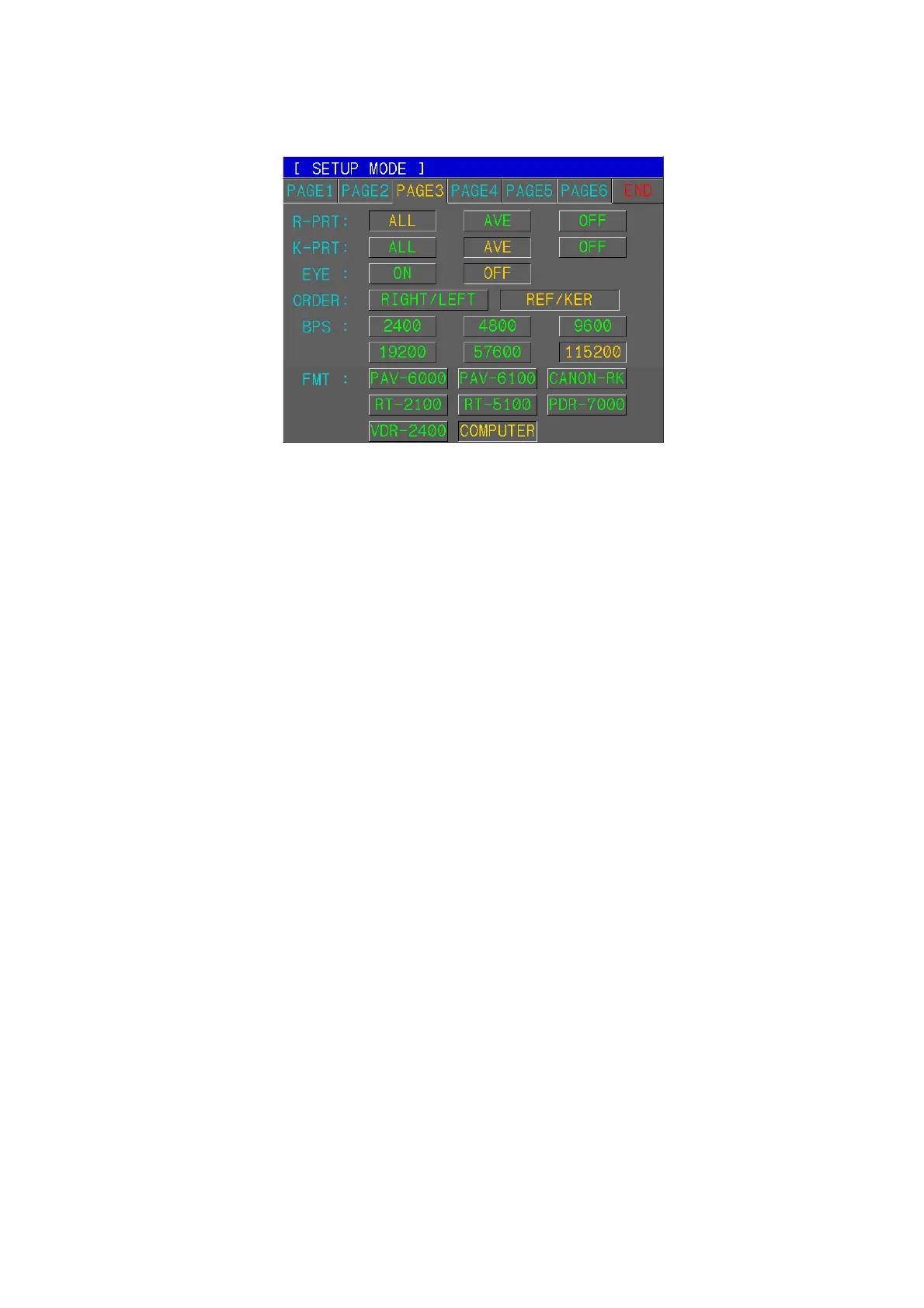
(3) Print Format, Communication
[How to Change the Page]
Press one of six tab buttons on the upper side of display.
[How to Change the Item]
Pressing any button on display yields the selection of related item.
[How to Change the Contents]
Press any un-pressed button on display. The selected button will be displayed in
pressed button and the content will be changed.
NOTE: There are some contents to be changed in the other way. And such
procedures will be instructed under the description of each item.
[How to Enter the Measurement Mode]
Press END button to quit the SETUP mode and enter the Measurement mode.
[Items]
R-PRT Result of Refractometry to be printed out
ALL: Maximum of the 10 newest measurements and an average value for each eye.
AVE: Average values only
OFF: Not printed.
K-PRT Result of Keratometry to be printed out
ALL: Maximum of the 10 newest measurements and an average value for each eye.
AVE : Average values only
OFF: Not printed.
EYE ON: A sketch of eyeball and refraction diagram to the results of
refractometry are printed.
OFF: Not printed.
FMT RS-232 data format
PAV-6000, PAV-6100, CANON-RK, RT-2100, RT-5100, PDR-7000,
VDR-2400, COMPUTER
BPS RS-232 data transfer speed
2400, 4800, 9600, 19200, 57600, 115200
(It is only possible to select the the ‘BPS’ in COMPUTER mode.)



 To Next Page