Setting
Wi-Fi
drone****
Potensic-M2
Attention:
●Please make sure that your mobile device supports 5G WIFI before linking Potensic-M2
to your device.
●Mounted the “Potensic-M2” APP on your mobile device and connect “Potensic-M2” to the
camera, your aircraft will be capable of flying in the intelligent flight modes: Follow Me,
Point of Interest and Waypoint flight.
●Beginners are suggested to press “Help” button to learn about the camera operation
method.
!
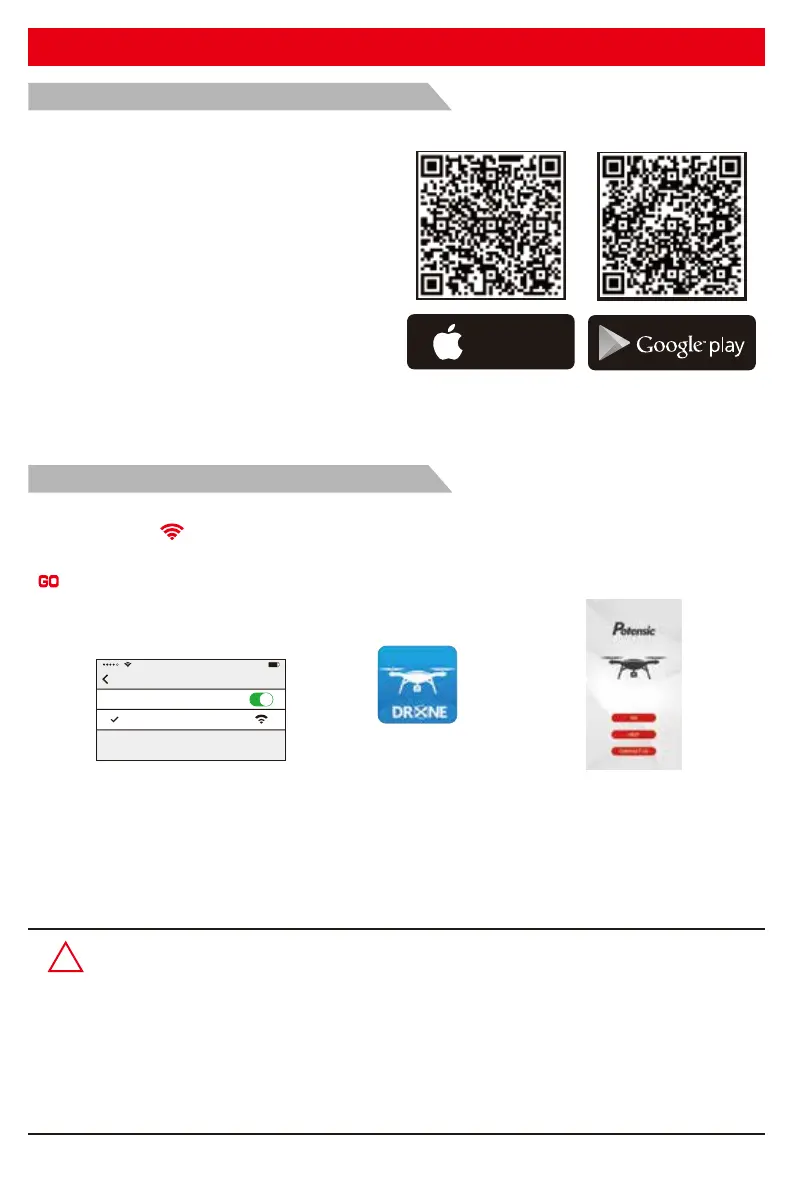
Where to download “Potensic-M2” APP
● For Apple IOS system, please turn to
Apple store, search “Potensic-M2” or scan
the QR code at right side to download
the software.
● For Android system, please turn to
Google play, search “Potensic-M2” or
scan the QR code at right side to
download the software.
FPV software download and installation
How to link the “Potensic-M2” to the camera:
Tap “Potensic-M2” App
GO
Click “ ”
Photos and video saving feature:
1. If the camera is without TF card, videos and photos will be saved at the APP.
2. If the camera is with TF card, videos and photos will be saved at the TF card.
3. Videos and photos in the TF card can be downloaded to the APP.
Power on the aircraft , then enter phone settings option. Turn on WiFi, find drone**** on the list and
connect it. When “ ” legend is shown, it means WiFi connecting is successful. Exit settings and
tap “Potensic-M2” APP at your mobile device, then select your aircraft model on the home page; click
“ ” to enter into the real-time image transmission interface.
Connect WIFI
Available on the
App Store
ANDROID APP ON
-19-



 To Next Page