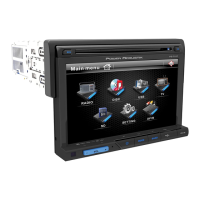
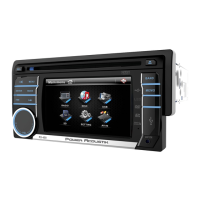
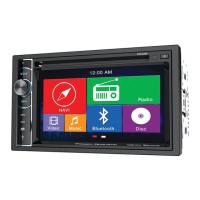
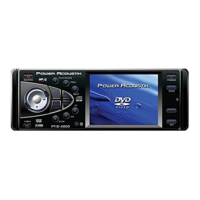
The Power Acoustik PD-348B is a versatile in-car entertainment system featuring a flip-down/detachable 3.4" monitor, a DVD/CD/MP3/MP4 player, AM/FM radio, and Bluetooth support. This owner's manual provides detailed information on its installation, operation, and maintenance.
Function Description:
The PD-348B serves as a comprehensive media receiver for vehicles, offering a wide range of playback options and connectivity features.
- Media Playback: It supports DVD, SVCD, VCD, HDCD, MP3, MP4, WMA, CDDA, Picture-CD, JPEG, CD-R/-RW, DVD±R/±RW formats, allowing users to enjoy various audio and video content. The unit includes a disc loading slot, a USB slot for flash memory, and an SD/MMC card slot for playing digital media files.
- Radio Tuner: An integrated AM/FM radio provides access to local broadcasts. It supports both manual and auto-tuning, as well as preset station storage.
- Bluetooth Connectivity: The device features Bluetooth for hands-free telephone conversations and A2DP (Advanced Audio Distribution Profile) music streaming from mobile phones. It supports pairing with mobile devices, displaying call logs (dialed, received, missed), and phonebook functions.
- Auxiliary Input: An AUX IN jack allows connection of external audio signal sources.
- Video Output: It provides video output for connecting to external displays and supports a back view camera for enhanced safety during parking.
- Sound Adjustments: Users can customize audio settings with various EQ presets (FLAT, CLASSIC, POP, ROCK, USER), bass/treble control, balance (left/right), fader (front/rear), and loudness control.
- Anti-theft System: The unit incorporates an anti-theft mechanism with a detachable front panel and an Anti-Theft LED flash.
Important Technical Specifications:
- Power Supply: 12 V DC
- Current Consumption: Max. 10 A
- Maximum Power Output: 52W x 4 channels (Max.)
- Compatible Formats: DVD/SVCD/VCD/HDCD/MP3/MP4/WMA/CDDA/Picture-CD/JPEG/CD-R/-RW/DVD±R/±RW playback
- Dimensions (W x D x H) / Weight: 178 x 165 x 50 mm / 1.5 kg
- ESP Function: 40 sec. for Audio CD, 120 sec. for MP3
- Working Temperature Range: -10°C - +60°C
- TFT Display:
- Screen Size: 3.4 inch
- Resolution: 720x400 pixel
- Aspect Ratio: 4:3/16:9
- Contrast Ratio: 400:1
- Brightness: 250 cd/m²
- FM Stereo Radio:
- Frequency Range (U.S.A. AREA): 87.5 - 107.9MHz (Step 200KHz)
- Frequency Range (EUROPE AREA): 87.5 – 108MHz (Step 50KHz)
- Frequency Range (SOUTH AMERICA AREA): 87.5 - 108MHz (Step 100KHz)
- Frequency Range (RUSSIA AREA): 87.5 - 108MHz (Step 50KHz), 65-74MHz (Step 10KHz)
- Preset Memory Stations: 18
- AM/MW Radio:
- Frequency Range (U.S.A. AREA): 530kHz - 1710 KHz (Step 10KHz)
- Frequency Range (EUROPE AREA): 522kHz - 1620 KHz (Step 9KHz)
- Frequency Range (SOUTH AMERICA AREA): 520kHz - 1710 KHz (Step 10KHz)
- Frequency Range (RUSSIA AREA): 522kHz - 1620 KHz (Step 9KHz)
- Preset Memory Stations: 12
- Audio Specification:
- Maximum Output: 2Vrms (+/- 3 dB)
- Frequency Response: 20 Hz - 20 KHz
- S/N Ratio (A-vtd): 68 dB
- DSP Sound Effect: EQ FLAT→EQ CLASSIC→EQ POP→EQ ROCK→EQ OFF
- Line Out:
- Line Outs: 4 channel RCA line-out
- Video Output Impedance: 75Ω
- Video Output Level: 1.0±0.2V (under normal video input level)
Usage Features:
- General Operation: The unit can be powered on/off by pressing any button (except open) or long-pressing the POWER button. The MODE button cycles through available inputs (Radio, Disc, Bluetooth, USB, SD, AUX IN). Volume is adjusted via the VOL knob or remote control.
- Sound Adjustments: Audio settings like EQ, bass, treble, balance, fader, beep, and loudness can be accessed and adjusted through the SEL button on the front panel or remote control.
- Menu and Setup: A main menu provides access to various functions, while a dedicated SETUP button or icon leads to system settings, including display, general (clock, auto-connect), radio area, and DVD preferences (subtitle, audio, menu language, password, rating, NTSC/PAL, default reset).
- Radio Operation: Users can select FM or AM bands, manually tune frequencies, auto-tune to find stations, or select preset stations. An auto-store function automatically saves stations with the best reception.
- DVD/USB/SD/MMC Operation:
- Loading Discs: Discs are inserted into the slot after flipping down the front panel.
- Playback Control: Functions include play/pause, stop, fast forward/rewind, A-B segment repeat, random playback, intro playback (CD mode), GOTO (time/chapter search), and repeat playback (one, track, all, chapter, title).
- Program Playback (PROG): Allows users to create a custom playlist of desired tracks or chapters.
- OSD Function: Displays playback information such as title/chapter elapsed/remain time.
- Zoom In/Out: Adjusts the image zoom in Movie mode.
- PBC Function: Available for VCD discs, displaying a menu of titles.
- Angle/Audio/Subtitle Selection: For compatible DVDs, users can change viewing angles, audio languages, and subtitle languages.
- Sound Channel Selection: For VCDs, users can select L-MONO, R-MONO, MIX-MONO, or Stereo.
- Bluetooth Section:
- Pairing: Initial pairing requires searching for "PowerAcoustik" and entering password "0000".
- Auto-connect: The unit automatically connects to the last paired phone when powered on.
- Calling: Make and receive calls by dialing numbers on the remote or using phonebook functions.
- Music Streaming (A2DP): Play music from a paired mobile phone.
- Call Logs: View dialed, received, and missed calls.
- Phonebook: Download and access phonebook data from a paired phone.
- Back View Camera: Supports connection to a back view camera, displaying the image when backing up the car.
- Parking Safety: Displays a warning message if the parking brake is not engaged while the screen is active.
Maintenance Features:
- Resetting the Unit: After initial installation or battery replacement, the unit should be reset by pressing the RESET button located behind the flip-down panel to restore factory settings.
- Battery Replacement (Remote Control): The remote control uses a CR2025 (3V) lithium cell battery. It should be replaced when the remote stops working effectively.
- Disc Handling & Cleaning:
- Discs should be handled by the edges to avoid fingerprints and scratches.
- Store discs in their cases to prevent damage.
- Avoid prolonged exposure to extreme temperatures.
- Do not write on the disc surface with sharp instruments or ink.
- Clean discs with a soft cloth, wiping from the center outwards.
- Troubleshooting Guide: The manual includes a troubleshooting section to help diagnose and resolve common issues such as no power, disc read errors, no sound, unresponsive keys, sound skips, and radio reception problems.
- Safeguards: Emphasizes important safety precautions, including operating temperature limits, proper fuse replacement, avoiding disassembly, protecting against foreign objects, and ensuring correct wiring connections.
- Detachable Panel: The front panel is detachable for security. It should not be removed during encoding.

 Need help?
 General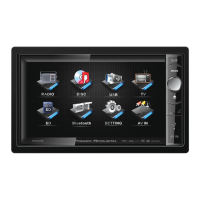



 To Next Page