8 | CHARGE Installation & Owner’s Guide
This section will walk you through the steps for safely installing your new CHARGE™ system. Be sure to read
and follow all information contained in this section. For questions, please contact our Customer Service Team
at 1+(813) 689-9932 option 2.
• CAUTION: Before proceeding, allow battery compartment to vent for at least 15 minutes. This allows any
harmful gasses that have built up in the compartment to escape.
• WARNING: Do not splice the AC Power cord as this voids the three-year warranty.
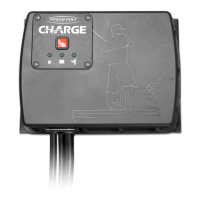
• The CHARGE™ is meant to be permanently mounted and connected to batteries.
• Only use JL Marine Systems Inc. approved accessories in conjunction with CHARGE™.
CHOOSE A MOUNTING LOCATION FOR THE CHARGE™
IMPORTANT: See IMPORTANT SAFETY INSTRUCTIONS Section 13 for full mounting parameters.
• Locate an area in boat with adequate support to hold the CHARGE™.
• Always mount CHARGE™ in a dry location.
• If using lead-acid batteries, DO NOT mount directly above the batteries. Lead-acid batteries emit
corrosive gasses that can damage the CHARGE™ unit over time.
• DO NOT mount CHARGE™ adjacent to fuel tank.
• Check area behind where the CHARGE™ will be mounted to ensure that mounting screws will not
penetrate any hoses, lines, wiring, tanks or other sensitive components.
• Ensure cable leads are long enough to reach batteries from chosen mounting location. If wire leads
will not reach from any mounting location, contact our Customer Service Team at 1+(813) 689-9932
option 2 to order our Cable Extension Kit.
• Mount CHARGE™ with at least 2 inches of space around the top and bottom of unit for proper
ventalation and cooling. While CHARGE™ has safeguards to protect batteries and circuitry, proper
ventilation will allow for optimum performance.
• CHARGE™ can be mounted in any orientation however vertical mounting is preferred
MOUNT THE CHARGE™ WITH SUPPLIED SCREWS (B)
STEP 1: Use guidelines from previous section to determine mounting location.
STEP 2: Hold CHARGE™ in place with the back flush against mounting surface and mark the upper two
mounting holes with a fine-tip marker. Fig. 1
STEP 3: Drill holes in marked locations using a 7/64” drill bit and electric drill.
IMPORTANT: Drill holes perfectly centered & straight to ensure screws (B) fit through mounting holes.
STEP 4: Using the Phillips-head bit, Install the two upper screws (B) about 3/4 of the way into the mounting surface.
STEP 5: Slide the unit onto the mounting screws. The holes are designed to fit over the screw heads. The unit
will hang in place.
INSTALLATION OVERVIEW


 To Next Page