KEVIN KU 第 3 頁 2003/3/4
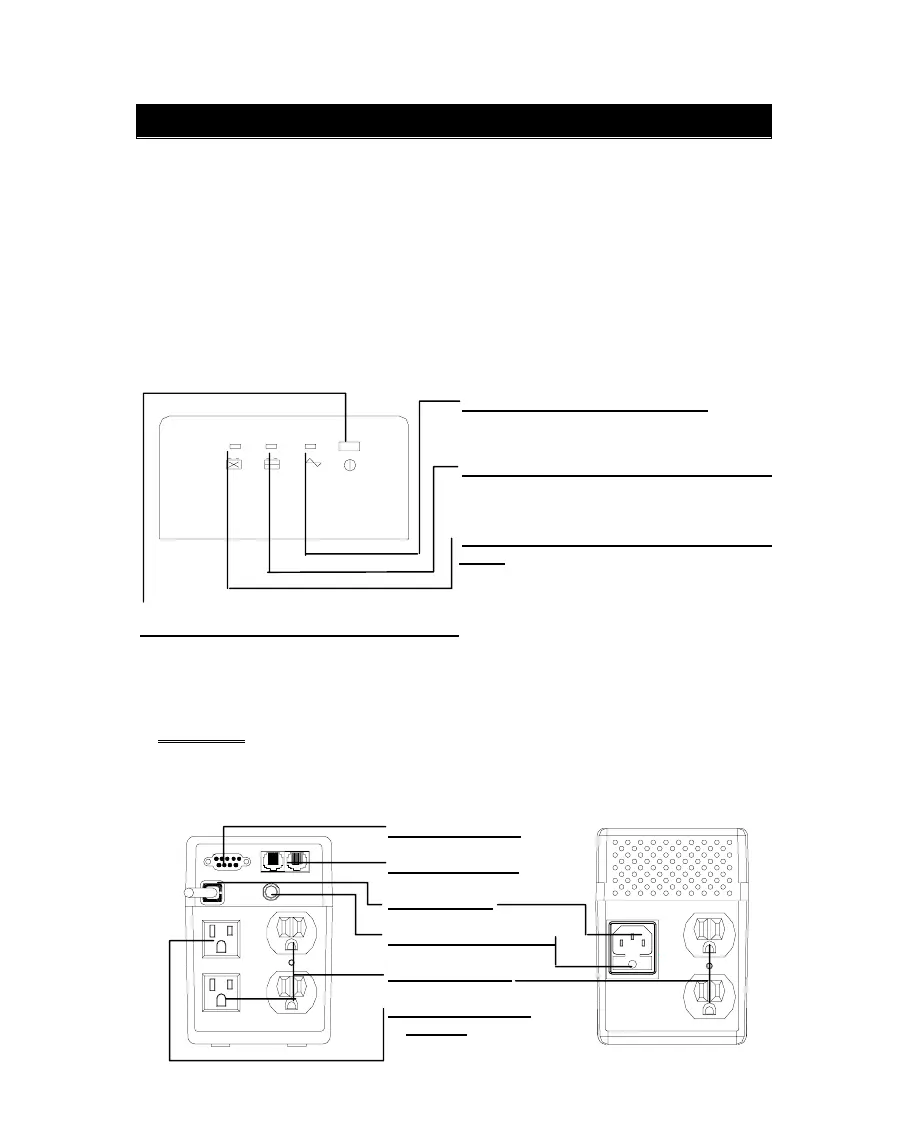
1.4 RS-232 Port
1.5 Phone Jack
1.6 AC Input
1.7 Fuse or Breaker
1.8 UPS Outlet
1.9 Convenience
Outlet
1. P
RESENTATION
The UPS is a line interactive uninterruptible power system (UPS). When utility input is
normal, the UPS would provide surge protection and energy to charge the internal
battery. If the utility input is abnormal, the UPS can supply AC power to the loads
immediately.
(1). Utilizes microprocessor based controls, it will minimizes the dependency on
hardware. Beside this, it maximizes system flexibility and optimizes the assurance of
reliability.
(2). Automatic frequency selection to match with utility power.
(3). Hi-grade battery charger to prolong battery’s life and fully charge the battery.
(4). With actual overload protection both in line and battery mode.
Front View
1.0 “LINE” indicator (Green):
The indicator will illuminate when the utility
input is normal.
1.1 “BACKUP” indicator (Yellow):
The indicator illuminates when the power is
supplied from the batteries.
1.2 “REPLACE BATTERY” indicator
Red):
The indicator illuminates when the
battery is no longer useful and must be
replaced.
1.3 “ON/OFF/TEST/SILENCE” button:
No matter the UPS plugged in or not.
Press the
“ON/OFF/TEST/SILENCE” button till the beep stop to turn on or to turn off the
UPS. When UPS is working under AC mode, it also activates the UPS‘s self-test by
press the bottom less than 1 second.
In back up mode, press the bottom about 1 second to activate the UPS’s silence
function.
CAUTION:
To reduce the risk of fire, use only No. 26AWG or larger
telecommunication line cord.
Rear View
2



 To Next Page