KEVIN KU 第 4 頁 2003/3/4
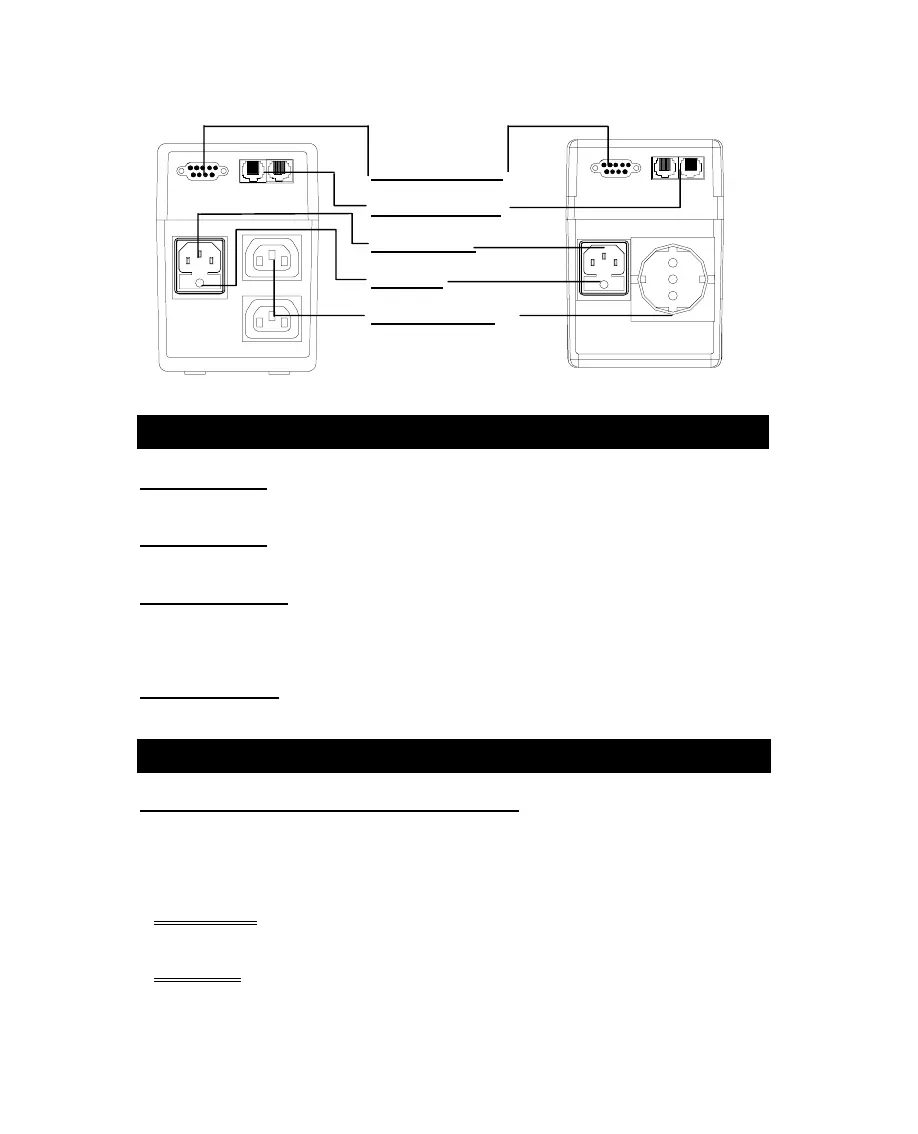
1.4 RS-232 Port
1.5 Phone Jack
1.6 AC Input
1.7 Fuse
1.8 UPS Outlet
Rear View
2. I
NSTALLATION
2.1 Inspection:
Inspect the UPS upon receipt. The packaging is recyclable; save it for
reuse or dispose of it properly.
2.2 Placement:
Install the UPS in controlled area with adequate air flowing and free of
excessive dust. Do not operate the UPS at outdoor area.
2.3 Utility Power:
The input power cord needs to connect the rear inlet socket of the
UPS and plug into a socket on the wall. Please notice the voltage of utility power should
match with the UPS. For example, the rating voltage of UPS is 110V/(220V), the input
utility power should be the same as 110V/(220V).
2.4 Connection:
The employed equipment’s power cords (such as computer) are
plugged into the sockets on the rear panel.
3. O
PERATION
3.1 Switch on with “Green Mode” Function:
When utility input is connected to
the UPS, press “ON” button and keep pressing until the “Bi” beep stops to turn on the
UPS. After that, connect the electrical cords of the equipments that will be used (such
as desktop computer and CRT monitor) to the rear panel of UPS. In order to save the
power, it will also automatically enable the “Green mode” - No Load (or Light load)
shut-down function under backup mode (about 4 minutes later).
ATTENTION
:
At backup mode, UPS can be automatically shut-down if none of the
connected loads is operating. (Green mode; No Load shut down function) Once
the utility power is normal again, the unit can be waked up by itself.
CAUTION
:
Never connect a laser printer or plotter to the UPS. A laser printer or
plotter periodically draws significantly more power than its idle status, and may
overload the UPS.
3



 To Next Page