Copyright © 2022-2023 PowerFlex Systems, Inc. All Rights Reserved. 10
Both holsters come with two sets of screws to be used depending on where it will be installed. For
pedestal installation, install the holster underneath the station using the four screws. For wall
installation, install the holster on a nearby wall using the four anchor screws.
Install a cable retractor or a high-point anchor
Another key cable management feature improves safety by keeping the charging cable off the ground,
avoiding the risk of tripping, and reduces cable wear.
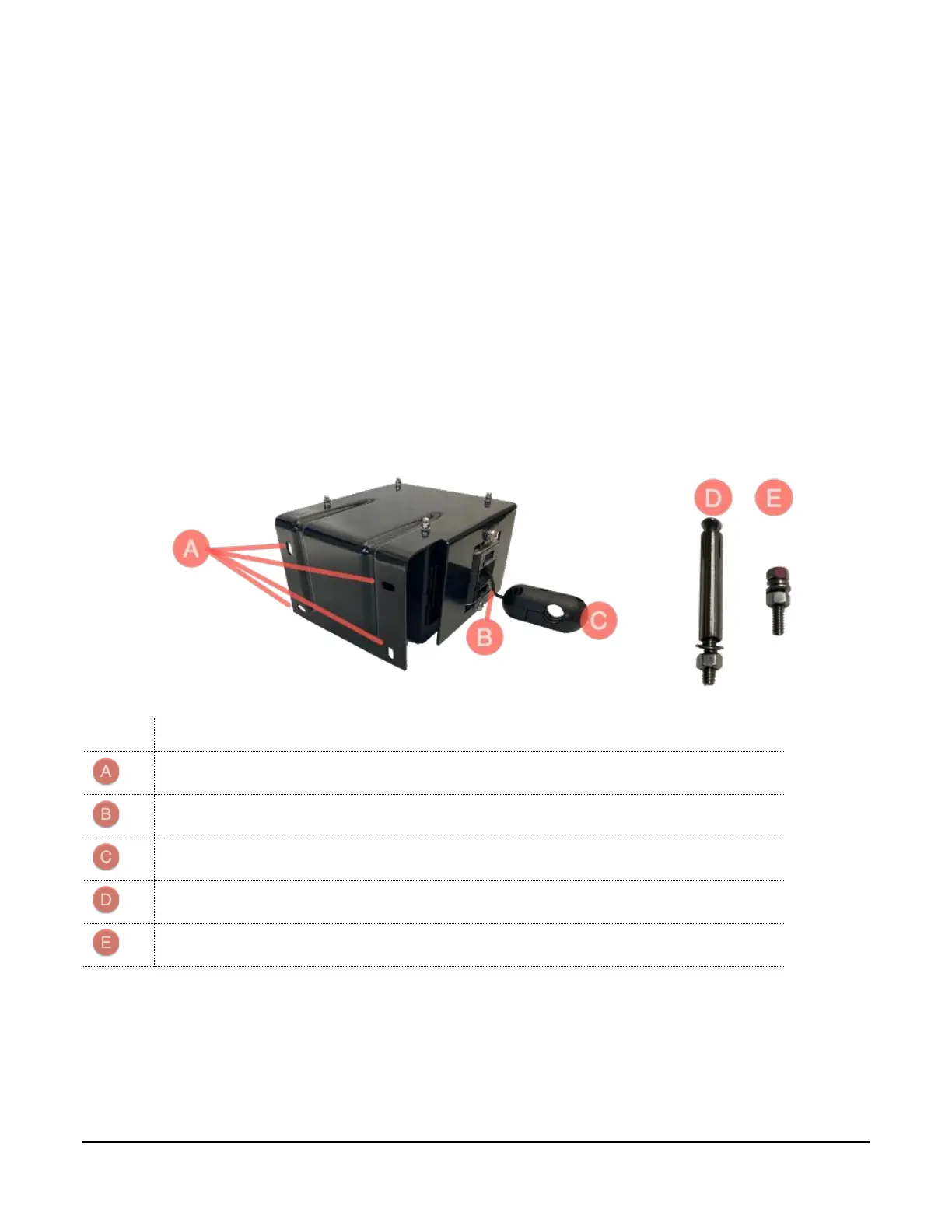
PowerFlex offers a cable retractor provides spring-loaded tethered support and suspends a charging
cable above the mounted charger when not in use. A cable retractor releases the charging cable when a
vehicle is being charged.
A cable retractor can be installed for either wall or pedestal installations with two simple steps:
1. Mount the retractor to the wall or pedestal
2. Mount the charging cable to the cable retractor
The cable retractor provided by PowerFlex has the following components:



 To Next Page