12 2000Wi OM
3.3 Check the air cleaner
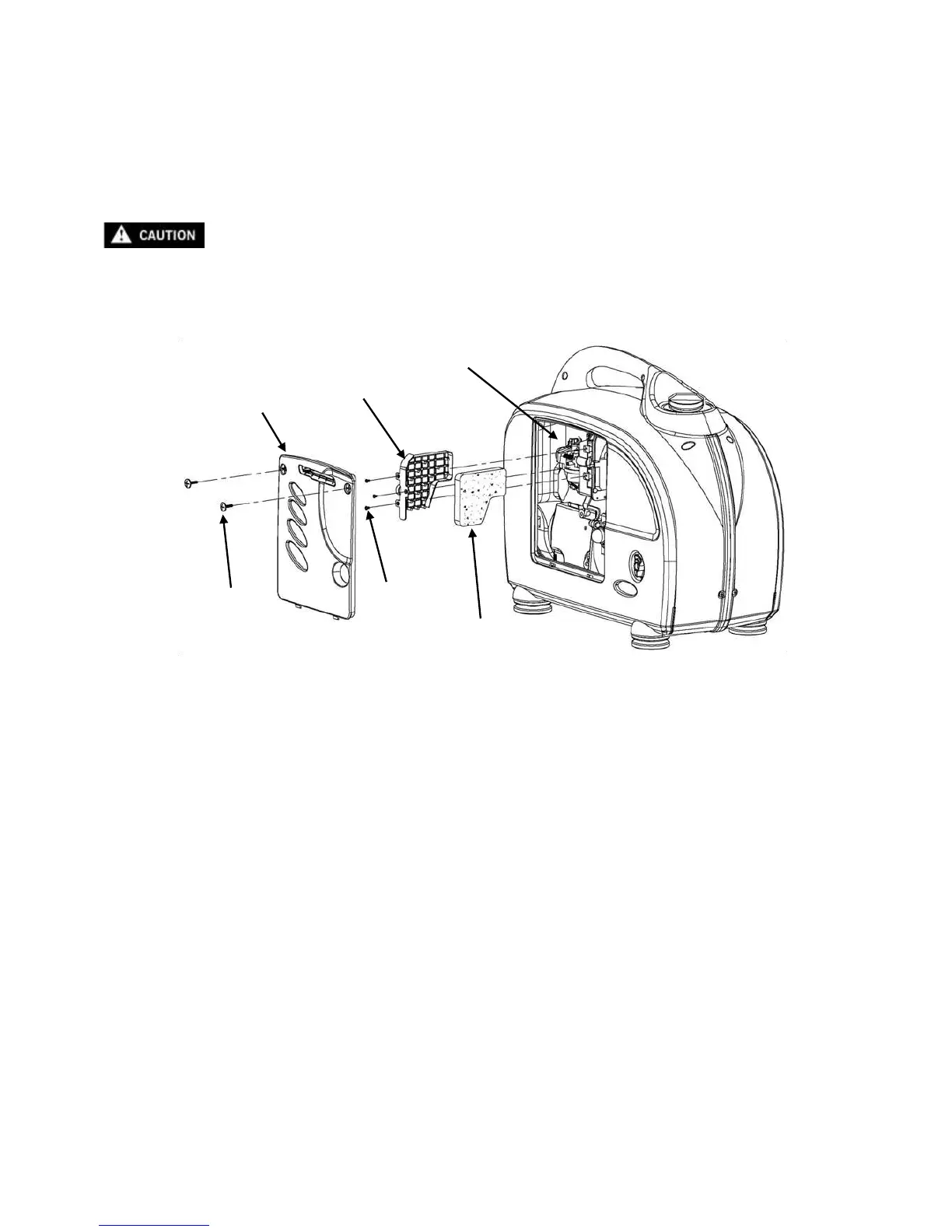
1. Loosen the maintenance cover screws and remove the maintenance cover.
2. Remove the three air cleaner retaining screws. Remove the cover and check the element. Clean or replace
the element if necessary.
3. Replace the air cleaner element, and cover. Tighten the screws securely.
4. Replace the maintenance cover and tighten the screws securely.
Never run the engine without the air cleaner element in place. Rapid engine wear will
result from contaminants, such as dust and dirt being drawn through the carburetor into
the engine.


 To Next Page