16 2000Wi OM
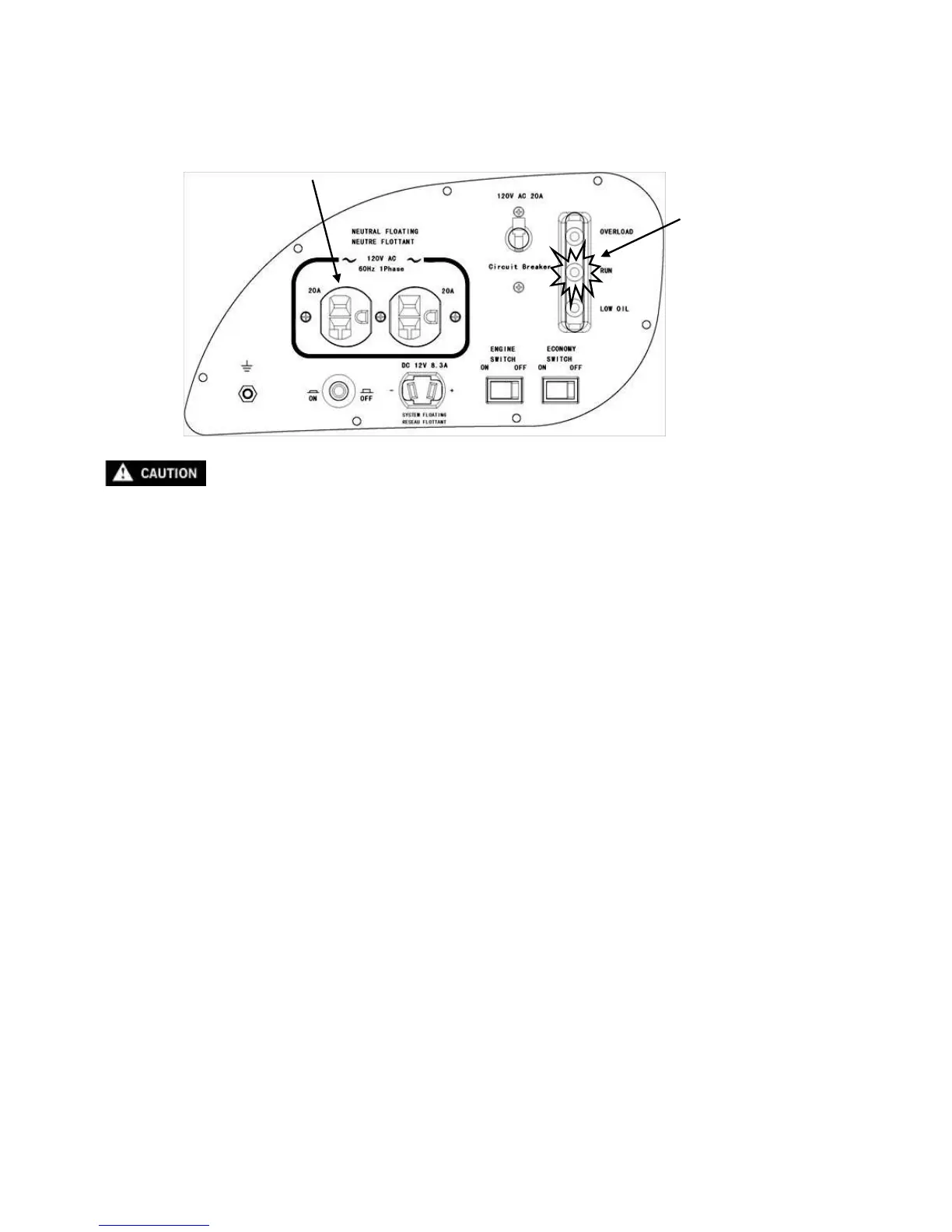
4.5 AC application
1. Start the engine and make sure only the output run indicator light (Green) comes on.
2. Confirm that the appliance to be used is switched off before plugging into the control panel.
Be sure that all appliances are in good working order before connecting them to the
generator. If an appliance begins to operate abnormally, becomes sluggish, or stops
suddenly, turn off the generator engine switch immediately. Disconnect the appliance and
examine it for signs of malfunction.


 To Next Page