EasyManua.ls Logo

Powerhouse PH4000Ri/E - User Manual

Powerhouse PH4000Ri/E
48 pages
Print Icon
To Next Page IconTo Next Page
Loading...
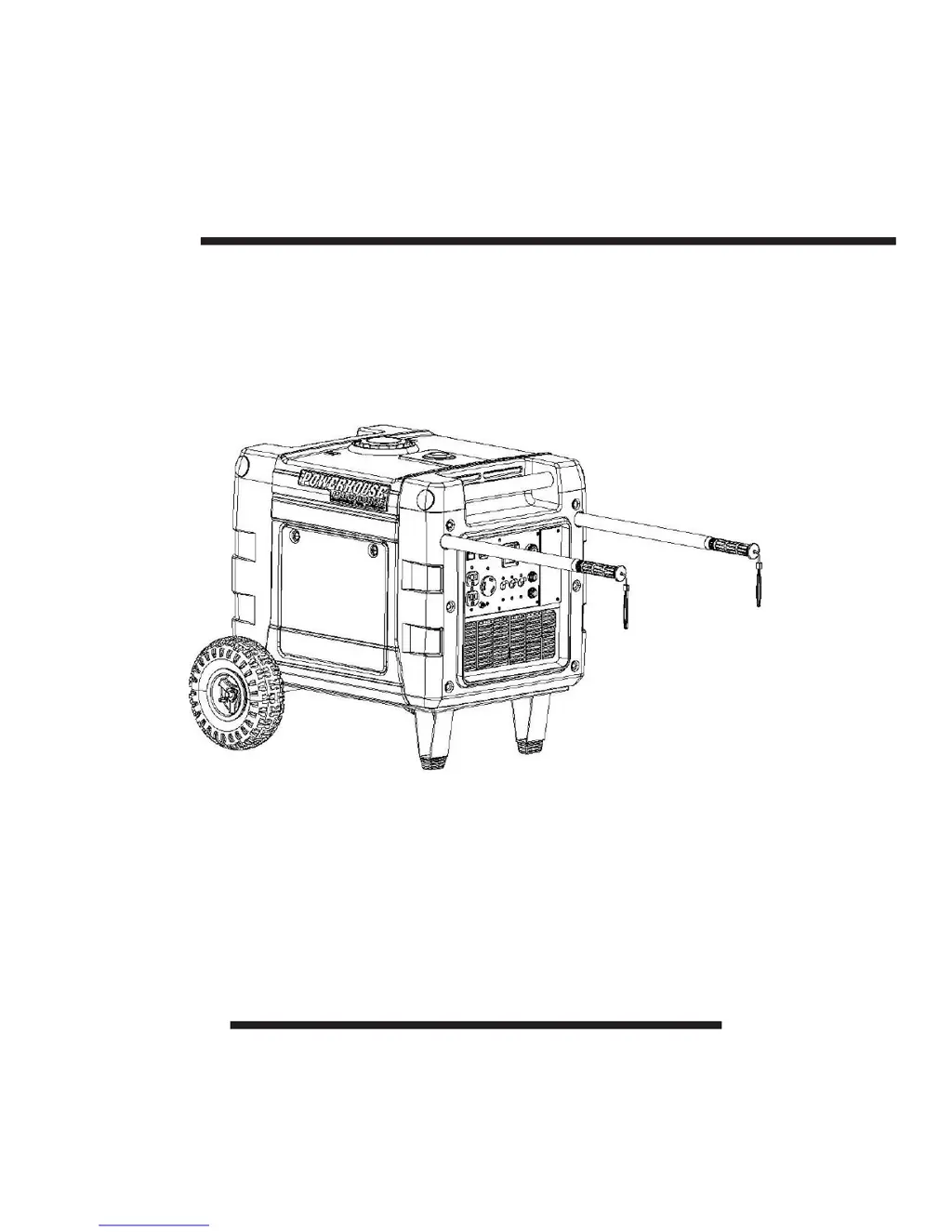
POWERHOUSE®
PH4000Ri/E Electronic Fuel-Injected
Digital Inverter Generator
Owners Manual
PLEASE READ THIS MANUAL
CAREFULLY BEFORE USING

Table of Contents

Other manuals for Powerhouse PH4000Ri/E

Questions and Answers

  • T
    Tracy MontgomeryAug 1, 2025
    What to do if my Powerhouse Portable Generator engine will not start?
    • J
      Jessica JonesAug 1, 2025
      If your Powerhouse Portable Generator engine won't start, several factors could be at play. Here's what to check: * **Remote Distance:** Ensure you're within 75 feet of the generator when using the key fob. * **Key Fob Battery:** Replace the key fob battery if it's drained. * **Remote Switch:** Make sure the remote switch is turned on. * **Battery Fuse:** Check the battery fuse and replace it if it's missing or burned out. * **Battery Condition:** If the battery is dead, charge or replace it.
  • J
    Jasmine LandryAug 12, 2025
    Why won't my Powerhouse Portable Generator engine start?
    • J
      jonathantrujilloAug 12, 2025
      Several issues can prevent your Powerhouse Portable Generator's engine from starting. It could be due to being out of range with the key fob (move within 75 feet), a drained key fob battery (replace it), a turned-off remote switch (turn it on), a missing or burned-out battery fuse (replace the fuse), or a dead battery (charge or replace it).
  • R
    Richard JohnsonAug 21, 2025
    How to fix a Powerhouse Portable Generator that will not start?
    • S
      Samantha ColemanAug 21, 2025
      To fix a Powerhouse Portable Generator that won't start: 1. Move to within 75 feet of the generator if using the key fob. 2. Replace the key fob battery. 3. Turn on the remote switch. 4. Replace the battery fuse if it's missing or burned out. 5. Charge or replace the battery if it's dead.

Summary

Quick Start and Pre-Operation

Pre-Operation Checks

Procedures for preparing the generator before initial use, including oil and battery connection.

Generator Operation and Shutdown

Manual Introduction and Safety Precautions

Essential Safety Guidelines for Operation

Generator Component Identification

Control Panel Features and Indicators

Detailed explanation of the controls and indicators on the generator panel.

Pre-Operation Checks

Generator Starting Procedures

Safe Generator Use and Load Management

Understanding the Digital Display

Diagnosing Issues with Fault Codes

Connecting and Using AC Appliances

Overload Protection and Overspeed Prevention

DC Power Capabilities

Low Oil Alarm and Engine Shutdown

Maintenance Schedule and Emission Control

Detailed Maintenance Schedule

Engine Oil Change Procedure

Air Cleaner Element Service

Spark Plug Inspection and Replacement

Spark Arrester Cleaning and Maintenance

Troubleshooting Common Generator Issues

Engine Will Not Start

Troubleshooting steps for when the generator engine fails to start.

Engine Not Cranking Diagnosis

Diagnosing issues when the engine does not crank during startup attempts.

Technical Specifications

Appendix B: Battery Safety and Charging Instructions

Powerhouse PH4000Ri/E Specifications

General IconGeneral
BrandPowerhouse
ModelPH4000Ri/E
CategoryPortable Generator
LanguageEnglish

Related product manuals