PH4000Ri/E Owner’s Manual17
6. Operating instructions
6.1. Starting the engine
• The unit can be started by the ignition key or remote. When the unit is started with the ignition key,
it can be shut down by the ignition key or the STOP button on the control panel; but NOT by the
remote. When the unit is started by the remote, it can be shut down by the remote. If you want to
shut down the unit with the ignition key when the unit has been started by remote, you will need to
turn the remote control switch on the control panel to the “OFF” position before you can shut off the
unit with the ignition key. The unit can always be shut down by the STOP button on the control panel
regardless of how you start the unit.
• If the battery charge is just high enough to run the fuel pump and the ECU, the generator can be
started by recoil, but not by the ignition key or remote. You must either charge the battery, or start the
generator by recoil and let it run, to build the battery charge.
6.2. Starting procedure using the Ignition Key
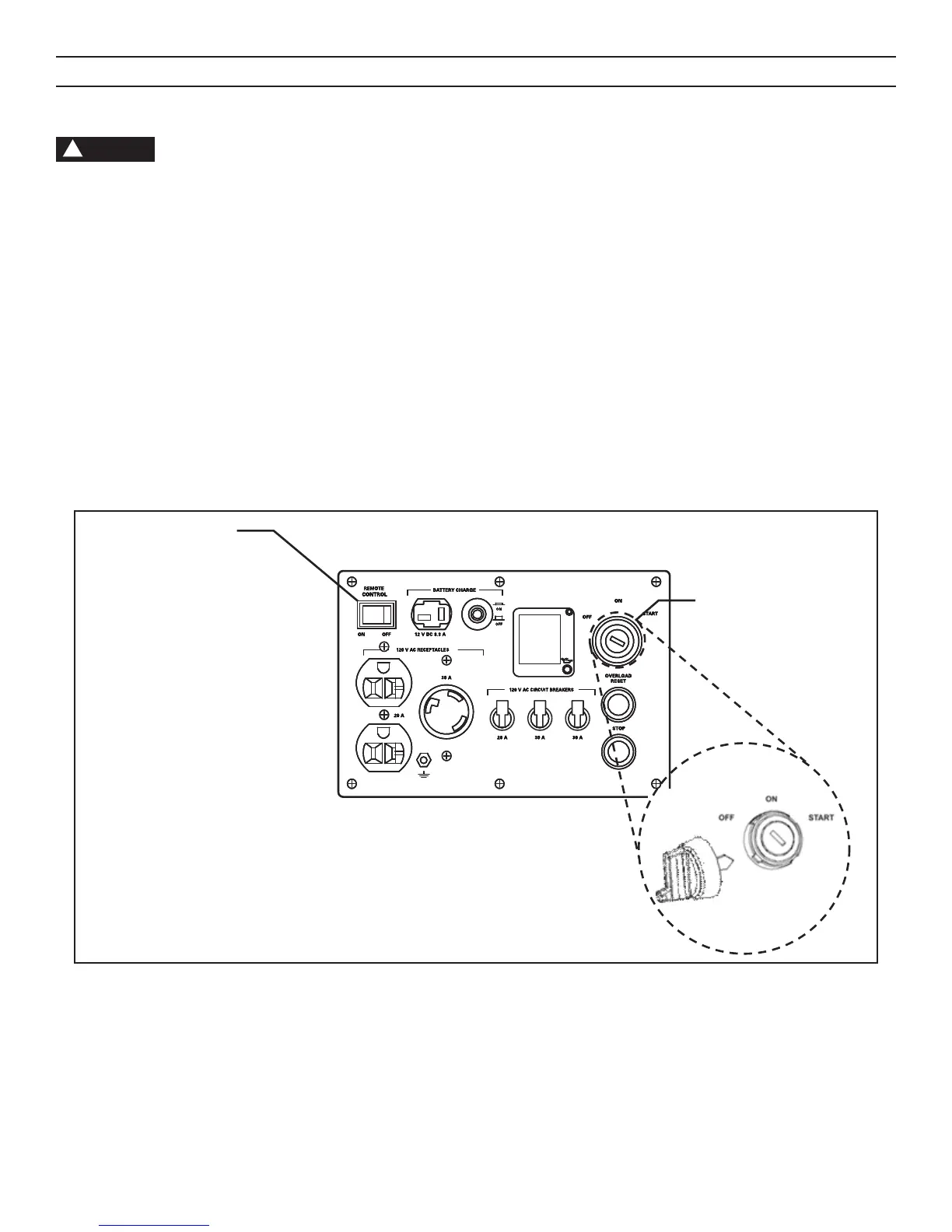
1. Move the remote selector switch on the control panel to the “OFF” position.
2. Insert the ignition key, and turn it to the ON position for three seconds. This will build up the appropriate pressure in
the fuel system, and allow the throttle valve to close.
3. Turn the key to the START position and hold it there until the engine is running or for a maximum of 10 seconds.
Release and repeat if necessary.
NOTE
!
SYSTEM FLOATING
RESEAU FLOTTANT
SYSTEM FLOATING
RESEAU FLOTTANT
SYSTEM FLOATING
RESEAU FLOTTANT
Remote Switch
Electric Start
Ignition Switch


 To Next Page