PH4000Ri/E Owner’s Manual 22
6.9. Fault codes
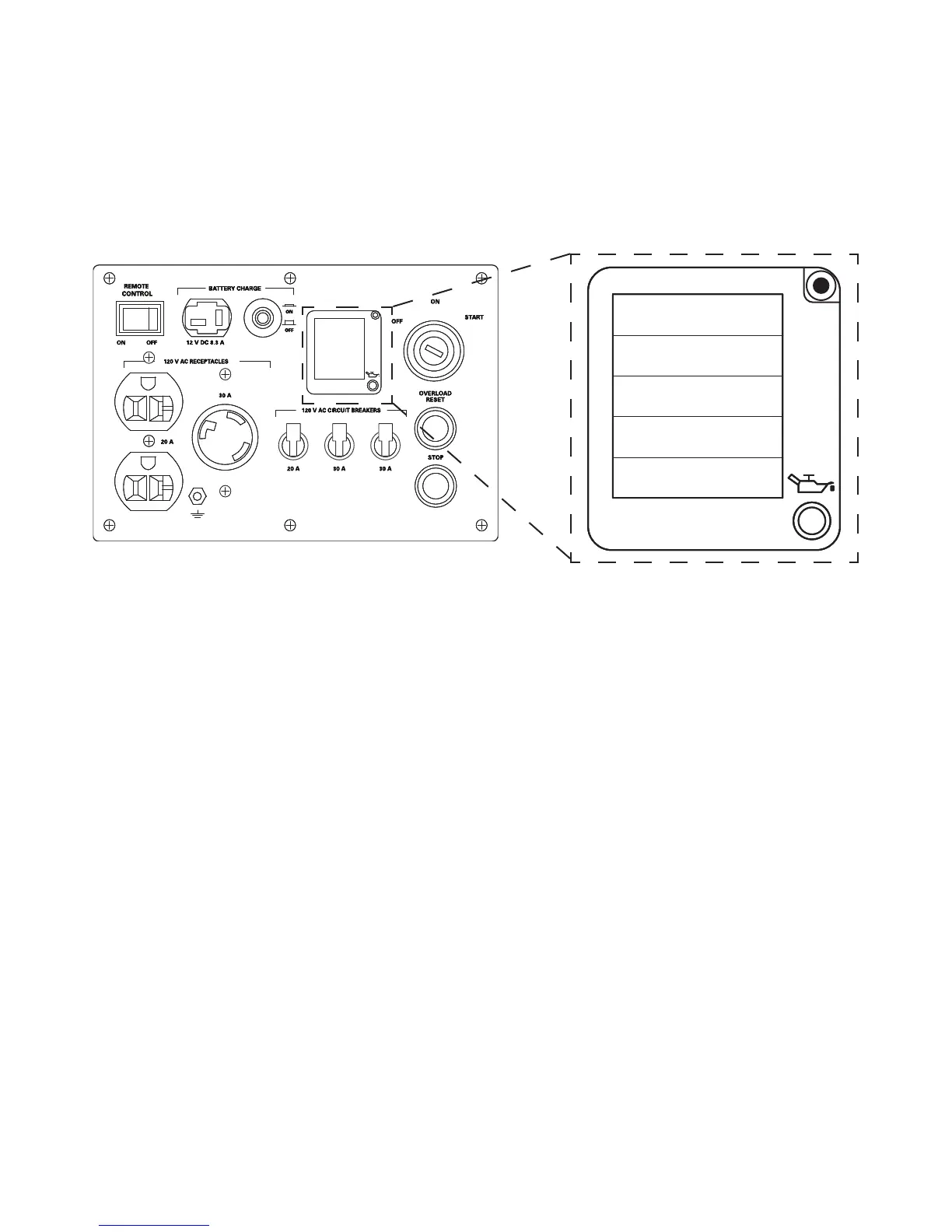
The digital display can also be used to read fault codes from the ECU. You will be alerted to a fault condition by the steady
blinking of the Low Oil indicator LED. If the generator is truly low on oil, that indicator will light, but not blink. For more
information on low oil conditions, refer to the Low oil alarm system section of this manual.
When the Low Oil indicator blinks repeatedly, press the fault code button on the top right of the digital display. The display
will cycle through the fault codes in the Wattage (P) data eld. For a detailed list of the fault codes and their meanings, as
well as how to use the information, refer to the PH4000Ri/E Service Manual, available for free download from the
www.powerhouse-products.com web site.
IIIIIFUEL
U: 000.0 V
P: 0000 W
T: 000.0 H
I: 00.0 A
SYSTEM FLOATING
RESEAU FLOTTANT
SYSTEM FLOATING
RESEAU FLOTTANT
SYSTEM FLOATING
RESEAU FLOTTANT


 To Next Page