PH4000Ri/E Owner’s Manual 24
6.11. Generator Overload
• Substantial overloading that continuously reports an overload condition to the digital display may
damage the generator. Marginal overloading that temporarily reports an overload may shorten the
service life of the generator.
The digital display will remain illuminated and returning data during normal operating conditions.
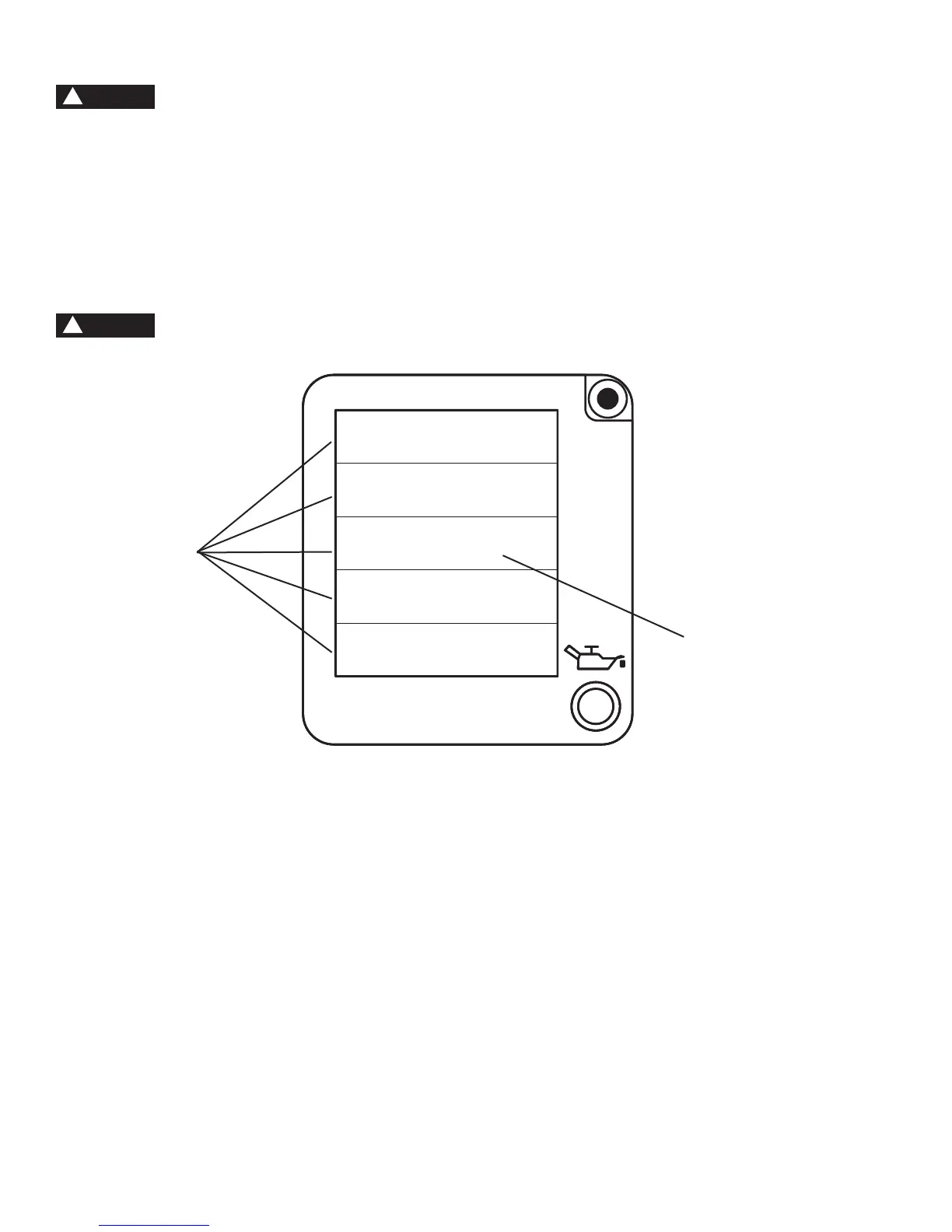
If the generator is overloaded (in excess of 4000 W), or if there is a short in the connected appliance, the values in the
digital display will become zero, the message OVER will appear in the wattage (P) eld of the display, and the generator
engine will be shut down.
1. Remove all electrical loads from the generator and investigate the cause of the overload.
2. Press the (green) overload reset button and restart the generator. The digital display should be returning data again
within 10 seconds.
• Before connecting or reconnecting an appliance to the generator, check that it is in good order, and
that its electrical rating does not exceed that of the generator.
6.12. Overspeed Protection
This generator has been designed to prevent the engine from “overspeed” revving. Overspeed revving occurs when
a generator’s on-board monitoring systems detect a drop in voltage from the inverter, and the generator attempts to
compensate by revving the engine higher to generate more electricity. In the rare event of an inverter failure, there will be
no voltage output from the inverter, and the engine will remain revving at or close to its top speed. Overspeed revving for
a prolonged period can damage internal components due to increased heat from the engine. With an inverter failure, each
of the following three symptoms will be present:
• The ECU will draw the engine down to idling speed.
• The digital display will indicate zero (0) Volts.
• The 120 V receptacles will not supply voltage, regardless of breaker settings.
If your generator exhibits this behavior (it only idles, producing no voltage), refer to the PH4000Ri/E Service Manual,
available for free download from the www.powerhouse-products.com web site, for troubleshooting instructions for the
inverter.
CAUTION
!
NOTE
!
IIIIIFUEL
U: 000.0 V
P: OVER W
T: 000.0 H
I: 00.0 A
Data elds
Overload message


 To Next Page