17
DigiMod 500 1000 1500 2000HV 1000NPS | SERVICE MANUAL
INDEX
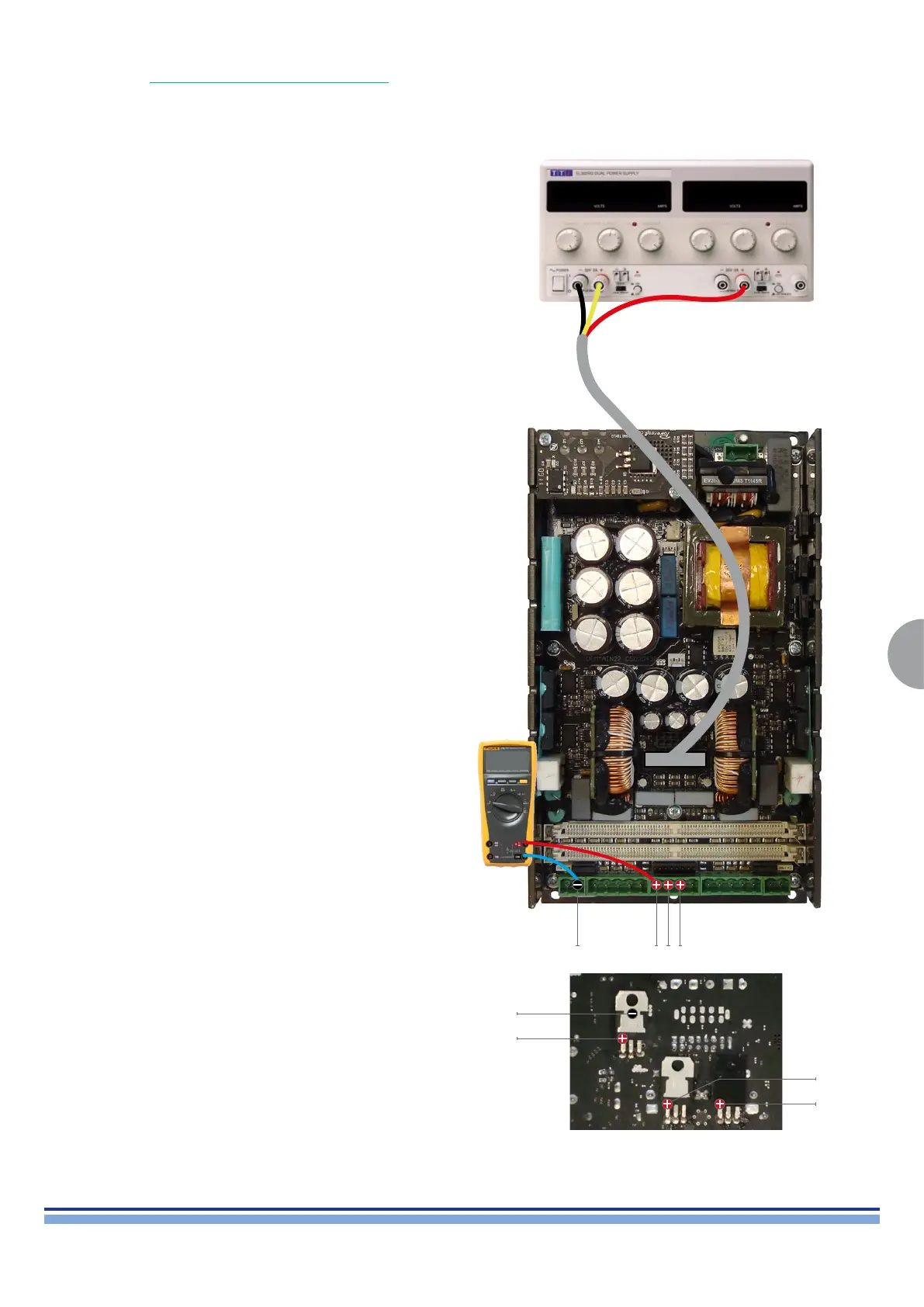
By means of the DIGIMOD AMP AUX VOLTAGE CABLE, connect a DC power supply and set the output voltage to ± 15Vdc.
Check the AUX voltages by probing on the highlighted points in the CN14 connector.
Alternatively it is possible to check the Aux Voltages while the board is removed from its chassis by checking the voltage regulators on
the back side of the board, as indicated on (Fig. 12)
+15Vdc -15Vdc
V
Ground
-12Vdc
+12Vdc
+5Vdc
(Fig. 12)
Ground
+12Vdc
-12Vdc
+5Vdc


 To Next Page
 Loading...