INDEX
8
M SERIES | SERVICE MANUAL
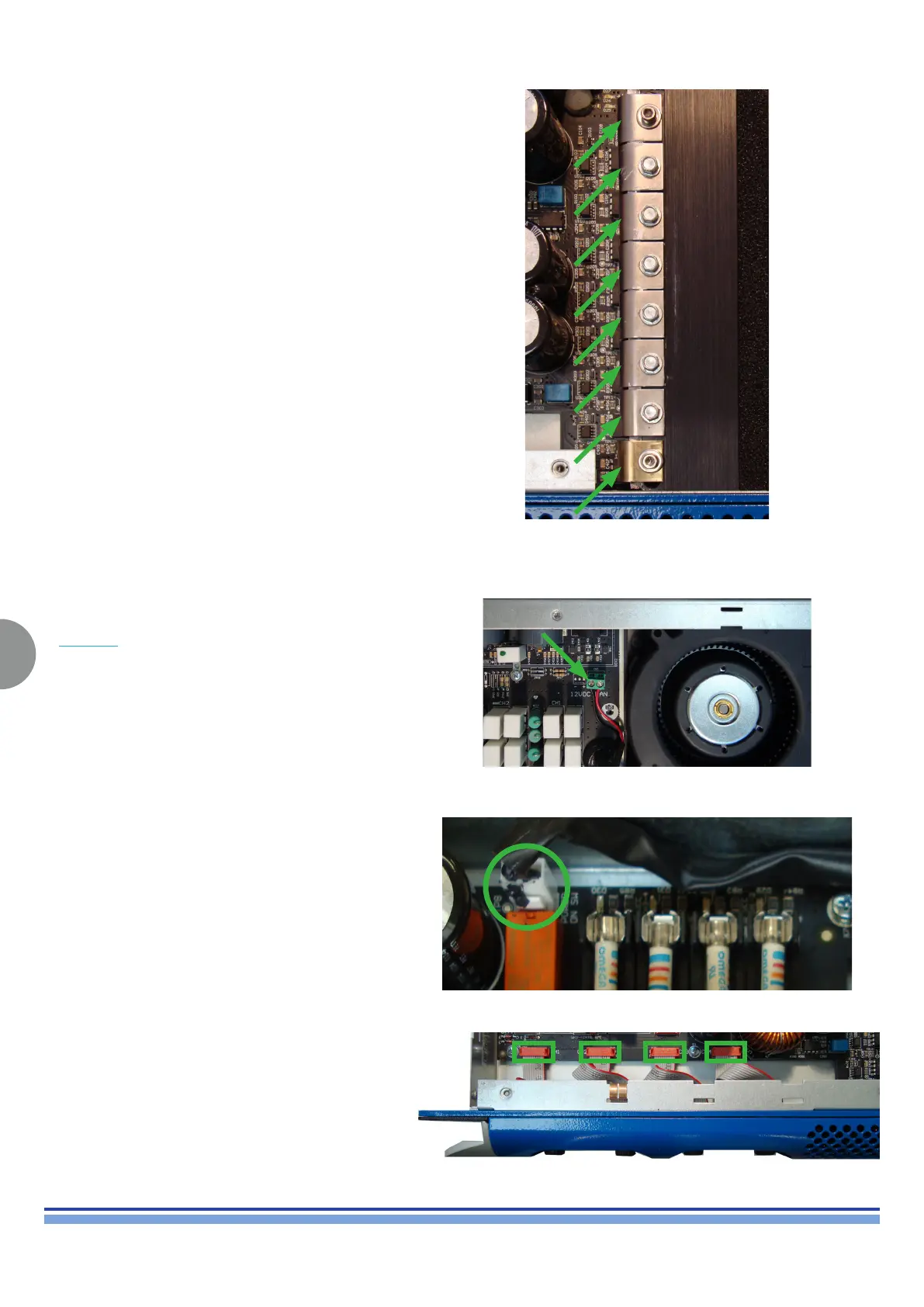
Amp stage:
With a multimeter set to Ohm test for any faults in the Amp
stage mosfets. Although it is possible to t the probes in
the gap between the heatsink and the capacitors (Fig. 8)
feel free to remove as many sping retainers as needed in
order to access the Mosfets more confortably.
5. Removing the main board:
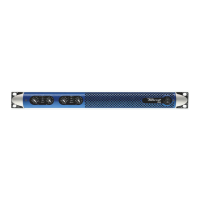
Unscrew the fan’s power cables portrayed in (Fig. 9)
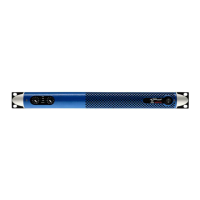
Following this, disconnect and remove the ON/OFF
switch plug highlighted in (Fig. 10)
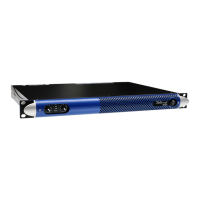
Disconnect and remove the four at cables highlighted
in (Fig. 11)
Make sure that the capacitor’s bank has been fully
discharged prior to the removal of the board as explained
in chapter 3.
(Fig. 8)
(Fig. 9)
(Fig. 10)
(Fig. 11)








 To Next Page