Need help?
Do you have a question about the PowerTech MP3745 and is the answer not in the manual?
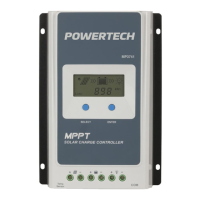
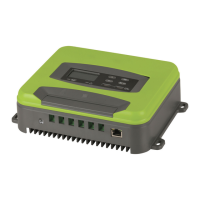
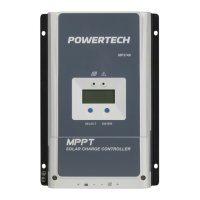
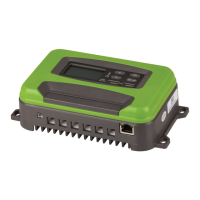
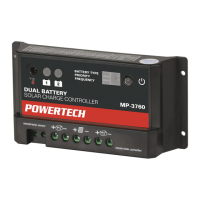
Illustrates the product's physical components and provides a functional description of the panel elements, including buttons and LEDs.
Details the solar panel input specifications, including maximum open circuit voltage and operating voltage ranges for various battery types.
Explains automatic battery identification for 12/24/36/48V systems and outlines maximum charging currents and reverse connection protection.
Covers rated maximum output current, overcurrent protection, short circuit protection, and load output over/undervoltage protection.
Describes how the charger manages charging current reduction and charging stops based on heat sink temperature thresholds.
Details the function of adjusting float voltage based on ambient temperature, with specific voltage values for different temperature ranges.
Explains the optional WIFI module for remote control and monitoring, and details USB battery protection and output specifications.
Describes various icons displayed on the LCD screen, including solar, sunlight, MPPT, WIFI, remote control, settings, battery level, load, and protection indicators.
Explains the numerical display for current data and the load timing clock functions shown on the LCD screen.
Details how to navigate through interfaces, enter parameter settings, and restore default settings using the MENU button.
Explains the use of UP and DOWN buttons for adjusting parameters, switching interfaces, and cumulative value changes.
Describes how the ENTER button is used to confirm modifications, modify parameters, or control load ON/OFF.
Details various load switch modes (Clock 1, Clock 2, LD, TO) for controlling load timing and operation based on PV voltage.
Lists and explains various fault codes (E1-E8) indicating specific protection or error conditions within the charge controller.
Specifies the low-voltage and over-voltage protection ranges for different battery capacities (12/24/36/48V) as displayed on the LCD.
 General
| Brand | PowerTech |
|---|---|
| Model | MP3745 |
| Category | Controller |
| Language | English |

 To Next Page