EasyManua.ls Logo

PowerTech MP3768 - User Manual

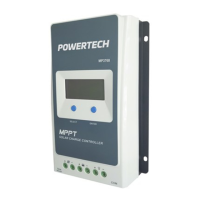
PowerTech MP3768
34 pages
Print Icon
To Next Page IconTo Next Page
Loading...
Instruction Manual
MPPT Solar Charge
Controller
for Lithium or SLA Batteries
MP3768

Questions and Answers

PowerTech MP3768 Specifications

General IconGeneral
BrandPowerTech
ModelMP3768
CategoryController
LanguageEnglish

Summary

Important Safety Instructions

Explanation of Symbols

Explains symbols used in the manual for safety and operational tips.

Quick Start Guide

Common Battery Types

Lists and defines common battery types supported by the controller.

General Information

Overview and Features

Provides a general overview of the MPPT solar charge controller's features and applications.

Power Protection and Software Support

Details the power protection chip and support for APP/PC software monitoring and settings.

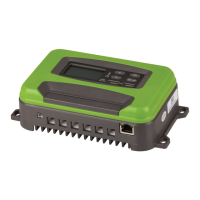
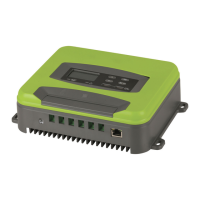
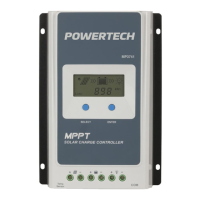
Product Characteristics and Components

Identifies and labels the external components and ports of the MPPT controller.

Maximum Power Point Tracking Technology

Explains how MPPT technology optimizes solar energy capture.

Multi-MPP Curve Explanation

Illustrates and explains the concept of multiple maximum power points in PV panels.

Battery Charging Stages Overview

Details the three-stage battery charging algorithm (Bulk, Constant, Float).

Constant Charging Stages (Boost & Equalize)

Explains the constant voltage charging stages: Boost and Equalize charging.

Float Charging Stage

Describes the final stage of charging to maintain battery state.

Installation Guidelines

Safety Attention and PV Array Requirements

Provides safety precautions and guidelines for PV array connection and module serial configuration.

Maximum PV Array Power Handling

Explains current/power limiting functions and conditions for PV array operation.

Wire Size Recommendations

Provides guidelines and tables for selecting appropriate wire sizes for PV, battery, and load connections.

Mounting and Ventilation Guidelines

Specifies mounting requirements, including clearance and ventilation for optimal operation and safety.

System Wiring and Connection Sequence

Outlines the correct sequence for connecting system components and safety precautions.

Grounding the Controller

Explains grounding methods for the controller and system for EMI shielding and safety.

Connecting Accessories

Guides on connecting optional accessories like temperature sensors and RS485 communication.

Controller Power-On Procedure

Details the procedure for powering on the controller and checking its status.

Operation: Buttons

Operation: Interface

Status Indicators Explained

Explains the meaning of various symbols and indicators displayed on the LCD screen.

Troubleshooting Error Codes

Lists common error codes, their symbols, and corresponding troubleshooting instructions.

Operation: Settings Navigation

Navigating Data Interfaces

Illustrates how to cycle through different data display interfaces using the SELECT button.

Energy Data and Temperature Unit Settings

Explains how to reset accumulated energy data and change temperature units.

Battery Type Selection

Details how to select and set the battery type for optimal charging performance.

External Software Configuration

Guides on configuring battery settings using external PC or mobile applications.

Battery Voltage Control Parameters

Lead-acid Battery Parameter Defaults

Provides specific default and user-configurable voltage parameters for lead-acid batteries.

Lithium Battery Parameter Defaults

Lists specific voltage parameters for different types of lithium batteries.

Local Load Mode Settings

Load Mode Operation Steps

Protection Mechanisms

Load Short Circuit and Overload Protection

Explains the controller's response to load short circuits and overload conditions.

Controller Overheating and TVS Protection

Details how the controller manages internal overheating and TVS surge protection.

Troubleshooting Guide

Routine Maintenance

Technical Specifications

Related product manuals