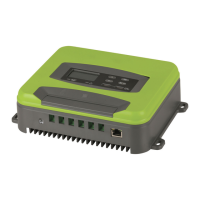
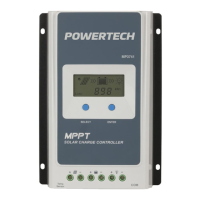
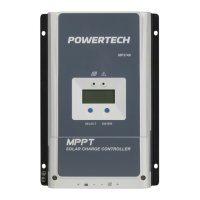
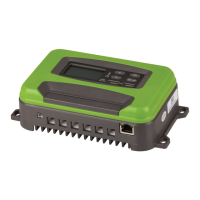
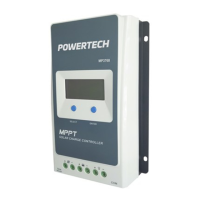
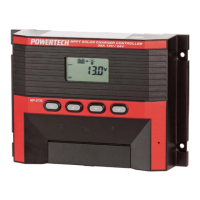
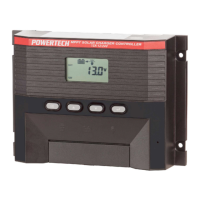
The Powertech MP3743 is a 12V/24V 30A MPPT Solar Charge Controller designed for use with Lithium or SLA batteries. This device efficiently manages power flow from solar panels to batteries and connected loads, incorporating various protective features and user-friendly controls.
Function Description:
The core function of the MP3743 is to act as an MPPT (Maximum Power Point Tracking) solar charge controller. It optimizes the power output from solar panels to efficiently charge 12V or 24V batteries. The controller automatically identifies the battery voltage (12V/24V) and provides a maximum charging current of 30A. It supports different battery types, including STD (Standard), LI (Lithium), and AGM, with specific constant voltage charging settings for each: STD: 14.4V/28.8V, LI: 14.5V, and AGM: 14.6V/29.2V.
The device includes a load output function, which is OFF by default. It can deliver a rated maximum output current of 30A (12/24V) or 35A. This output is protected against overcurrent (>35A) and short circuits (E4 alarm). It also features load output over/undervoltage protection with adjustable recovery voltages.
For user convenience, the MP3743 is equipped with two 5V 3A USB output ports, allowing for direct charging of small electronic devices.
Important Technical Specifications:
- Maximum open circuit voltage: 100V
- MPPT voltage range: 16-80V
- Maximum PV input power: ≤450W for 12V battery, ≤900W for 24V battery
- Maximum MPPT current: ≤30A
DC Output:
- Battery voltage: 12V/24V (auto-identification)
- Battery capacity: ≥30AH
- Output current: 30A Max
- Constant voltage charging voltage: STD: 14.4V/28.8V, LI: 14.5V, AGM: 14.6V/29.2V
Load Output:
- Output voltage: 12V/24V
- Output current: 30A/35A
USB Output:
- Output voltage: 5V
- Number of USB ports: 2
- Maximum output current: 3.4A Max
Standby Current:
- Separate MPPT charger: < 60 mA
- MPPT charger + WIFI module: < 160 mA
Protective Functions:
- PV/battery input high/low voltage protection: Yes
- PV/battery reverse connection protection: Yes (E8 alarm for PV, E1 alarm for battery)
- Load overcurrent / short circuit protection: Yes (E4 alarm)
- Over-temperature protection: Yes (90°C stop charging, 60°C resume)
Mechanical Dimensions:
- Length x Width x Height: 238 x 177 x 63 mm
- Weight: 1.5 KG
General Data:
- Operating temperature: -10°C to +40°C
- Cooling method: Heat sink
- Insulation class: CLASS 1
- Protection level: IP30
Usage Features:
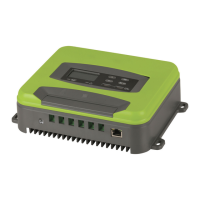
The MP3743 features an LCD screen (8) for displaying various operational data such as battery voltage, load voltage, PV voltage, and time. It also shows icons for solar panel connection (A), charging current (B, 8 grids for 30A), MPPT status (C), WIFI status (D), remote control connection (E, optional), settings (F), battery level (F), load status (I), connection points (J), identified battery type (K), and protection status (L). Two load timing clocks (M, N) are also present.
Control is managed via four buttons: UP (1), Down (2), MENU (3), and Enter (4).
- MENU button: In the default interface, it cycles through battery voltage, load voltage, PV voltage, and time. Pressing and holding MENU enters the parameter setting interface, allowing users to configure:
- Battery type (STD, LI, AGM)
- WIFI switch (ON/OFF, default ON)
- Load undervoltage protection (12V: 10-11.5V, default 10V; 24V: 20-23V, default 20V)
- Load undervoltage recovery (12V: 12-13V, default 12.5V; 24V: 24-26V, default 25V)
- Time setting (24-hour system, hour/minute)
- Load timing modes (6-8, including always on, clock 1, clock 2, and TO mode for specific on/off times). Load switch mode is OFF by default for these items.
- UP/Down buttons: Used to adjust values in the parameter setting interface (e.g., time plus/minus 1, voltage plus/minus 0.1V) and to switch between different current displays (battery, load, PV current) in the default interface.
- Enter button: In the parameter setting interface, it's used to modify and confirm parameters. In the battery voltage interface, it toggles the load ON/OFF.
The LCD backlight automatically turns off after 1 minute of no button operation and reactivates with any button press.
The device supports an external temperature probe (9) for temperature compensation, especially for AGM/STD batteries. If not connected, it defaults to a temperature of ≥20°C±5°C.
The MP3743 may integrate a WIFI module (optional). If present, users can install a mobile APP to control the load switch and view real-time data like battery voltage and charging current. An RJ45 port (10) is reserved for connecting to a remote control board (optional).
Wire Diameter Requirements:
- Battery output line (30A MAX): 6AWG-10AWG, copper wire, less than 2m. At least 10AWG.
- PV input line: 8AWG-10AWG. Professionals should select based on actual output PV voltage.
Maintenance Features:
The MP3743 includes several self-protection and error reporting features to aid in maintenance and troubleshooting. The red LED light (6) indicates errors: off when no error, long on for error alarm, and flashing for lithium battery 12V gear or other red light errors.
Fault Codes (VII. Fault Codes):
- E1: Battery reverse connection (correct wiring).
- E2: Battery open circuit protection (battery not connected or voltage <8V/18V).
- E3: Battery overcurrent protection (circuit has constant current function; machine may be damaged if error persists).
- E4: Load overcurrent / short circuit protection (error lasts 10S, turn on load after eliminating error).
- E5: Battery overvoltage (battery damaged or voltage exceeds 15V/31V).
- E6: PV (solar) input overvoltage protection (PV>100V).
- E7: Over-temperature protection (stop charging at ≥90°C, resume at ≤60°C).
- E8: PV reverse connection (correct wiring).
If an error occurs, the user should eliminate the fault according to the error code. If the device still does not respond after troubleshooting, it may be damaged and require after-sales service.
The device is designed for wall mounting, and it is recommended not to touch the heat sink during operation to avoid burns. It should not be used in environments exposed to rain.


 To Next Page

 General