7
III.DescriptionofLCDscreen:
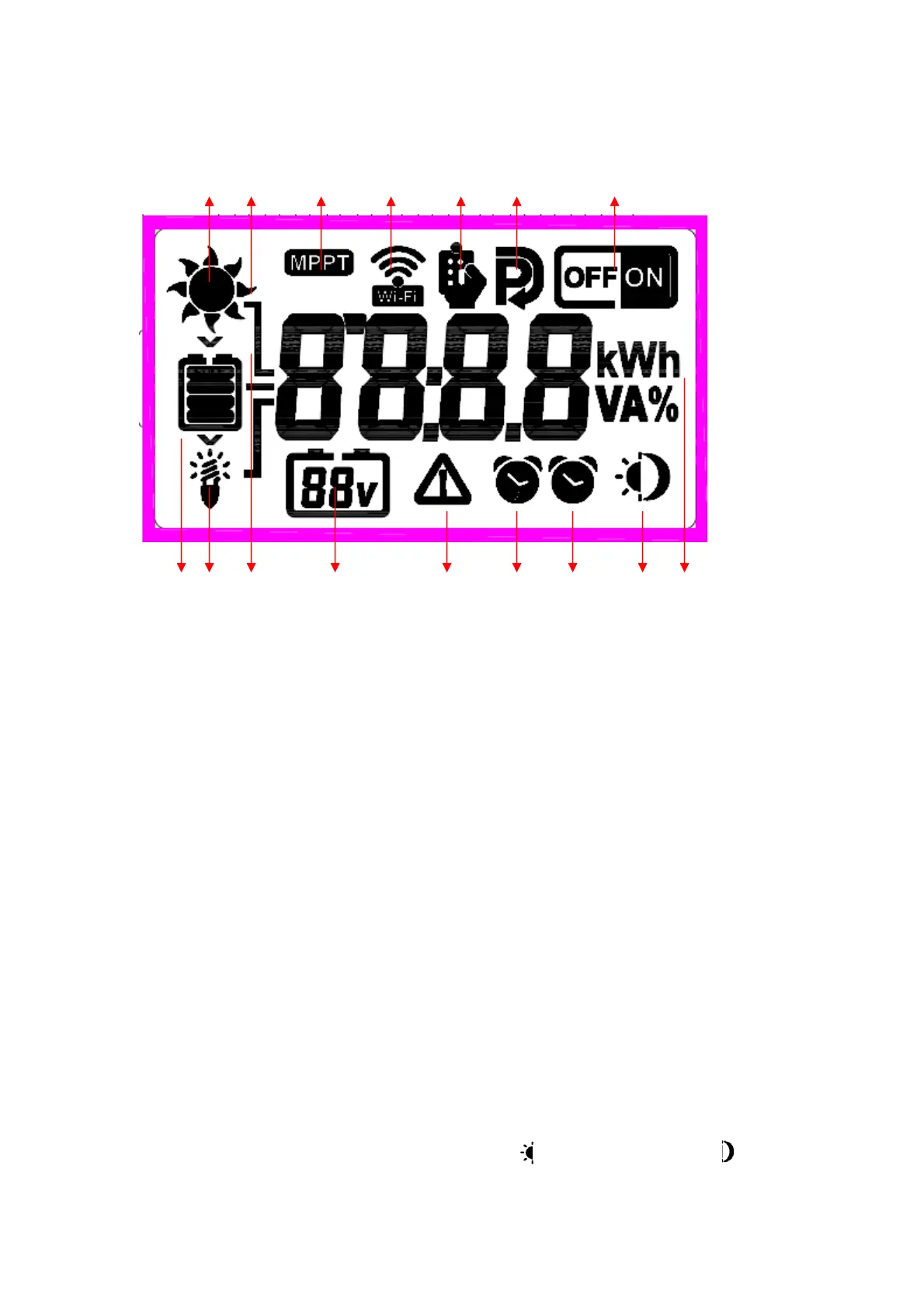
ABCDEFG
HIJKLMNOP
A.Sunicon,displayedwhensolarpanelisconnected.
B.Sunlighticon,8intotal,displayagridevery4Apoweraccordingtothechargingcurrent,8
gridsintotal,allturnonwhenthechargingcurrentis30A.
C.MPPTiconindicatestheMPPTcharger.
D.WIFIicon;turnon
WIFIthroughbuttonsettings,readproductdataandcontrolloadoutput
throughAPP.
E.Remotecontrolicon;displayedwhentheremotecontrolisconnected(remotecontrol
optional).
F.Settingsicon;turnonwhenenteringthesettingparameters,andturnoffwhenexit.
D.WIFIicon;WIFION/OFFoptional,defaultON.
F.Batterylevelicon;displaythecorrespondingiconaccordingtothebatteryvoltage.
I.Loadicon;turnonwhentheloadisturnedon,synchronizedwiththeloadswitchON.
J.Connector,three,upcorrespondingtoPV,middlecorrespondingtobattery,down
correspondingtoload.
K.Currentlyidentifiedbatterytype(12/24V).
L.Protectionicon.Whenthisiconappears,itindicatesthatthemachinehassomeprotection,
suchasloadovercurrent,shortcircuitprotection,undervoltageprotection,etc.(Refertothefault
code).
M.Loadtimingclock2.
N.Loadtimingclock1.
O.Daytimeandnighticons;PV>12V,displaydaytimeicon ;PV<12V,
displaynighticon after5


 To Next Page