バージョン1.1.1
映像伝送モジュール
36
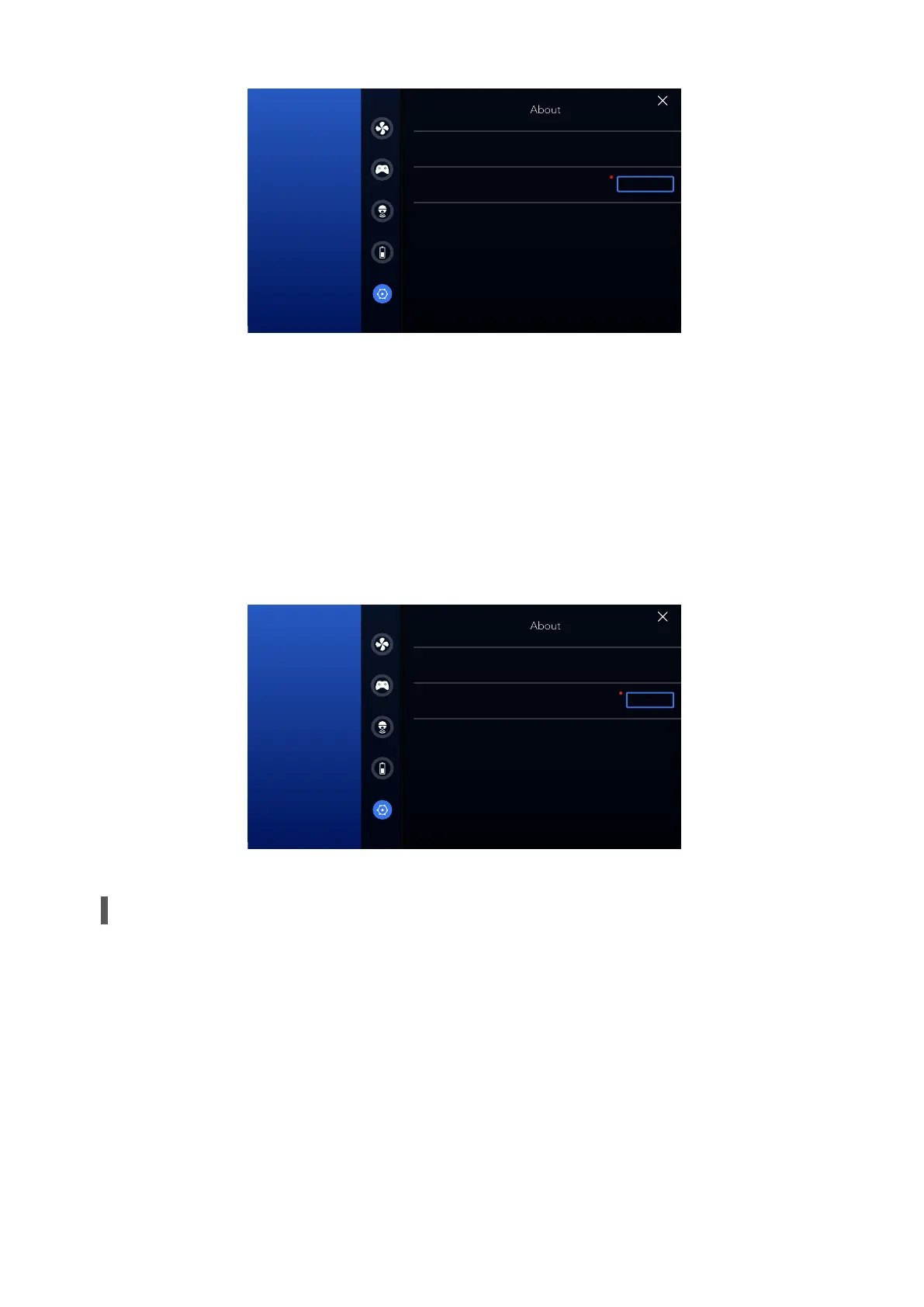
Connect the device and access the "About" screen. After the firmware is downloaded, an
upgrade reminder will be displayed on the right of the corresponding firmware name. You
can touch Upgrade to ‘upgrade’ the firmware following the instructions.
• Firmware Upgrade
1. When the device is properly sealed after each use, wash the device with clean water,
air-dry it, and keep the device dry. While washing, make sure the battery is installed and
battery slot cap is closed.
2. Keep the device away from direct sunlight, sources of ignition, heating furnaces, and
other high-temperature environments.
3. Store the device in a dry environment with the temperature ranging from 0℃ to 20℃.
4. Charge the battery level to 50%-60% if you do not use the device for a long time.
Cleaning and Storage
App version
version1.6.9
version1.1.0
version1.1.1
version1.1.1
version1.1.1
Device version
Remote version
Download
Main control module
Wi-Fi module
Image transmission module
バージョン1.1.1
映像伝送モジュール
App version
version1.6.9
version1.1.0
version1.1.1
version1.1.1
version1.1.1
Device version
Remote version
upgrade
Main control module
Wi-Fi module
Image transmission module



 To Next Page