37
Charge and discharge the device every two months to maintain the battery stability if you
do not use the device for a long time.
If you need any after-sales service, please contact the corresponding repair center.
After-sales Services
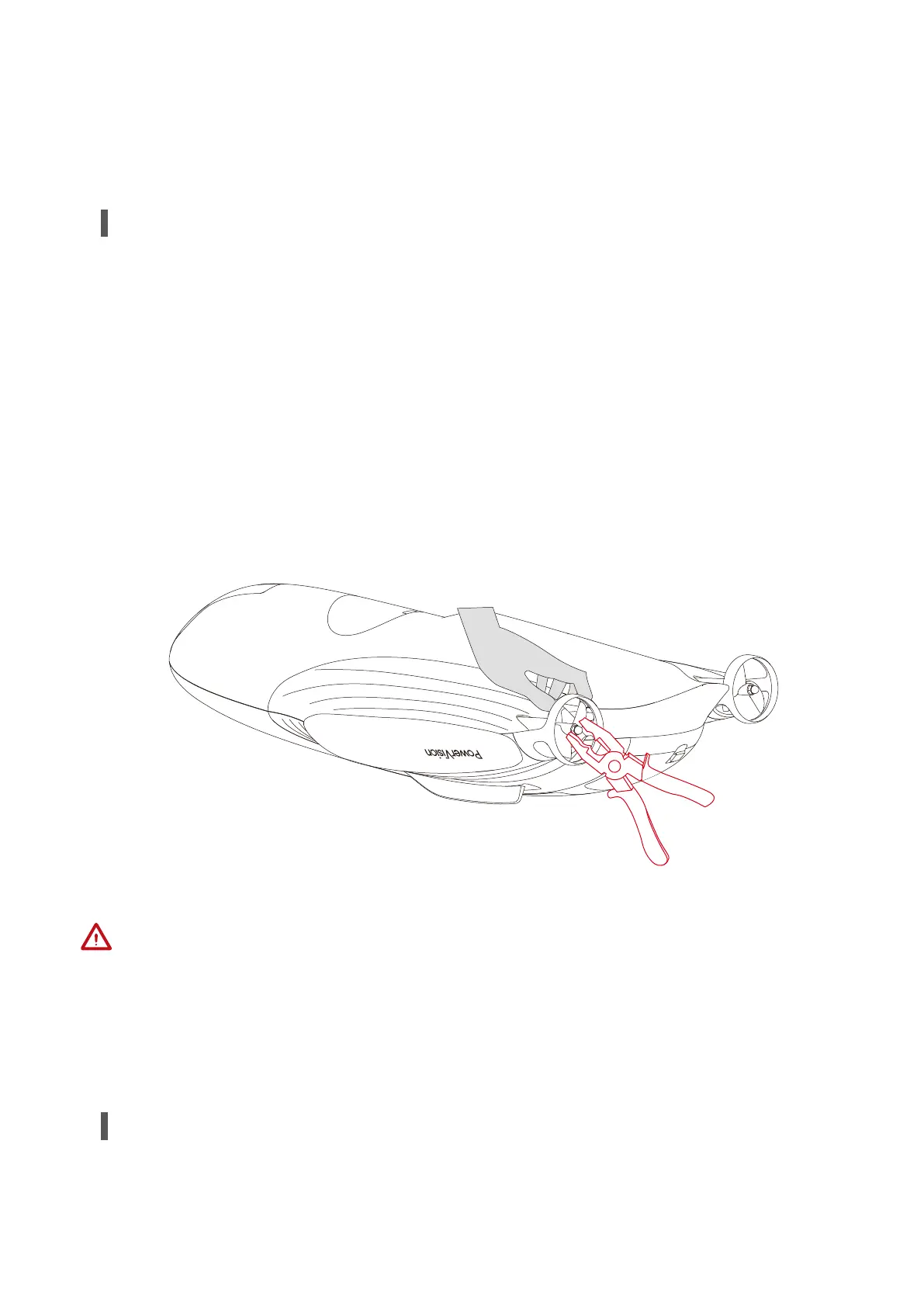
If the blades are worn, broken, or have other abnormalities, you need to replace them.
You can replace a blade by the following steps:
1. Clamp the blade.
2. Use pliers to clamp the nut on the outer part of the blade, and rotate counterclockwise
to remove the nut.
3. Check the mark (L or R) on the blade and replace it with a new one.
4. Tighten the nut.
Replacing Blades
1. Make sure that the device is powered off when replacing a blade.
2. Avoid hand injuries by the blade when disassembling and installing it.
3. Check the L or R mark on the blade to avoid replacing the wrong blade.
4. Avoid manual damage to the plastic blade protective cover.



 To Next Page