EasyManua.ls Logo

PowerVision PowerDolphin - Power On;Off and Lights

PowerVision PowerDolphin
42 pages
Print Icon
To Next Page IconTo Next Page
To Previous Page IconTo Previous Page
Loading...
On/Off button
Radio antenna
Propeller
Payload system
Hook
Fitting pin
Camera electric joint
Camera manual joint
Battery cover
Rubber plug
MicroSD card slot
Reset button
Micro USB port
Intelligent battery
Fish finder port
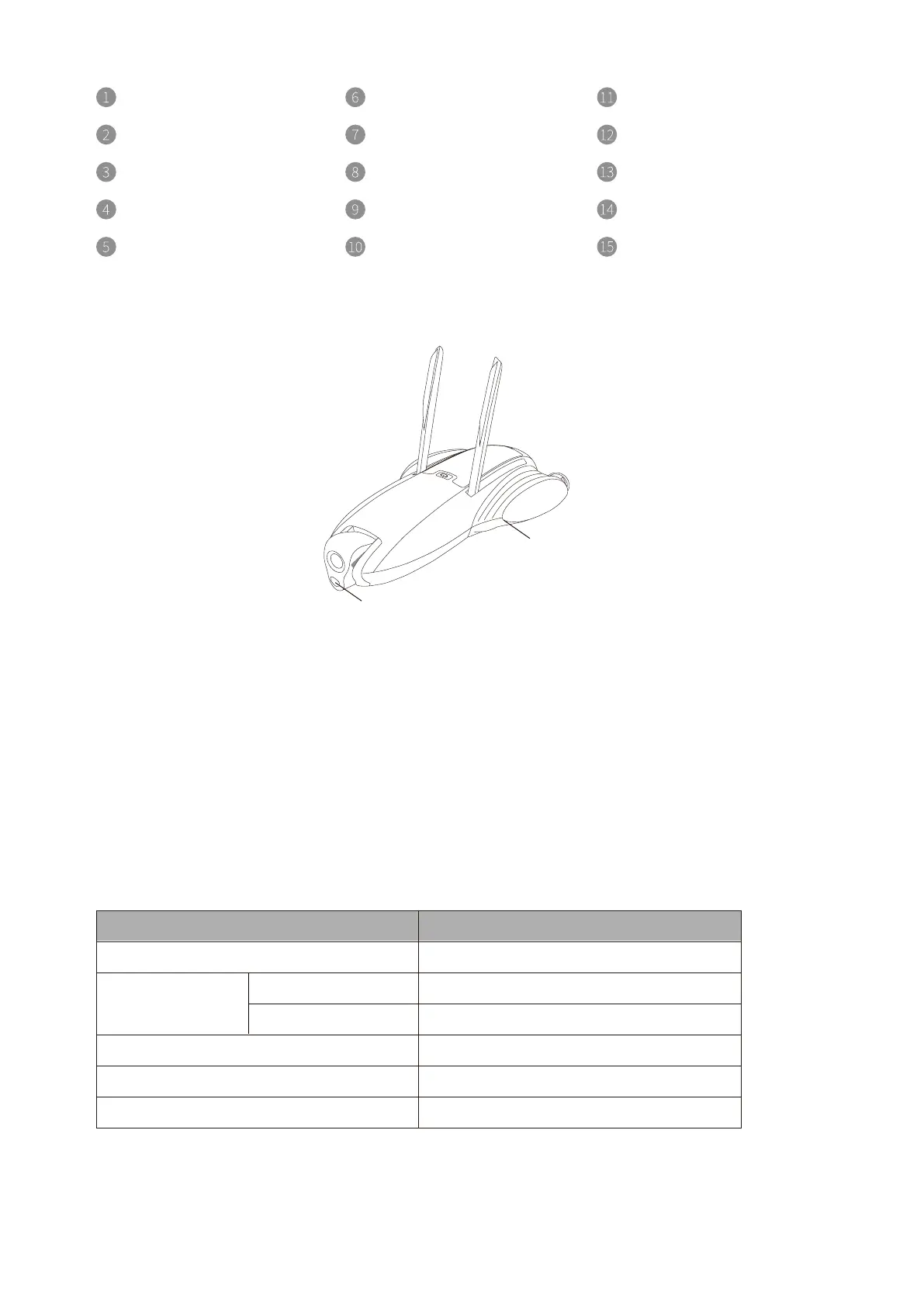
• Lights
1.Headlight
PowerDolphin has a 220LM LED headlight. You can turn it on or off via the LED button in
the App.
2.Taillight
PowerDolphin provides taillights that indicate the device status.
Taillight
Headlight
• Smart Battery and Power On/Off
Device Status Taillight Status
Blue pulsing light
Blue light
Green light
Red blinking light
White light
Yellow light
No device connected
Device connected
Locked
Unlocked
Warning for water damage to the device
Firmware upgrade
Not activated
4

Other manuals for PowerVision PowerDolphin

Related product manuals