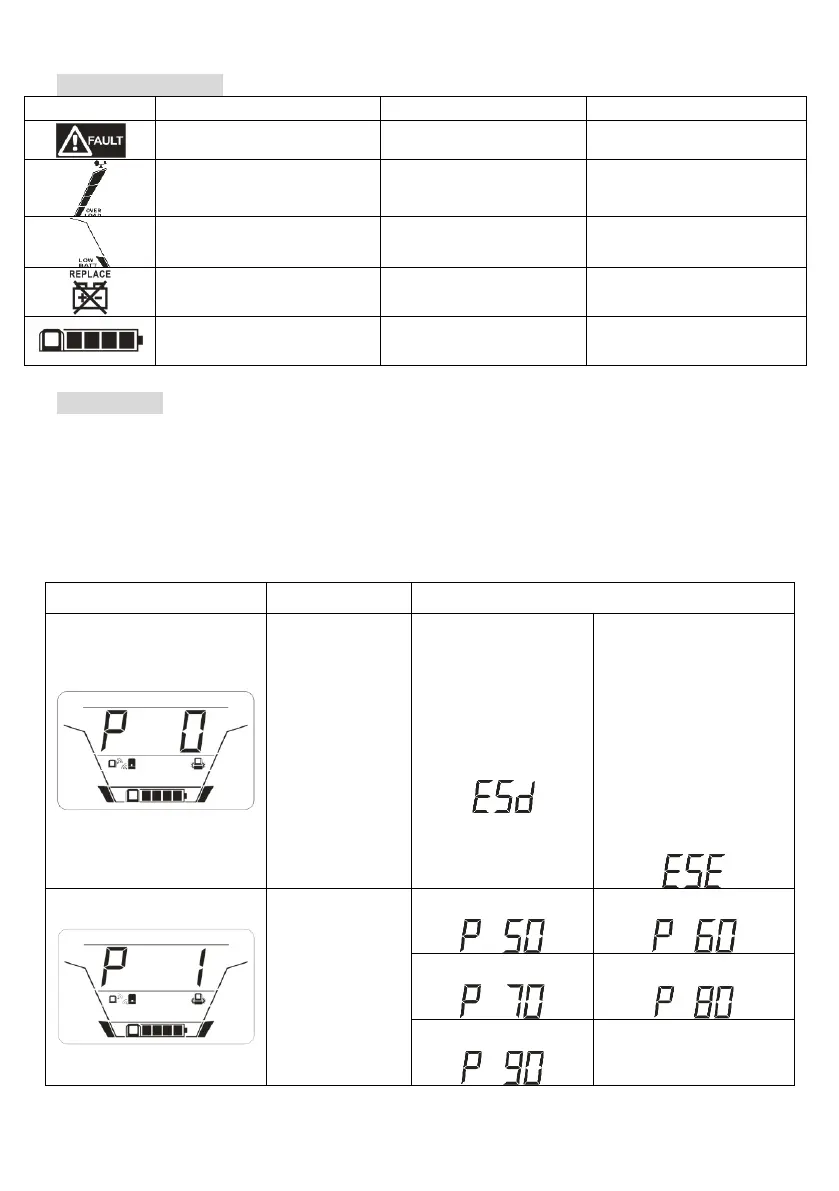
LCD Setting
After pressing and holding “UP/DOWN” button for 2 seconds, the unit will enter setting mode.
Press “UP/DOWN” button to select setting programs. Press “ON/OFF” button into selectable
option page. Press “ON/OFF” button again to access selectable options. Press “UP/DOWN”
button to switch different options. Once the option is selected, press “ON/OFF” button to
confirm or “MUTE” button to exit.
Setting Programs:



 To Next Page